Fediverse analytics, reach and scheduling across 20+ platforms.
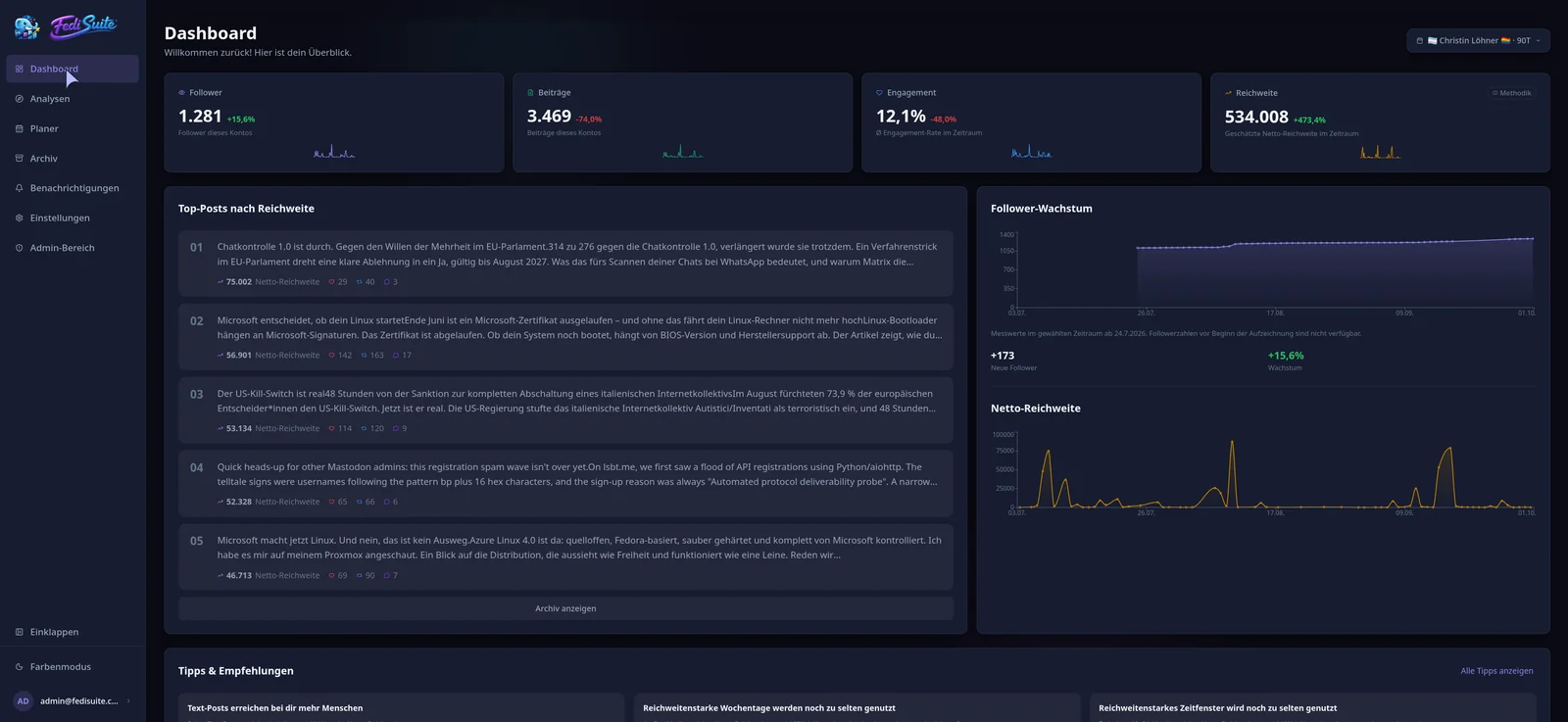
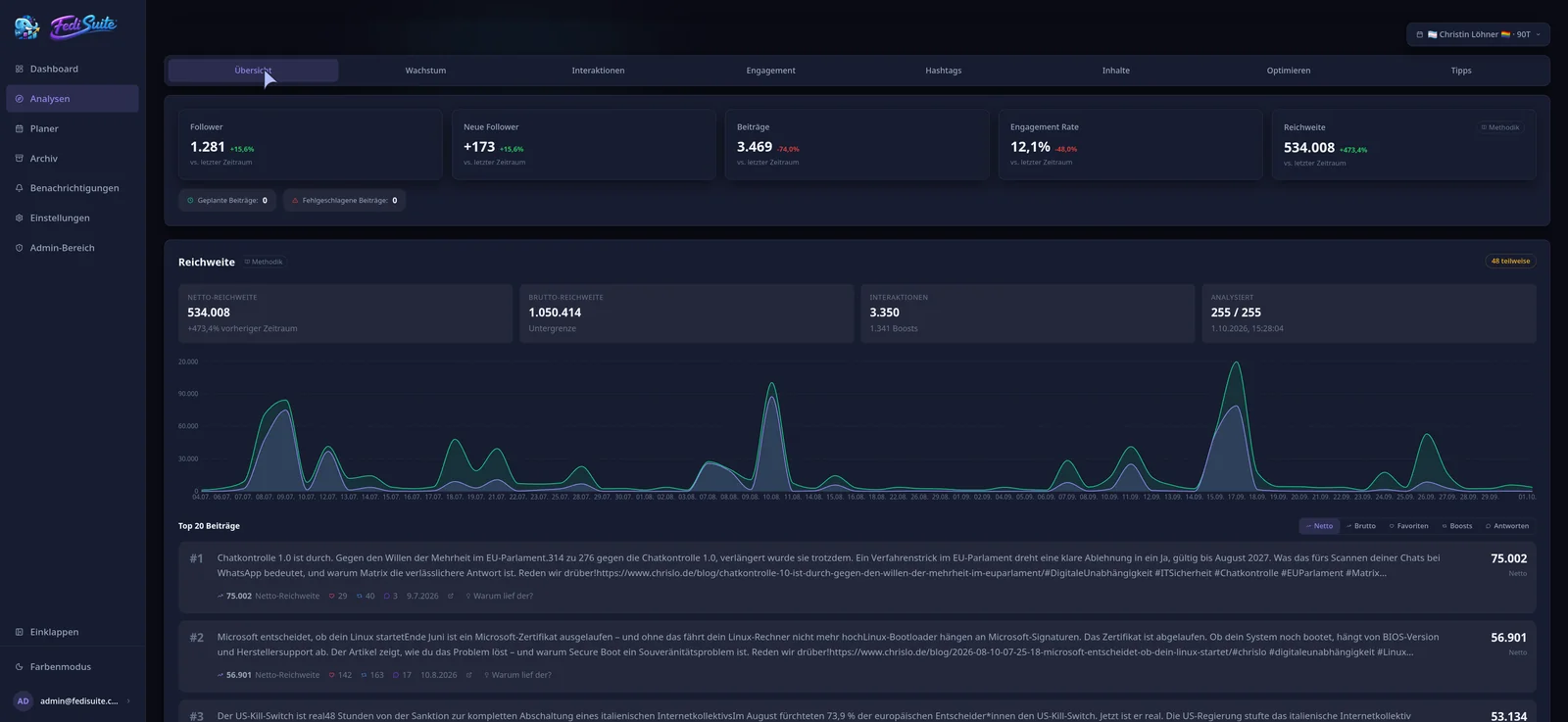
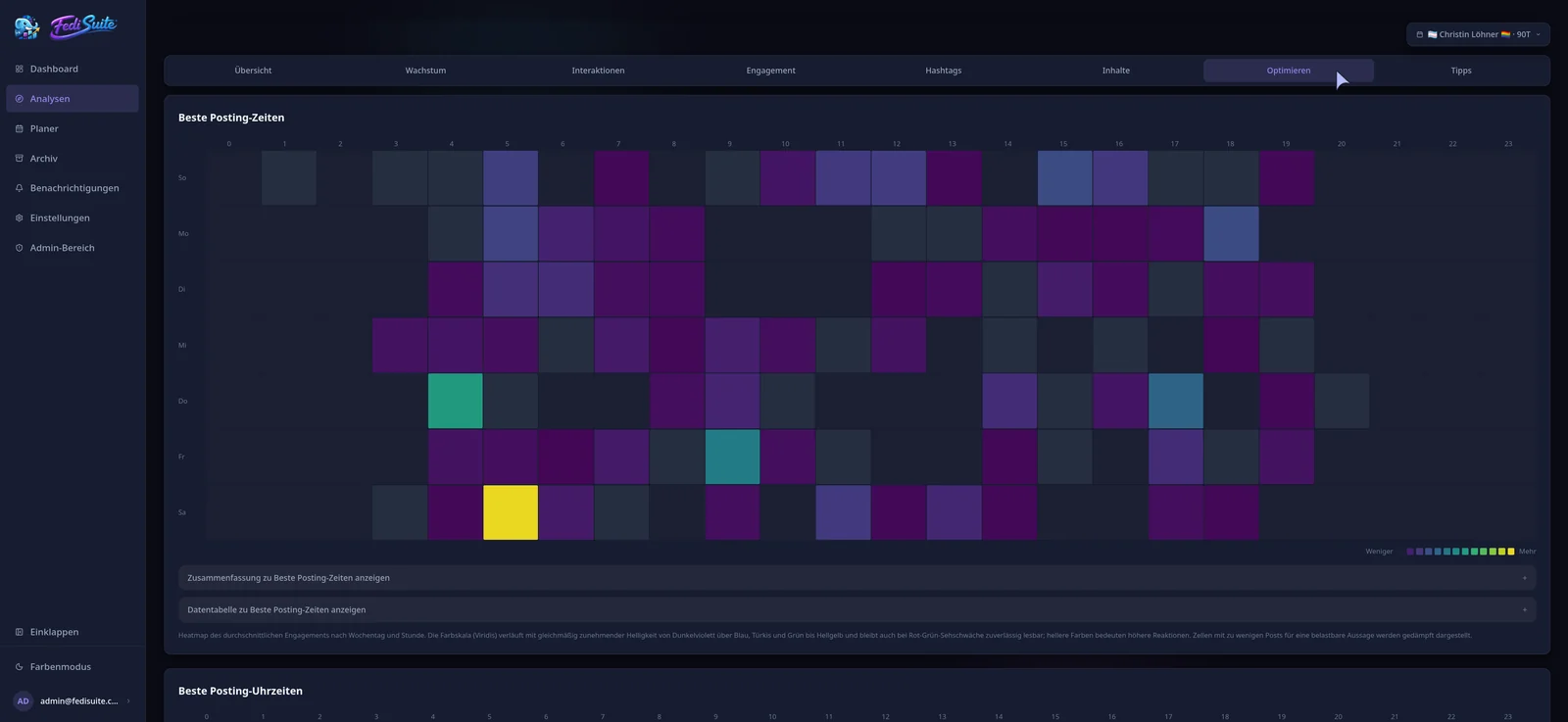
Dashboard with key figures, top posts and trend charts
Several accounts, several interfaces, hardly any shared insight.
Anyone at home in several corners of the Fediverse keeps switching between instances and browser tabs. Every platform has its own limits and rules, and how far a post really traveled is only visible indirectly. FediSuite sits on top of your accounts as a tool to plan, publish and understand what lands with your audience.
Your accounts stay where they are
FediSuite is not a network of its own and not another Mastodon client. Accounts stay on their instances, FediSuite connects to them.
No trackers, no ads
Neither the free instance at app.fedisuite.com nor a self-hosted installation contains trackers or ads.
No promises of success
Recommendations are based on the past data of your account. They show correlations and suggest things to try, but they do not guarantee what works.
Write, measure, understand, write better.
Many tools only schedule posts or only show numbers. FediSuite connects both. What the analysis reveals about your audience shows up again where the next post is written.
-
Write
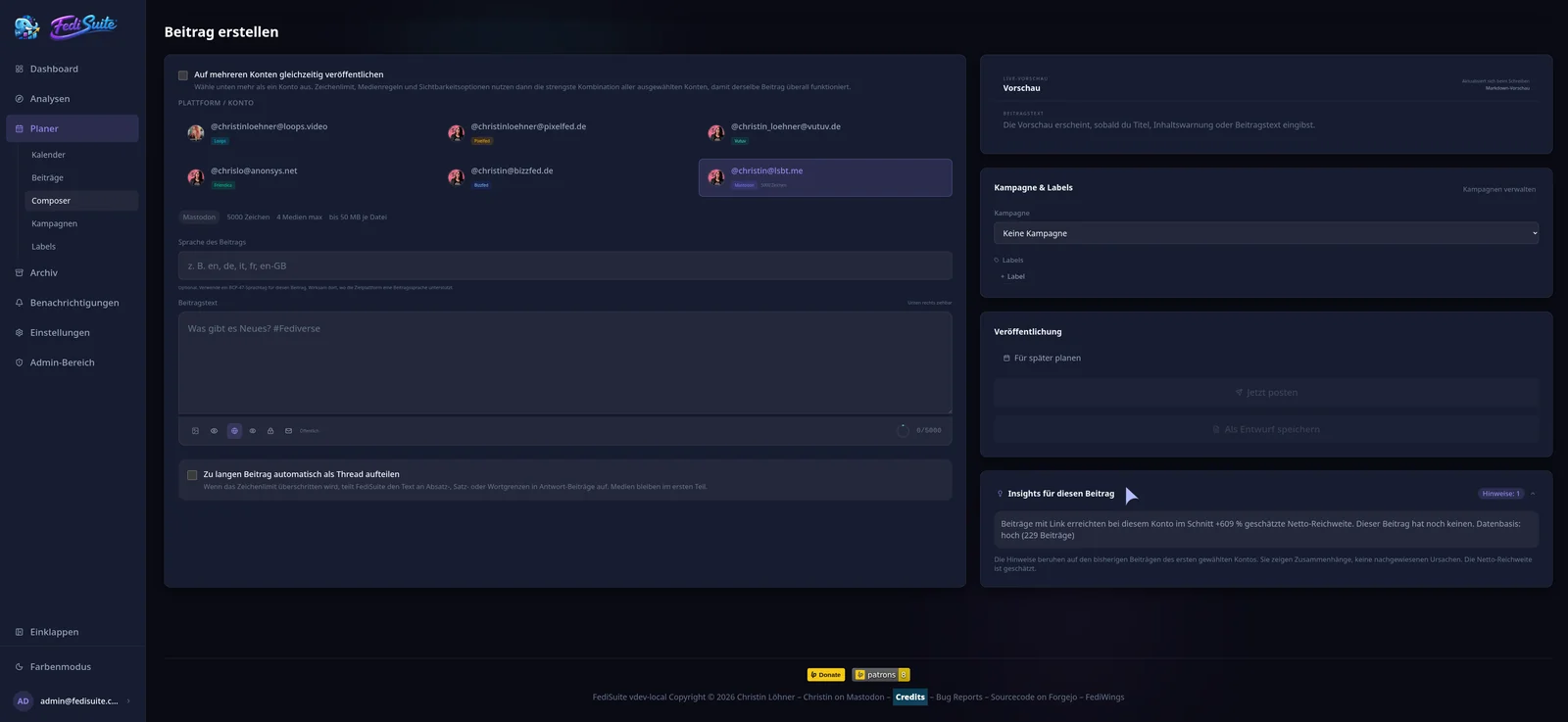
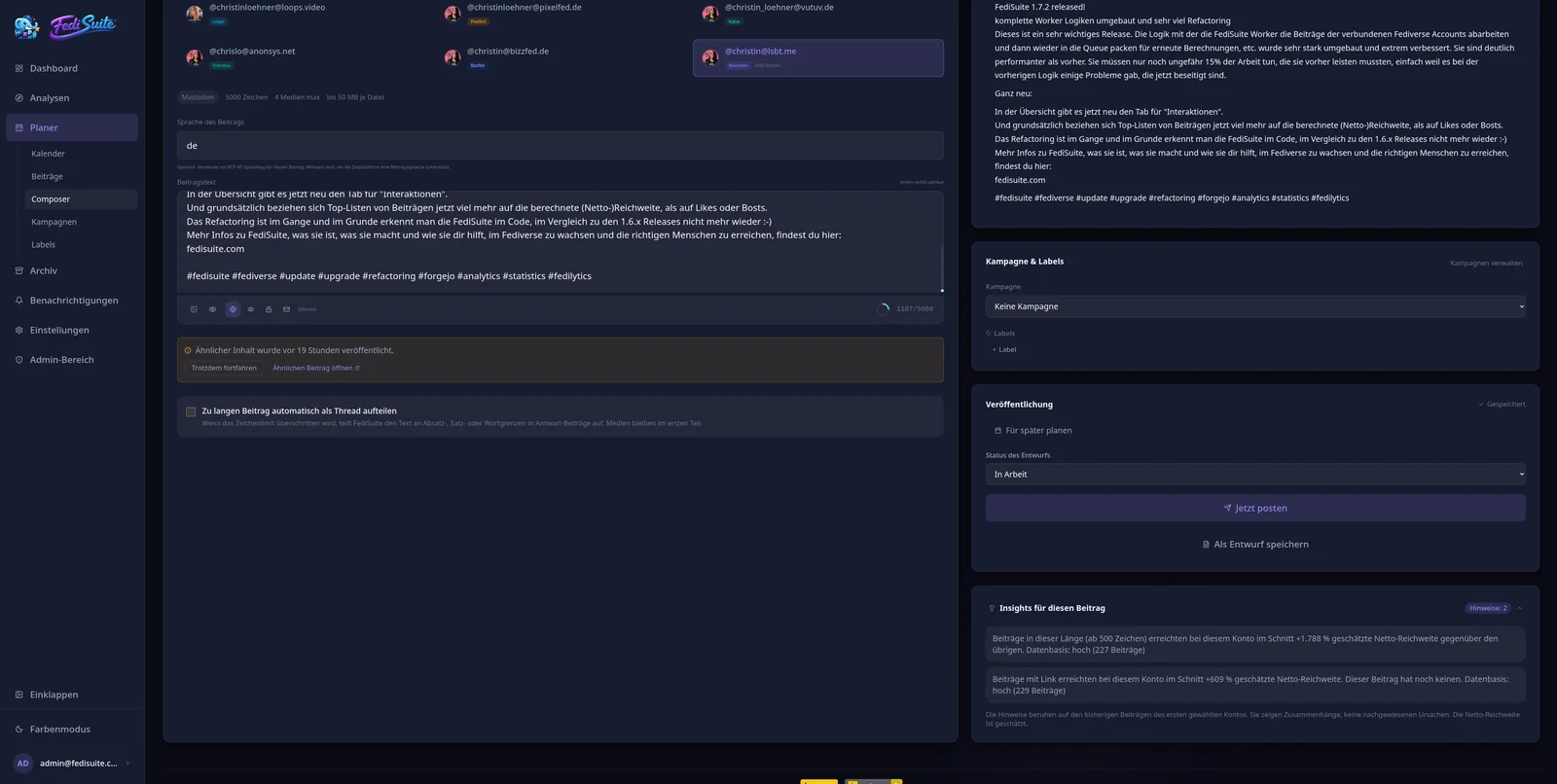
The composer knows the rules of every connected platform.
-
Plan
Calendar, drafts, campaigns and labels keep things in order.
-
Publish
Background workers deliver at the scheduled time.
-
Measure
Interactions, growth and estimated reach are recorded.
-
Understand
Patterns in your own history turn into concrete tips.
-
Write better
The hints appear right in the composer, and the loop starts again.
All your Fediverse accounts. One workspace.
From Mastodon to Pixelfed to PeerTube: connect your accounts once and switch between accounts instead of instances. FediSuite recognizes the platform on its own and follows the actual rules of your instance.
Platform detection
Enter the instance URL and FediSuite does the rest: platform type, character limit, media rules and visibility levels are read straight from the instance.
Historical import
Existing posts are imported in the background after connecting, with visible progress. Your analytics do not start from zero.
Securely connected
OAuth2 wherever the platform offers it. Passwords stay on your instance by default, and any deviation is shown to you beforehand.
Notifications at a glance
On supported platforms, new follows, favourites and mentions appear right in FediSuite. Reply, like or open on the instance without switching instances.
20+ platforms
-
 Mastodon
Microblogging
Mastodon
Microblogging
-
 Pixelfed
Photo network
Pixelfed
Photo network
-
 Vernissage
Photo network
Vernissage
Photo network
-
 Misskey
Microblogging
Misskey
Microblogging
-
 Friendica
Social network
Friendica
Social network
-
 Pleroma
Microblogging
Pleroma
Microblogging
-
 Akkoma
Microblogging
Akkoma
Microblogging
-
 Sharkey
Misskey fork
Sharkey
Misskey fork
-
 Calckey
Misskey fork
Calckey
Misskey fork
-
 Firefish
Misskey fork
Firefish
Misskey fork
-
 Iceshrimp
Misskey fork
Iceshrimp
Misskey fork
-
 PeerTube
Video platform
PeerTube
Video platform
-
 Loops
Short video
Loops
Short video
-
 GNU Social
Microblogging
GNU Social
Microblogging
-
 GoToSocial
Microblogging
GoToSocial
Microblogging
-
 Snac / Snac2
Microblogging
Snac / Snac2
Microblogging
-
 Takahē
Microblogging
Takahē
Microblogging
-
 Mitra
Social network
Mitra
Social network
-
 WordPress
Blog / CMS
WordPress
Blog / CMS
-
 BizzFed
Professional network
BizzFed
Professional network
-
 vutuv
Professional network
vutuv
Professional network
More networks can be added through plugins. The best example is Bluesky: it is not built on ActivityPub and therefore strictly speaking not part of the Fediverse, but it is supported as a connector through a plugin.
Write once. FediSuite knows the rules of your platforms.
The composer checks your post against the rules of the selected accounts while you write. Nothing to look up, nothing to trim by hand.
Several accounts at once
One post for several targets. FediSuite takes the common subset of the rules so the text is valid everywhere.
Everything included
Visibility, content warning, language, media with alt text and a live preview are part of writing.
Long texts as threads
When the limit is exceeded, FediSuite splits at paragraphs, sentences or words into a clean thread. Media stay in the intended part.
Calendar and scheduling
Schedule posts to the minute in your time zone, view them by month and week, filter by account, platform, label, campaign or status, and move them with drag and drop.
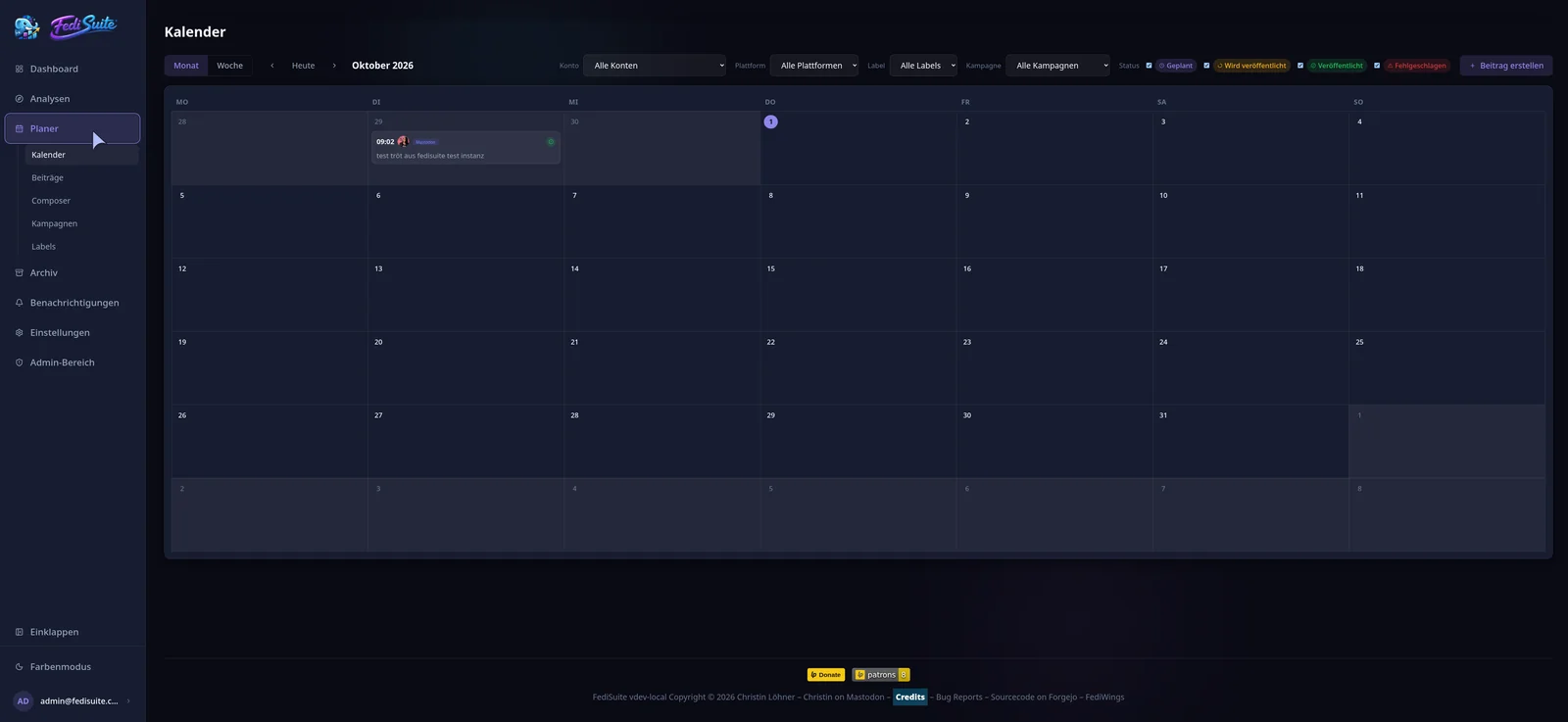
From the idea to publishing in one flow.
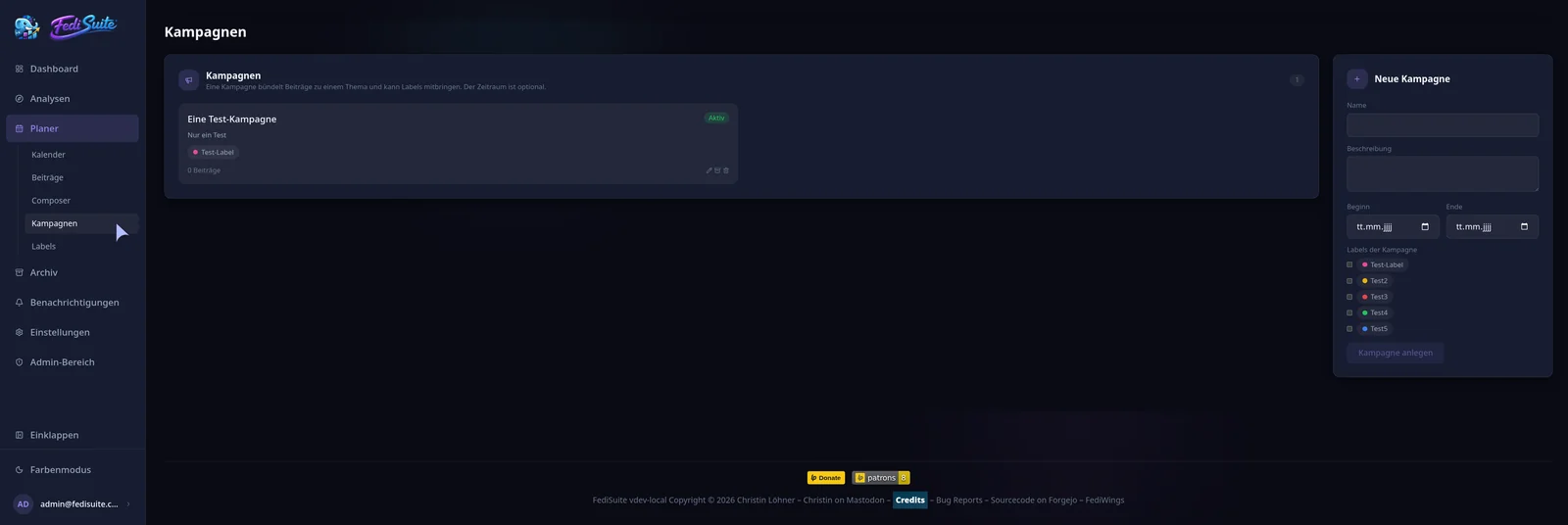
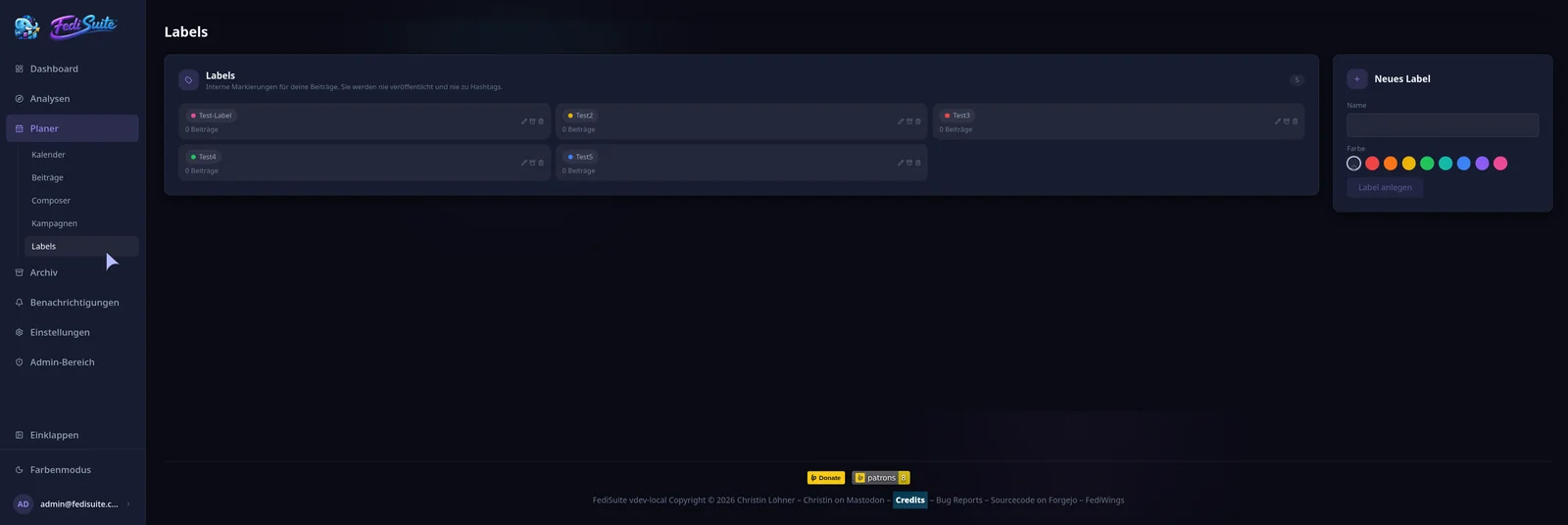
Drafts, campaigns and labels bring order to planning. The archive makes sure your content does not vanish in the timeline.
Drafts and evergreen
Prepare posts at your own pace, manage several drafts at once and mark timeless posts as evergreen. Nothing is ever published on its own.
Campaigns
Group related posts, for example for a release, an event or a themed week, with a period and assigned labels.
Internal labels
Colored markers for you to organize your posts. Labels are never published and are not hashtags, but they work as filters in calendar, posts and archive.
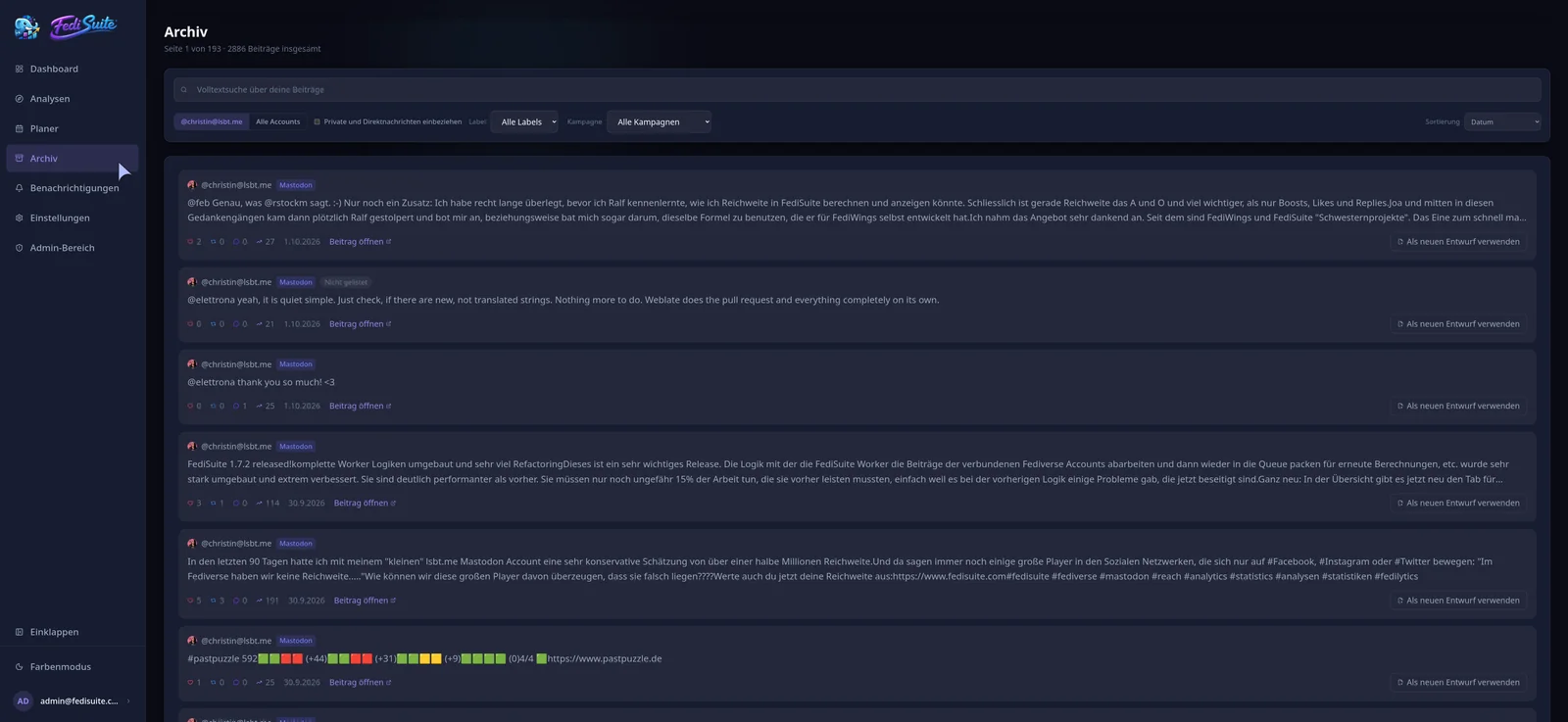
Archive with full-text search
Every recorded post is searchable, filterable and sortable by date, relevance, reach or interactions, including its analytics.
Reuse old posts
“Use as new draft” takes over text, language and media. The “Interesting again” badge points to older posts that did better than average.
Not just counting. Understanding.
More than follower counts: FediSuite separates growth, interactions and spread, so you can see what really happens with your audience.
Dashboard
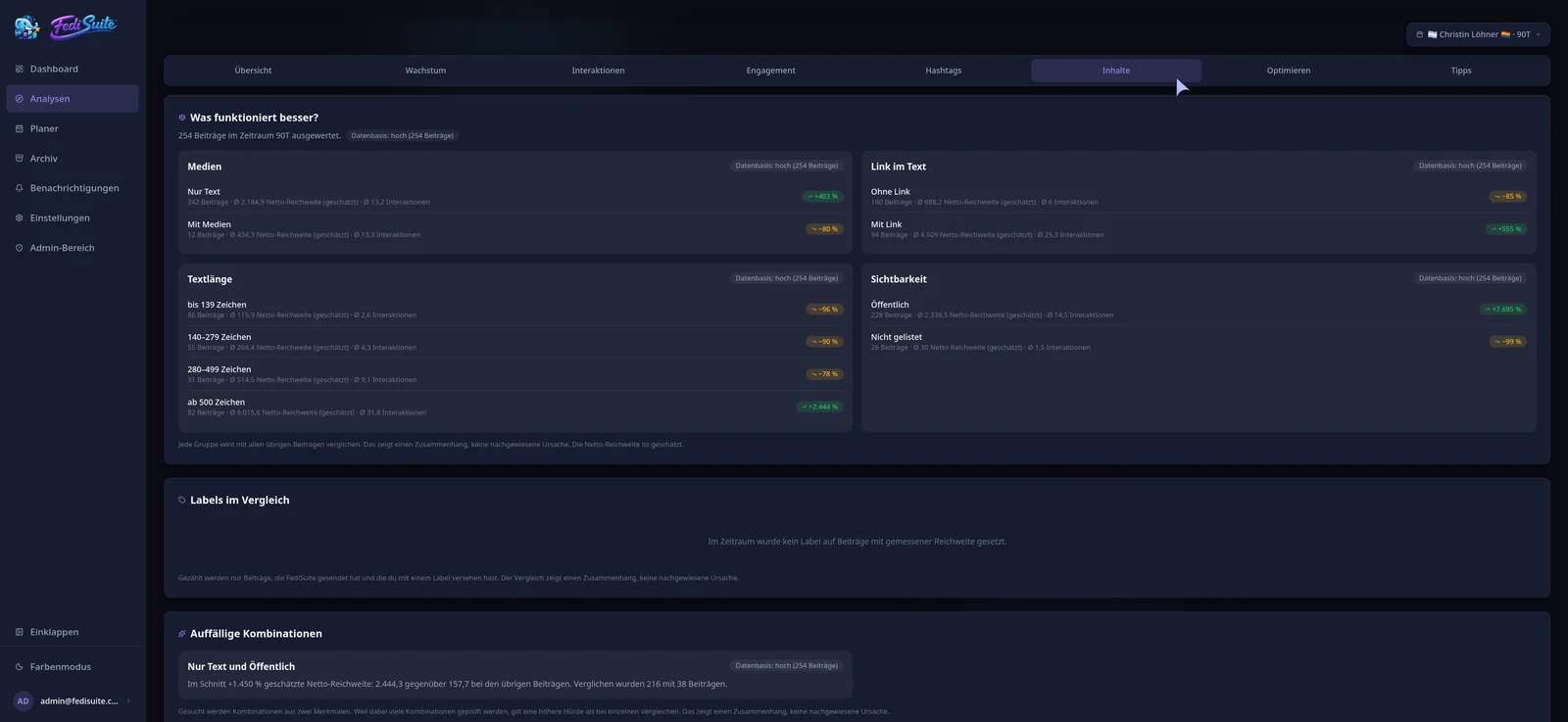
Followers, posts, engagement and estimated reach compared to the previous period, plus your posts with the highest reach.
Growth
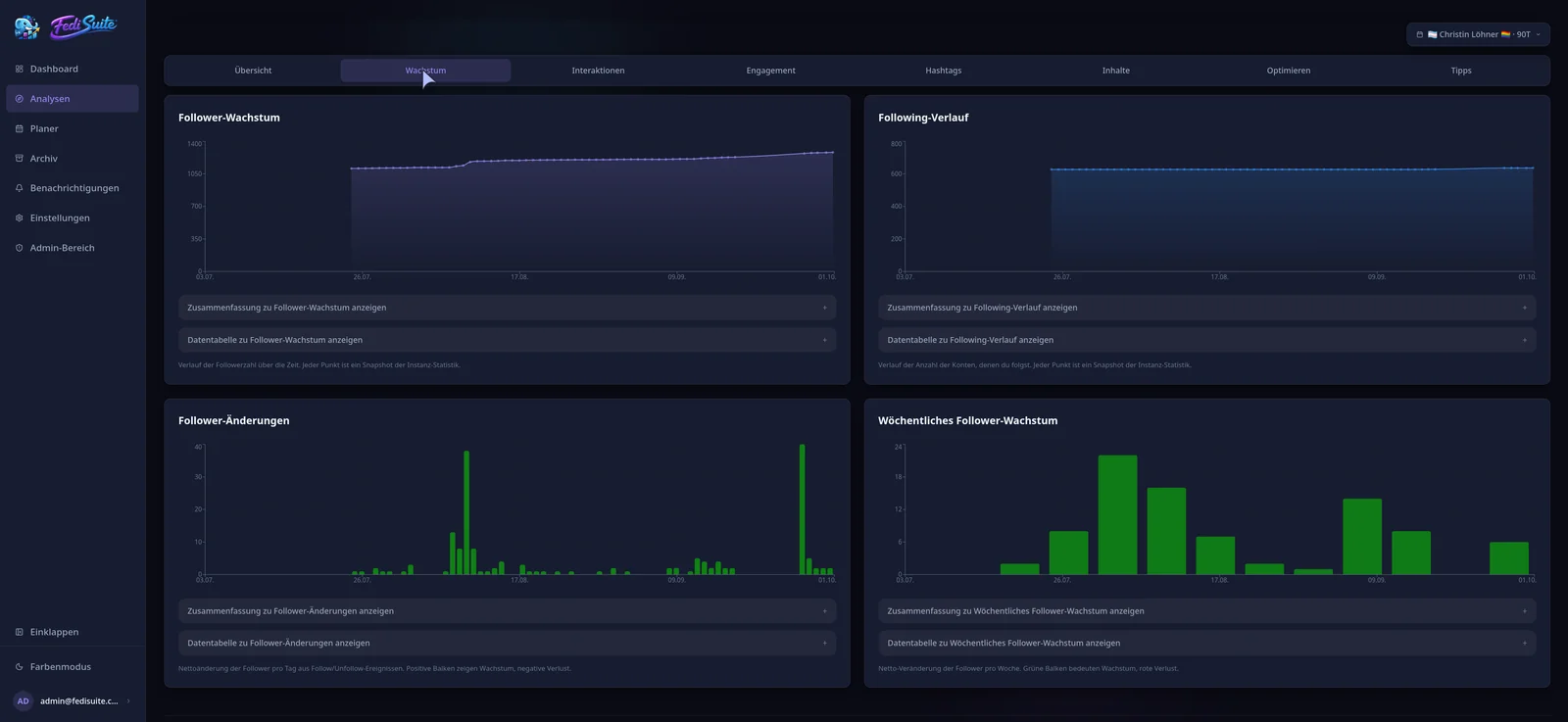
Follower and following history, daily changes and weekly figures over freely selectable periods.
Favourites, boosts, replies
Three signals, three meanings: approval, spread and conversation are analyzed separately instead of being blended into one number.
Hashtags
Which tags and which combinations resonate with your audience, and whether there are too many.
Best times
A heatmap by weekday and hour shows when your audience responds. Time slots with too little data are treated cautiously.
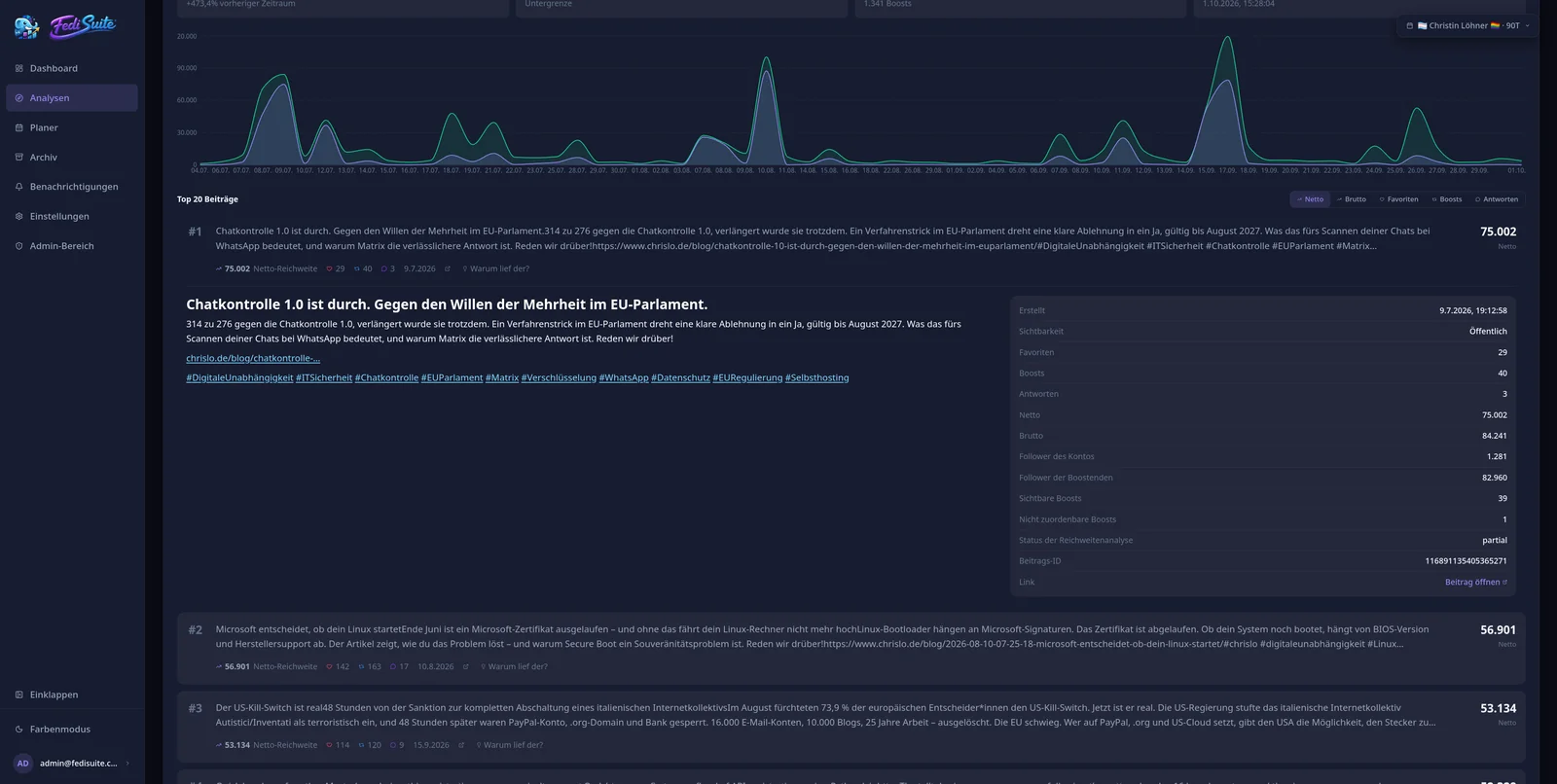
Reach in the Fediverse
The Fediverse has no central impressions count. For Mastodon and compatible platforms, FediSuite therefore estimates reach with a transparent model and reports net and gross values separately. The calculation shows the potential distribution pool and known boosters. These are useful comparison values, not measured views or deduplicated people. The model is based on FediWings by Ralf Stockmann.
Read the methodology (opens in new tab)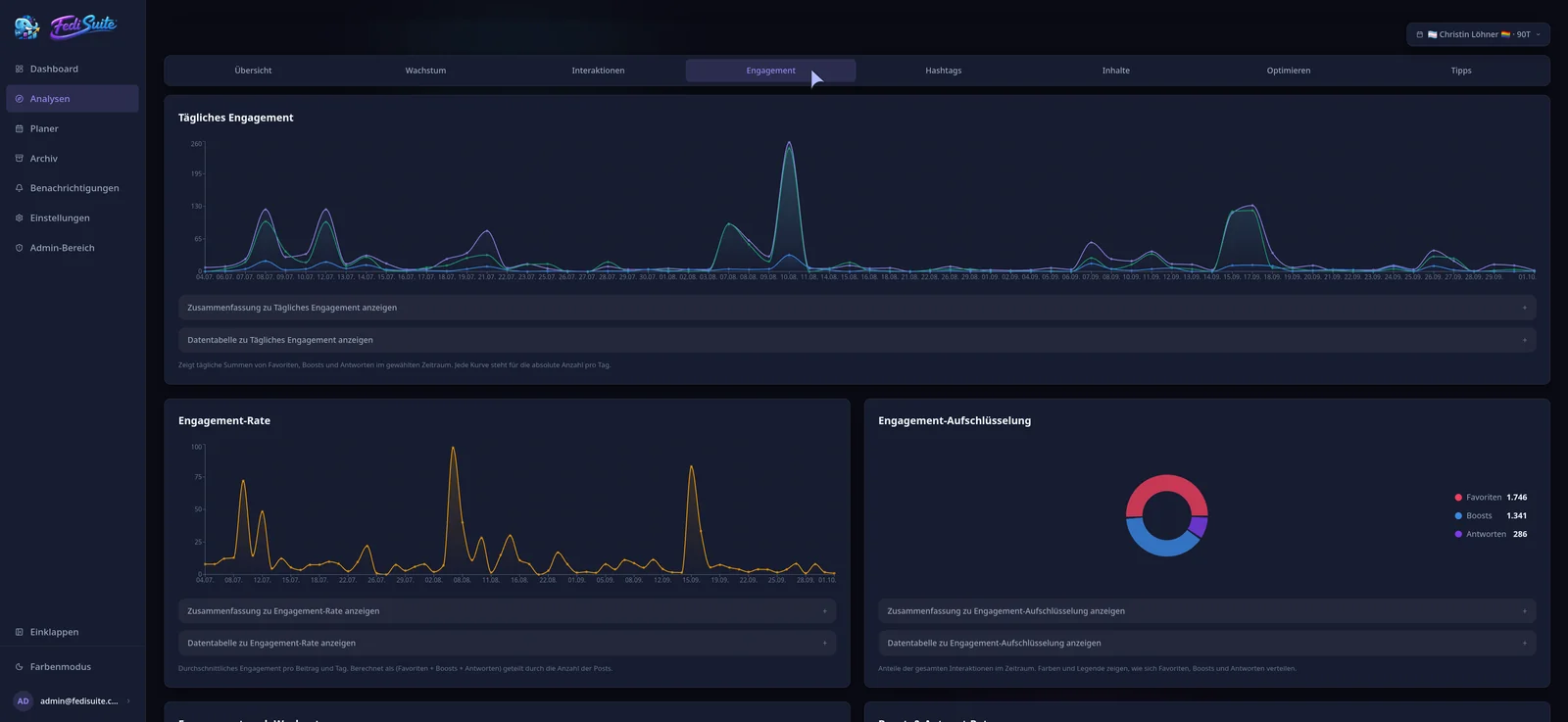
Your history becomes a decision aid for the next post.
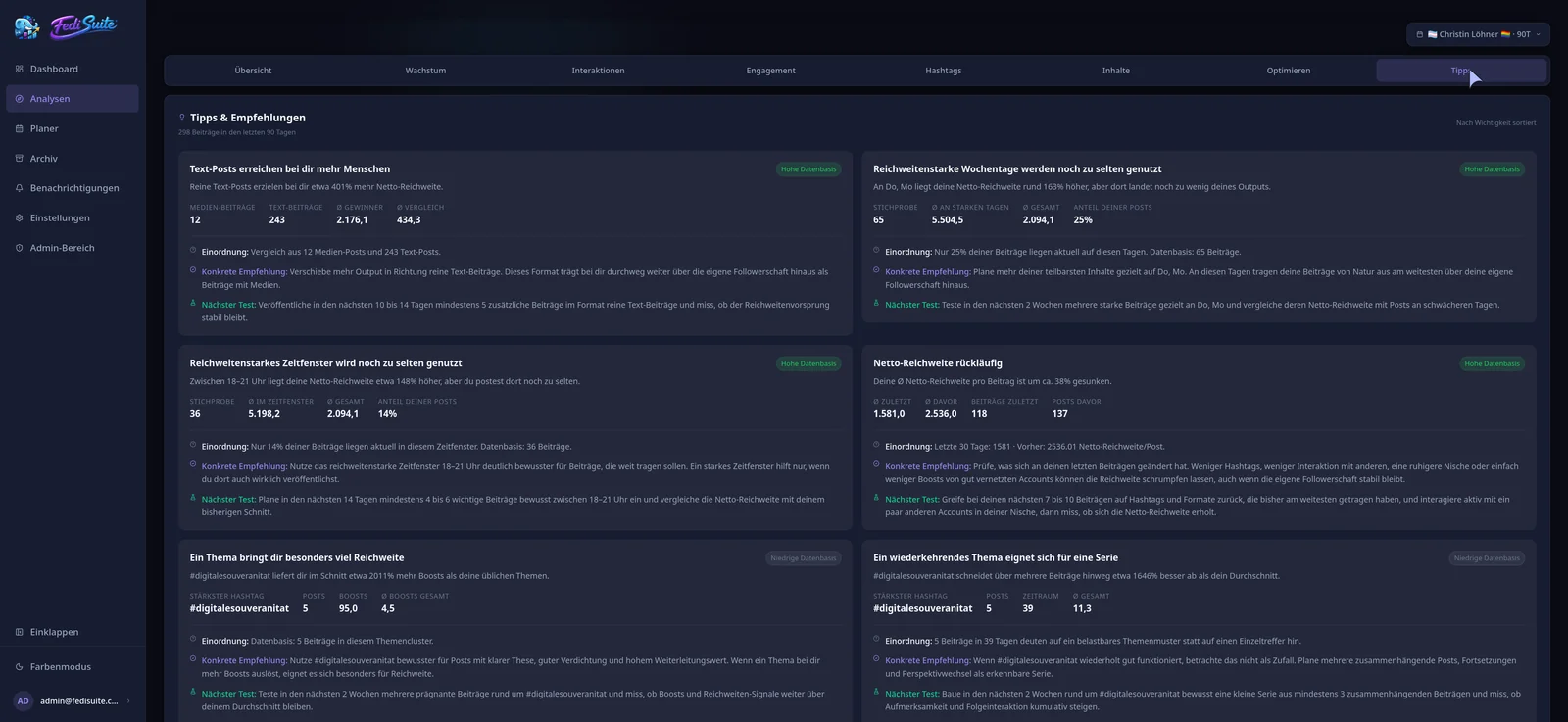
FediSuite looks for patterns in your account’s data and turns them into tips with comparison values, sample size, context, a concrete recommendation and a suggestion for the next test. A data basis rating (low, medium, high) shows how reliable a statement is.
Tips about your content
A format is cooling off, media earn likes but text brings spread, weekends do better, a topic is wearing out: all based on your account, not on averages.
Hints in the composer
While writing, matching findings appear, for example that posts with a link reached a higher estimated reach on this account so far.
Similar posts
If something similar was published recently, FediSuite points it out. You can still continue or open the earlier post.
Good time windows in the calendar
In the week view, FediSuite marks time windows in which an account has reached above-average numbers so far.
All hints describe correlations in the data so far, not causes. There are no generic social media rules here, only your own numbers.
Analytics, scheduling and platforms in detail
Every topic has its own page: how reach is estimated, when to post, how the calendar works and what each platform supports.
-
All features
The complete workflow: create, schedule, organize, analyze and make better decisions.
-
Fediverse Analytics
Statistics, reach and growth of your Fediverse accounts in one place.
-
Mastodon Analytics
Reach, boosts, follower growth and hashtags of your Mastodon account.
-
Reach analysis
Estimated net and gross reach of your posts, with an open method.
-
Best time to post
Heatmap by weekday and hour, calculated from your own posts.
-
Content calendar
Plan, filter and reschedule posts for several accounts in a calendar.
-
Campaigns
Group posts into campaigns and sort them with labels.
-
Platforms
All supported platforms and what FediSuite analyzes on each.
-
Fedica alternative
FediSuite, Fedica and Viraly compared factually, with the date of the information.
Your communication. Your infrastructure. Your data.
FediSuite is free software under the GNU GPL-3.0. Anyone can read, change and redistribute the code. Those who want to keep their data close host FediSuite themselves. Those who prefer convenience use the free instance. Both without trackers and without ads.
Open source
Frontend, backend, Docker setup and documentation are open. Reporting bugs, contributing or forking is explicitly welcome.
Self-hosting
Docker Compose with a database, the app and two background workers, an official image on Docker Hub, a Traefik example included. Registrations can be switched off for a private instance.
Control over your data
A data export as ZIP, session management and two-factor sign-in are built in. Deleting a FediSuite account never deletes your Fediverse accounts.
For registration, password reset and import notifications, FediSuite needs SMTP access. All steps are in the installation guide.
Accessibility is part of the product.
FediSuite is designed for keyboard use, screen readers and good contrast from the start. Operation with a screen reader has been tried out in practice by a blind user. There is no certificate. If something stands out, the project welcomes feedback.
Charts with text alternatives
Every chart comes with a summary in words and a complete data table. Heatmaps and pie charts can be read as text, too.
Keyboard operation
Skip links to the main content, visible focus, arrow keys in tab lists and properly labeled dialogs.
Language per post
Every post can carry a language tag that is passed on to supported platforms, so screen readers pronounce it correctly.
Alt text while writing
Below every image there is a visible button for the alt text, with an image preview in the dialog. It is not buried in a menu but part of writing.
FediSuite on the go.
The native Android app (Expo and React Native, not a web view) connects to any FediSuite instance, to app.fedisuite.com as well as to a self-hosted server. It is available through F-Droid, open source, without Google Play and without tracking.
Built for touch
Navigation at the bottom, large tap targets and a design focused on dark mode.
Analytics on the go
Account analytics and tips in a compact, readable form.
Write and schedule posts
Text, media and alt text right in the mobile composer, plus the queue of scheduled posts.
Any instance
No server is built in: you choose the instance when signing in.
Functionally, the app is still at an earlier stage than the web interface. An overhaul is planned for the coming weeks and months.
For everyone who takes the Fediverse seriously.
Individuals and creators
Manage several accounts without tab chaos, schedule posts ahead and find out what works with your own audience.
Projects and communities
Open source projects, clubs and initiatives with regular communication: plan releases, events and news, and evaluate the response.
Organizations
Organisations, influencers or agencies that run the Fediverse as a communication channel and need planning, campaigns, analytics and full control over their data.
Ready in four steps.
No setup of your own is needed. Those who want full control host FediSuite themselves.
-
Choose an instance
Pick the official or another public FediSuite instance in the directory and create an account there.
-
Connect accounts
Enter the instance URL. FediSuite recognizes the platform, loads limits and rules and imports your earlier posts.
-
Write and schedule posts
Write in the composer, add media and alt text, choose a campaign or labels and set the time.
-
Analyze and learn
Look at growth, reach and tips, and find the findings again in the composer for the next post.
Actively developed, regularly released.
The latest changes at a glance. Every version with all details is in the changelog.
Planner, calendar and archive
The interface now follows the path of a post: dashboard, analytics, planner with calendar, posts, composer, campaigns and labels, plus the archive.
Reuse old posts
Any post in the archive can be taken over as a new draft. Timeless drafts can be marked as evergreen.
Hints while writing
The composer shows findings from your own data and warns about similar posts published recently.
Interactions in detail
Favourites, boosts and replies each have their own chart, with a text summary and data table.
Five languages
Besides German, English and Italian, French and Spanish are now available. Translation happens in the browser through Weblate.
Android app on F-Droid
The app can be installed freely, without Google Play and without tracking.
A project by people, for the Fediverse.
The idea behind it
FediSuite grew out of the question of what the Fediverse still lacks before creators, organizations and large accounts can really move over from Facebook, Instagram or X. Analytics were at the top of the list.
On the commercial platforms it is visible how posts perform. In the Fediverse there were hardly any tools for that. FediSuite builds them without turning the Fediverse into a platform that lives off tracking.
FediSuite is developed and maintained by Christin Löhner, who uses the tool every day. The project is independently funded and has no investors. Bug reports and ideas go straight to the developer.
Report bugs and contribute
Real bug reports from practice help the most, especially for self-hosting. The process is described in CONTRIBUTING.md.
Sister project FediWings
FediWings by Ralf Stockmann (@rstockm@chaos.social) analyzes a single post, with no login and no account. FediSuite builds on the same open reach model and turns it into an ongoing analysis across all of your accounts.
Support the project
FediSuite is free and stays free. Those who want to support development can donate through Liberapay.

In your language
The interface is available in German, English, Italian, French and Spanish. Translation happens in the browser through a Weblate of its own, no Git needed. If your language is missing, you can add it yourself.
Language status
- Deutsch complete
- English complete
- Italiano complete, translated by Elena Brescacin
- Français native French speakers wanted for proofreading
- Español first translated by AI, reviewed and completed by Víctor Fancelli Capdevila
Your Fediverse, better organized.
Use the free instance or run your own. FediSuite is open source, with no trackers and no ads.
- Free to use
- Open source (GPL-3.0)
- Self-hostable
- 20+ platforms
- Android app