Mastodon Analytics: Statistics and Reach of Your Posts
Mastodon shows you counters on single posts. For trends over weeks and comparisons between posts you need an analysis that collects the data. FediSuite analyzes your Mastodon account and keeps the numbers for months.
- Sign-in
- OAuth2 on your instance
- Reach
- Net and gross, estimated
- History
- Existing posts are imported
- Accounts
- Several Mastodon accounts at once
What FediSuite analyzes on Mastodon
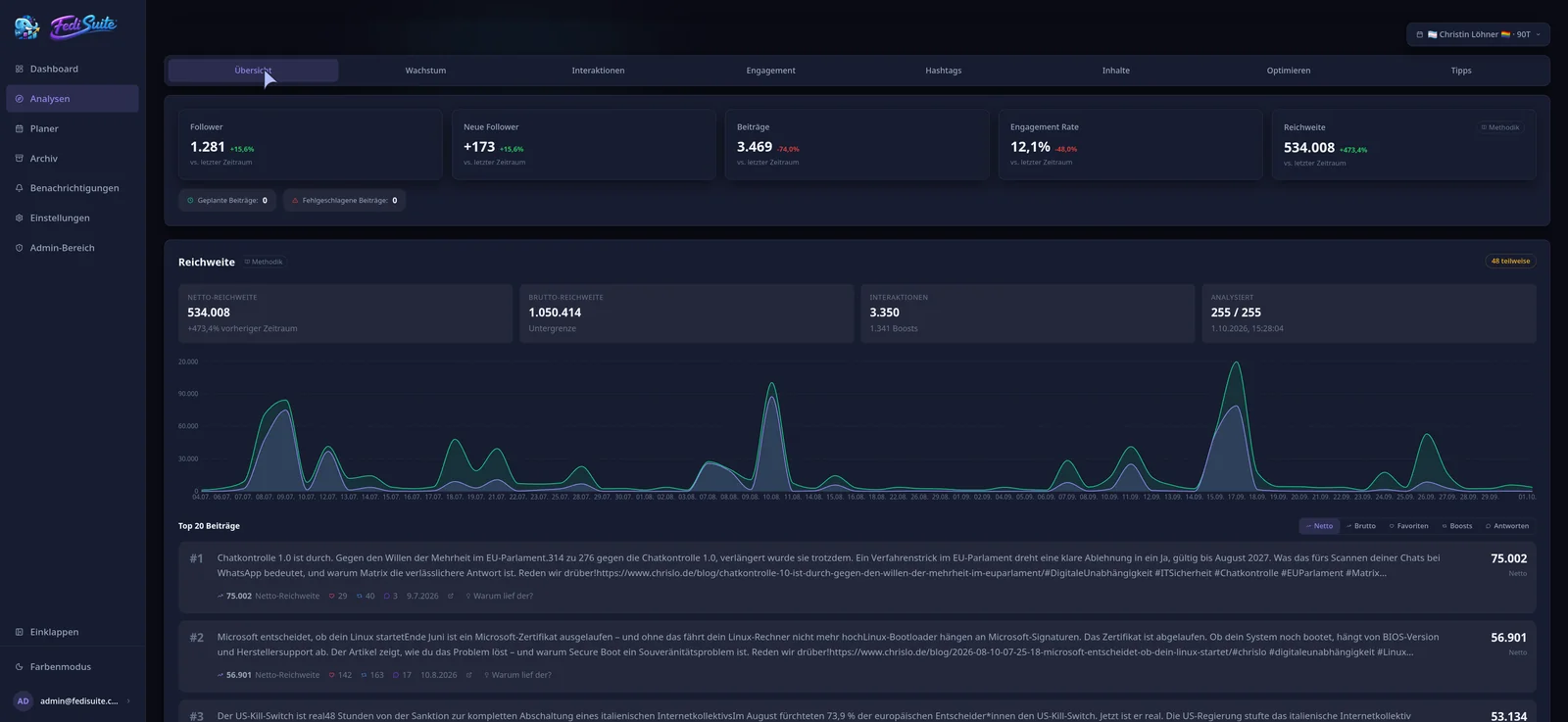
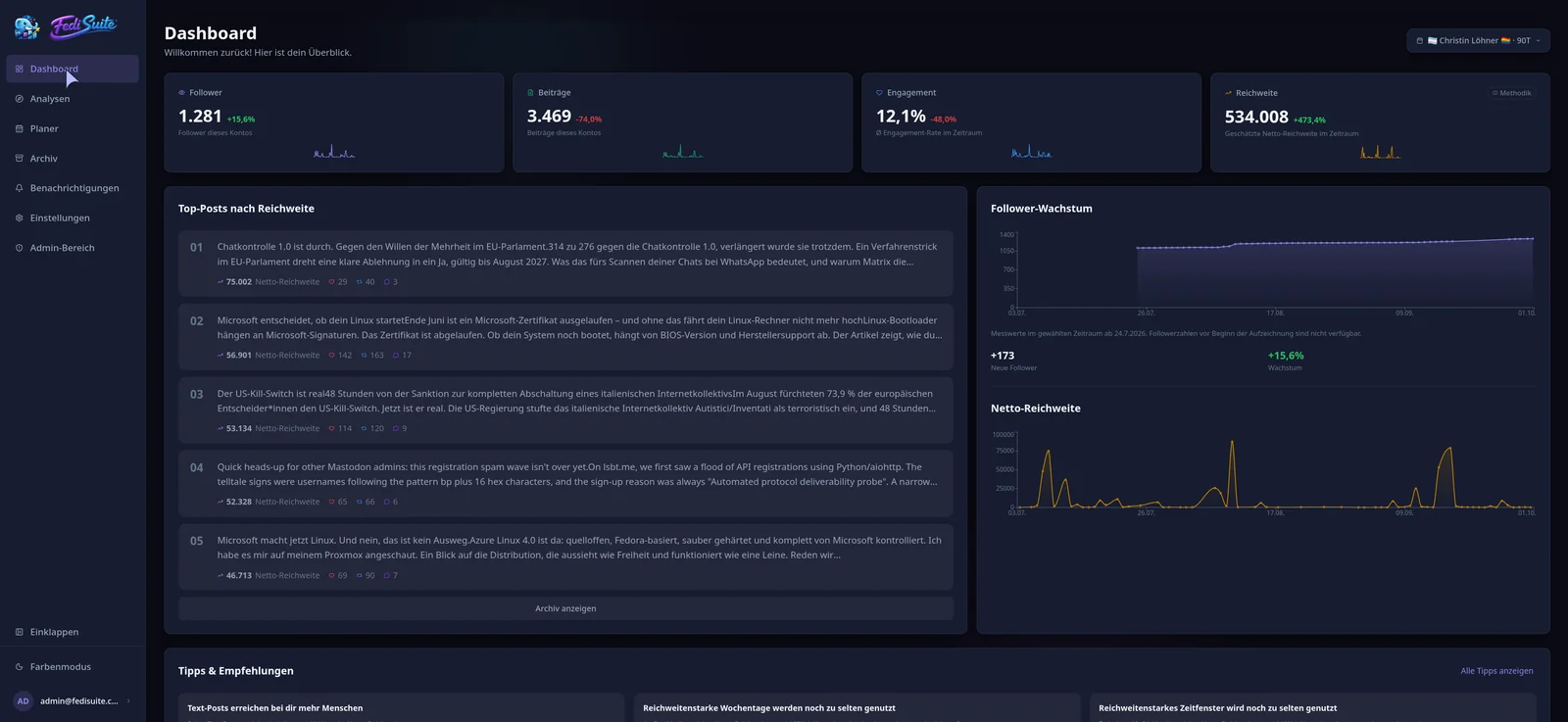
After you connect, FediSuite reads your posts and their counters and calculates:
- Follower growth as a timeline, not just the current number
- Favourites, boosts, quotes and replies per post, and engagement relative to your follower count
- The posts with the highest estimated reach
- Hashtags by frequency, engagement and combined effect
- Best posting times for your account by weekday and hour
- Posts with and without images or links compared
Estimating Mastodon reach
For Mastodon posts, FediSuite can query the list of accounts that boosted a post. Your follower count and the counts of known boosters produce a potential gross distribution pool. Net reach is estimated heuristically from that pool and interactions; overlap between follower groups is not measured directly.
Quotes (since Mastodon 4.5) count like boosts. Because instances eventually delete the boost entries of old posts while the counter stays, FediSuite never reduces stored counters or booster lists. The reach of a post can only grow.
Comparing several Mastodon accounts
Personal account, project account, club account: connect as many accounts from different instances as you like and view them side by side on the dashboard. Glitch-soc and Hometown run as Mastodon.
Connecting your account
Enter the address of your instance, grant FediSuite access there, done. Your password stays with your instance. Existing posts are then imported in the background and the progress is visible.
Frequently asked questions
How do I see statistics for my Mastodon posts?
Connect your account to FediSuite. The dashboard and analytics then show growth, interactions, reach, hashtags and posting times, including posts that were written before you connected.
Can I see the reach of a Mastodon post?
Yes, as an estimate. FediSuite calculates net and gross reach from followers and boosters. Exact impressions are only known to the instance that displayed a post.
Does it work with any Mastodon instance?
You enter the address of your instance, FediSuite detects the software and reads limits and rules from there. Sign-in uses OAuth2 directly on your instance.
Are old posts included?
Yes. After connecting, FediSuite imports the existing history in the background, so the analysis does not start at zero.
What does Mastodon analytics with FediSuite cost?
The official instance is free according to the website. Alternatively you can host FediSuite yourself, the software is licensed under GPL-3.0.
Related
-
Reach analysis
Estimated net and gross reach of your posts, with an open method.
-
Best time to post
Heatmap by weekday and hour, calculated from your own posts.
-
Fediverse Analytics
Statistics, reach and growth of your Fediverse accounts in one place.
Try FediSuite
The official instance is free. If you want your data in your own house, run FediSuite with Docker on your own server.