Friendica analytics: reach, statistics and post scheduling
When you write longer posts on Friendica, you want to see which topics travel further. FediSuite connects your editorial plan with follower history, interactions and estimated reach. BBCode remains part of your familiar writing workflow.
- Sign-in
- OAuth2, approval on your Friendica instance
- Publishing
- Text in BBCode format, scheduling supported
- Analytics
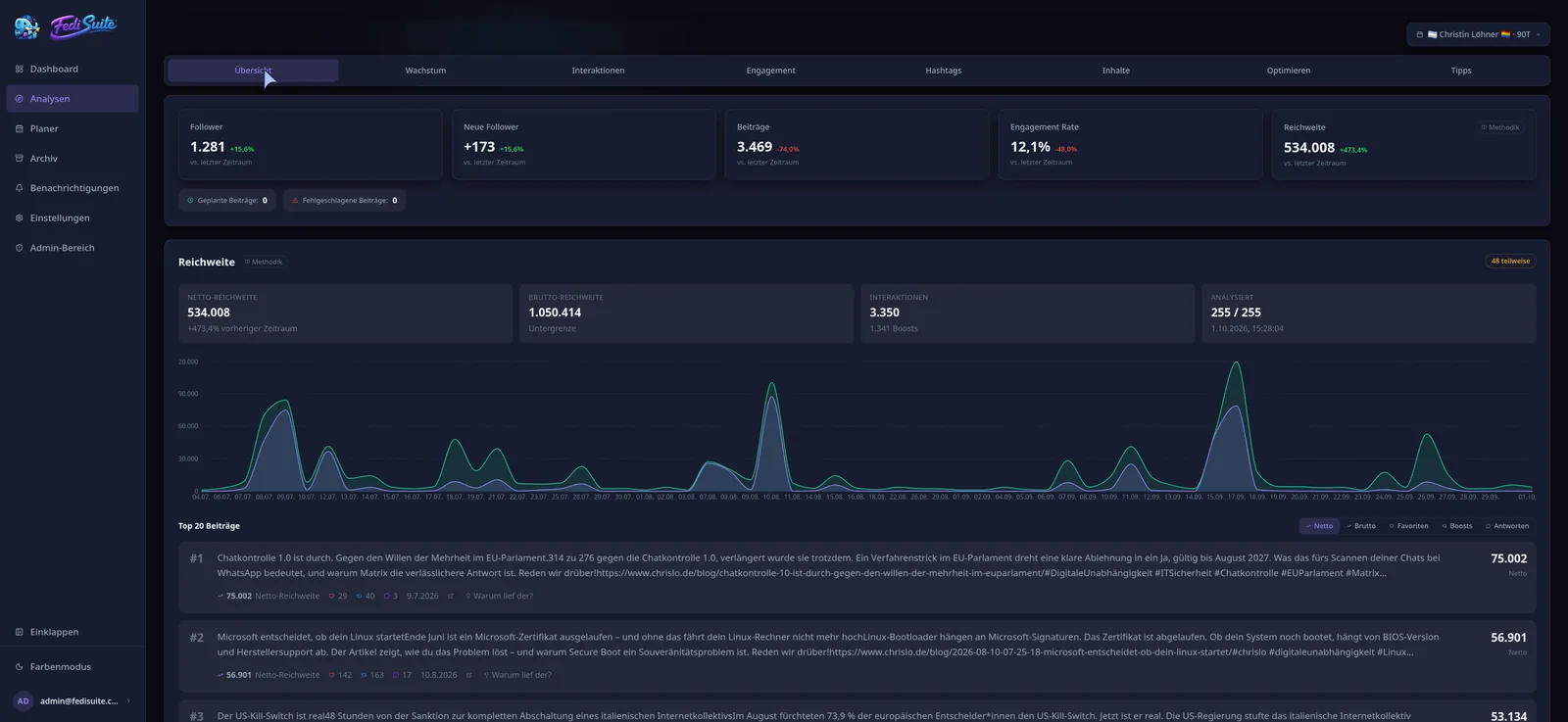
- Followers, interactions, engagement, hashtags, posting times
- Reach
- Estimated (net and gross), notifications available
Friendica analytics: which statistics you get
FediSuite evaluates follower growth, interactions, engagement and hashtags for your Friendica account. The history is imported in the background when you connect, so the statistics do not begin on the day you sign up.
A heatmap by weekday and hour shows when your posts get the most response. FediSuite also compares posts with media against text-only posts. Tips come from your own data.
Estimating Friendica reach
Friendica supports an estimated reach as a net and a gross value. It is boost-aware and follows the FediWings model.
Open a post to examine its known boosters and potential distribution pool. Compare publications from the same account and see which conversations led to wider distribution.
Scheduling Friendica posts with BBCode
Friendica uses BBCode. FediSuite recognizes the format, so you do not have to change how you write. You set the publishing time in the composer, and the post lands in the content calendar.
In the month or week view you can filter by account, platform, label, campaign and status. One post can also go to several accounts at once. Notifications from your Friendica instance can be viewed in FediSuite.
Follow a longer discussion on Friendica
For a multi-part discussion, prepare posts as drafts, gather them in a campaign and spread them over several days. The calendar shows what is already scheduled. Friendica posts keep their BBCode format while you manage dates and private labels alongside your other accounts.
Once they are published, examine replies, boosts and estimated reach. See whether a topic mainly started conversations in your community or travelled beyond it. A strong earlier post can become a new draft from the archive.
Connecting and self-hosting
Enter the URL of your instance and FediSuite detects the platform type, character limit, media rules and visibility levels itself. You grant access via OAuth2 on the instance.
FediSuite is free software under GPL-3.0, has no trackers or ads, and can run on your own server with Docker. The official instance at app.fedisuite.com is free according to the website.
Frequently asked questions
Are there statistics for Friendica accounts?
Yes. FediSuite shows follower growth, interactions, engagement, hashtags and the best posting times. Your existing history is imported when you connect.
Can I see my reach on Friendica?
As an estimate, yes, split into net and gross and with boosts taken into account. Server-side measured impressions are not available.
Does FediSuite support BBCode for Friendica?
Yes. FediSuite recognizes the BBCode format used by Friendica and publishes the text accordingly.
Can I schedule Friendica posts?
Yes. You pick a date and time in the composer, and the post then appears in the content calendar. Drafts, labels and campaigns work too.
Related
-
Platforms
All supported platforms and what FediSuite analyzes on each.
-
Reach analysis
Estimated net and gross reach of your posts, with an open method.
-
Content calendar
Plan, filter and reschedule posts for several accounts in a calendar.
Try FediSuite
The official instance is free. If you want your data in your own house, run FediSuite with Docker on your own server.