Loops analytics and scheduling for short videos
Posting one short video is easy. A series takes planning. FediSuite puts your Loops videos in the content calendar and shows which posts drew reactions, shares and conversation afterward.
- Sign-in
- OAuth2 approval on your instance
- Publishing
- Video upload, description up to 200 characters
- Analytics
- Statistics for your own posts, interactions and growth
- Editorial work
- Calendar, drafts and campaigns
See what your short videos start
FediSuite imports your existing Loops videos in the background when you connect. Its analytics show likes, shares and comments on your posts and how your account has grown.
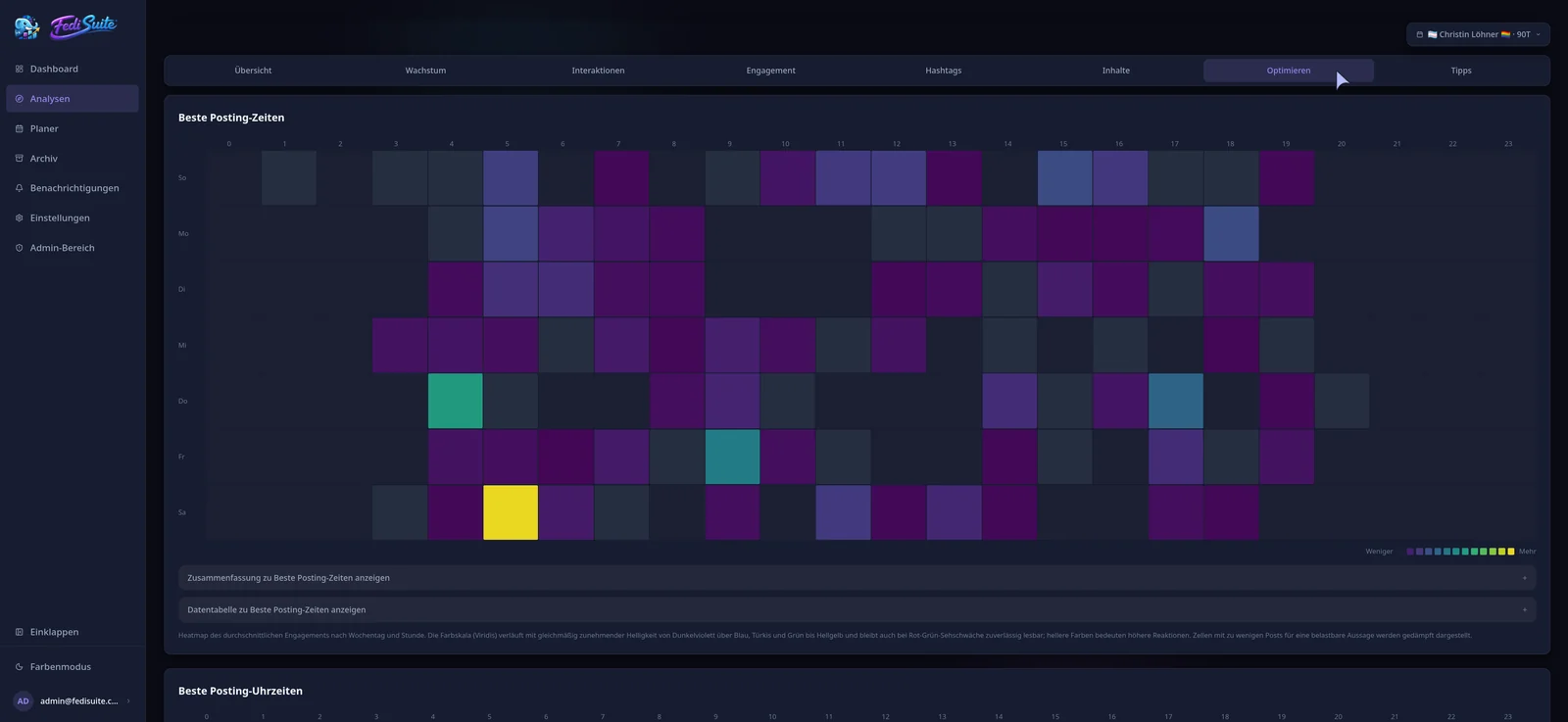
The heatmap arranges responses by weekday and hour. You can review the hashtags on your videos and see which topics started conversations with your audience. FediSuite draws its suggestions from your own posts.
Scheduling Loops short videos
Upload your video in the composer and write its caption. FediSuite applies the 200-character limit for Loops and shows it while you write.
Then choose the publishing time. The video appears in the content calendar alongside your other scheduled posts. Filters for account, platform, label and campaign keep a busy editorial plan readable.
- Video upload
- Description up to 200 characters
- Drafts, labels and campaigns
Take a video from idea to series
Save an idea as a draft and schedule it later. For a series, create a campaign and give the videos private labels. Those labels belong to your planning workspace and are never published with the video.
After publication, the videos remain in the archive. Their history helps with the next release: which caption drew responses, and when did people share your work? You work from your own results rather than a generic posting schedule.
Connecting and self-hosting
Enter your Loops instance URL. FediSuite detects the platform and sends you to the instance for OAuth2 approval. It then starts importing your earlier videos.
FediSuite is licensed under GPL-3.0 and can run on your own server with Docker. You can use the official instance for free; the app has no ads or tracking.
Frequently asked questions
Can I schedule Loops videos with FediSuite?
Yes. You upload the video in the composer, write the description and set date and time. The post then shows up in the content calendar.
How long can a Loops description be?
Up to 200 characters. FediSuite applies that limit while you write in the composer.
Are there analytics for Loops?
Yes. FediSuite shows likes, shares and comments on your videos, account growth, hashtags and posting times.
Can I prepare a series of Loops videos?
Yes. Save the videos as drafts, put them in a campaign and plan their publication in the calendar.
Related
-
Platforms
All supported platforms and what FediSuite analyzes on each.
-
Reach analysis
Estimated net and gross reach of your posts, with an open method.
-
Content calendar
Plan, filter and reschedule posts for several accounts in a calendar.
Try FediSuite
The official instance is free. If you want your data in your own house, run FediSuite with Docker on your own server.