Pixelfed analytics: reach, statistics and post scheduling
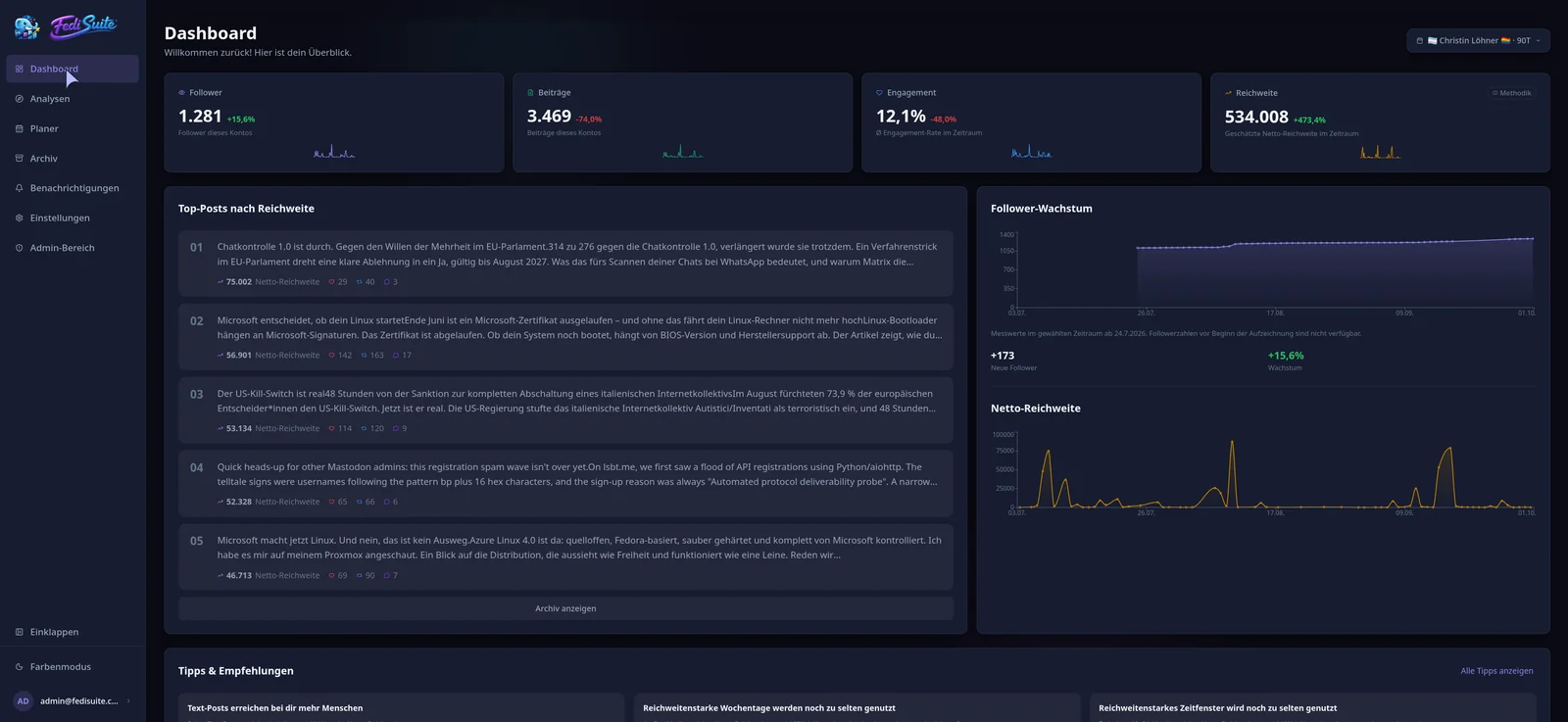
For Pixelfed analytics you connect your account through OAuth2, and FediSuite then imports your existing history in the background. Follower growth, interactions and posting times are available soon after. You can schedule photo posts from the same tool.
- Sign-in
- OAuth2 via the Mastodon API, redirecting to your instance
- Publishing
- Photos with alt text and focal point, scheduling supported
- Analytics
- Followers, interactions, engagement, hashtags, posting times
- Reach
- Estimated (net and gross), notifications available
Pixelfed analytics: what FediSuite measures
FediSuite reads your account data through the Mastodon-compatible API of your instance. From that it builds statistics on follower growth, interactions, engagement and the hashtags you use.
A heatmap shows which weekday and hour brings your photos the most response. FediSuite also compares posts with media against text-only posts. The tips are derived from your own data, not from averages of other accounts.
Estimating Pixelfed reach
Pixelfed supports an estimated reach, split into net and gross. The estimate accounts for boosts and follows the FediWings model.
It stays an estimate. Pixelfed does not expose server-side impressions that FediSuite could read. The value works well for comparing your own posts with each other, but treat it with care as an absolute number.
Scheduling Pixelfed posts
In the composer you attach photos with alt text and a focal point, then pick a publishing time. The same post can also go out to other accounts on other platforms.
Scheduled posts show up in the content calendar, which you can open as a month or week view. You can filter by account, platform, label, campaign and status. Drafts stay put until you release them.
- Alt text per image
- Focal point for the crop
- Labels and campaigns
- Drafts
Connecting and self-hosting
Enter the URL of your Pixelfed instance and FediSuite detects the platform type, character limit, media rules and visibility levels on its own. You approve access on the instance itself.
FediSuite is free software under GPL-3.0, runs without trackers or ads, and can be self-hosted with Docker. The official instance at app.fedisuite.com is free according to the website.
Frequently asked questions
How do I measure the reach of my Pixelfed account?
FediSuite estimates the reach of your posts as a net and a gross value, taking boosts into account. Pixelfed does not provide measured impressions, so the figure is an estimate.
Can I schedule Pixelfed posts in advance?
Yes. You choose a date and time in the composer, and the post then appears in the content calendar. Images keep their alt text and focal point.
Does FediSuite show older posts from my Pixelfed account?
After you connect, FediSuite imports your existing history in the background. Analytics therefore do not start from zero, although large accounts may need a moment.
When is the best time to post on Pixelfed?
The heatmap shows it by weekday and hour, based on your own posts. The more history there is, the more reliable it gets.
Related
-
Platforms
All supported platforms and what FediSuite analyzes on each.
-
Reach analysis
Estimated net and gross reach of your posts, with an open method.
-
Content calendar
Plan, filter and reschedule posts for several accounts in a calendar.
Try FediSuite
The official instance is free. If you want your data in your own house, run FediSuite with Docker on your own server.