Misskey analytics and statistics for the whole Misskey family
Misskey and its forks have their own way of showing posts and reactions. FediSuite brings those accounts into your editorial plan: write notes, schedule them and see which topics started a conversation on your instance.
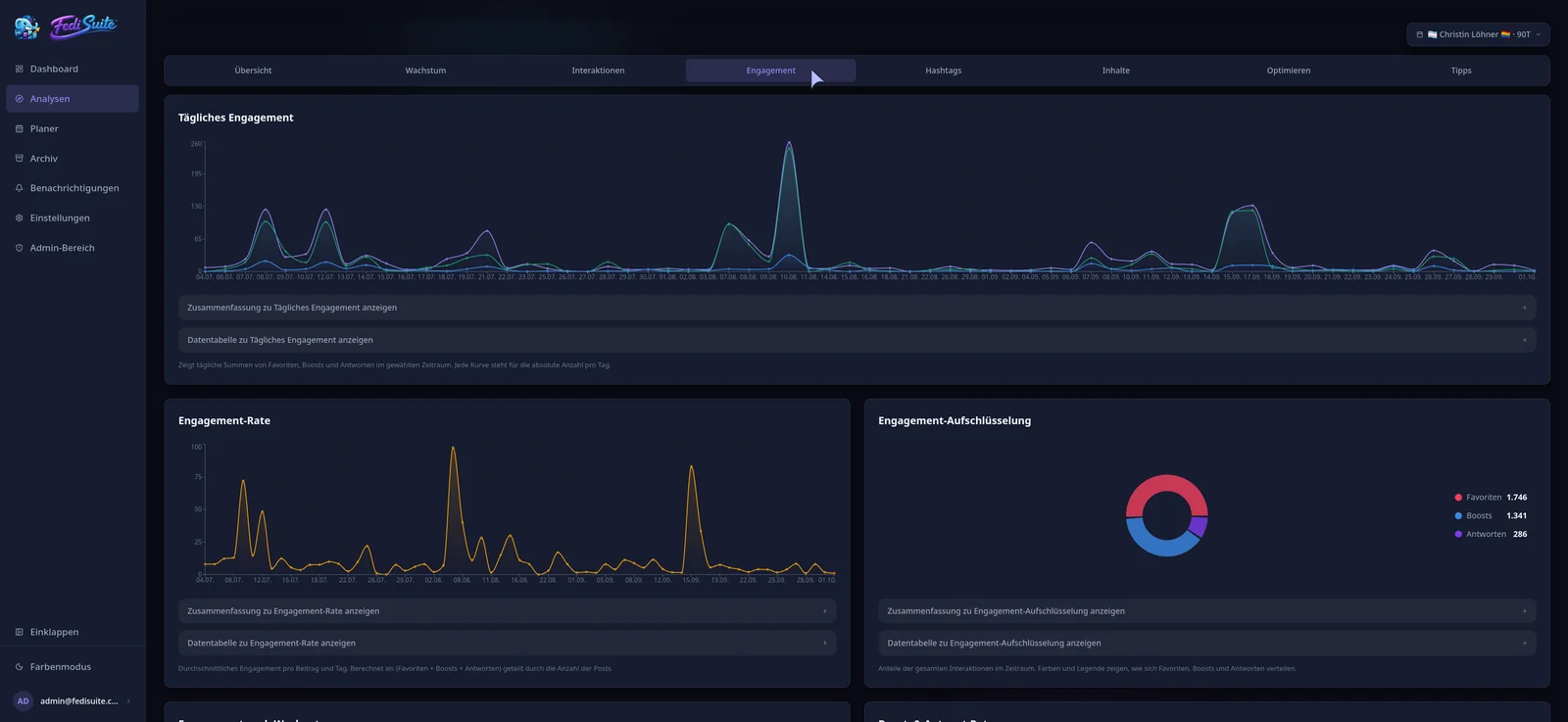
- Sign-in
- MiAuth, approval on the instance
- Publishing
- Notes with visibility, files via the Drive
- Analytics
- Interactions, growth, hashtags, posting times
- Editorial work
- Calendar, drafts and campaigns
Understand reactions, renotes and conversations
FediSuite imports existing notes when you connect, as far as the instance makes them available. Analytics show reactions, renotes and replies alongside your account growth. You can review older and newer posts in one timeline.
The heatmap shows the weekdays and hours when your notes drew a response. You can also examine hashtags and compare notes with media against text-only posts. FediSuite bases its suggestions on your own history.
Bring Misskey into your editorial plan
If you post on Misskey and Mastodon, you can plan both accounts in one workspace. Drafts hold your ideas, campaigns group related notes and private labels make them easy to find. The calendar shows what is due on each account.
For Misskey, Sharkey and Iceshrimp, FediSuite also brings notifications into the workspace. You can keep up with replies and reactions while preparing the next post.
Scheduling Misskey notes
In the composer you set the visibility of a note, such as home, followers or direct. Files are attached through the Drive of the instance. You choose the publishing time freely.
Scheduled notes appear in the content calendar, which you can open as a month or week view. You can filter by account, platform, label, campaign and status. A post can also go to accounts on other platforms.
- Visibility: home, followers, direct
- Files via the Drive
- Drafts, labels and campaigns
Connecting with MiAuth and self-hosting
Enter the URL of your instance and FediSuite detects the platform and reads the character limit and media rules. You grant access through MiAuth on the instance itself.
FediSuite is licensed under GPL-3.0 and can run on your own server with Docker. You can use the official instance for free; the app has no ads or tracking.
Frequently asked questions
Which Misskey forks does FediSuite support?
Misskey, Sharkey, Calckey, Firefish and Iceshrimp. Sign-in works through MiAuth on all of them.
Which Misskey interactions can I analyze?
You can follow reactions, renotes and replies over time. Hashtags, posting times and account growth are part of the analysis too.
Does FediSuite show Misskey notifications?
FediSuite shows notifications for Misskey, Sharkey and Iceshrimp. You can respond to replies and reactions there.
Can I schedule Misskey notes with a visibility setting?
Yes. You pick the visibility, such as home, followers or direct, plus date and time. Files are attached via the Drive.
Related
-
Platforms
All supported platforms and what FediSuite analyzes on each.
-
Reach analysis
Estimated net and gross reach of your posts, with an open method.
-
Content calendar
Plan, filter and reschedule posts for several accounts in a calendar.
Try FediSuite
The official instance is free. If you want your data in your own house, run FediSuite with Docker on your own server.