PeerTube analytics and video scheduling with FediSuite
FediSuite gives you PeerTube analytics for your own videos and lets you schedule uploads ahead of time. You sign in with your username and password directly in FediSuite, and your existing history is imported in the background. A reach estimate is not available for PeerTube.
- Sign-in
- Username and password entered in FediSuite, no OAuth flow via the instance
- Publishing
- Video upload with title (required) and channel
- Analytics
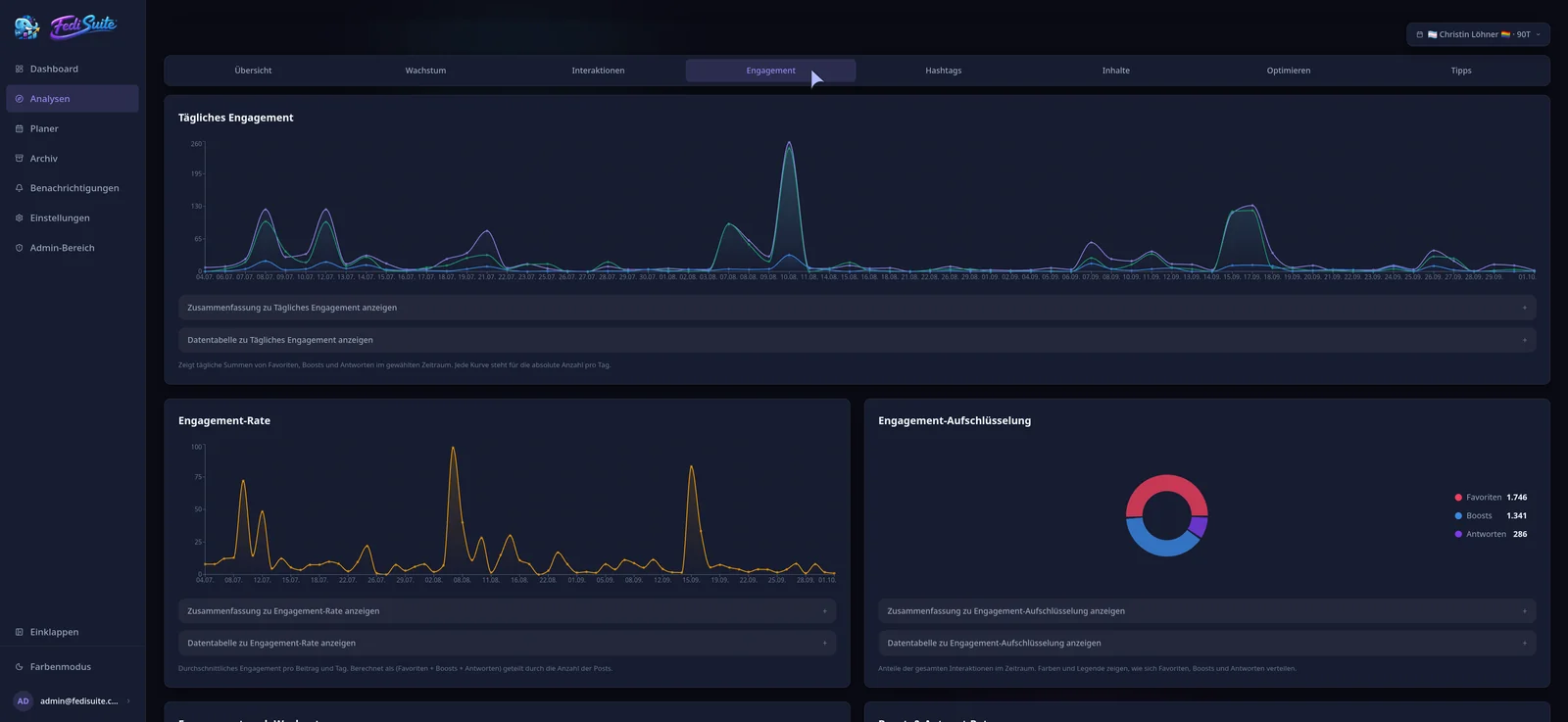
- Statistics for your own videos, interaction and growth analysis
- Reach
- No estimate, no notifications in FediSuite
PeerTube statistics: what you can see
FediSuite evaluates the statistics of your own videos and shows interactions and account growth over time. Because the history is imported when you connect, older uploads are included.
You also get the analysis that applies to every platform, such as hashtags and the posting-time heatmap by weekday and hour. Tips are derived from your own data.
Scheduling videos on PeerTube
In the composer you upload a video, set the title and pick the channel. The title is required by PeerTube, so the upload cannot be submitted without one.
You choose the publishing time, and the post then appears in the content calendar. There you can filter by account, platform, label, campaign and status. PeerTube has no automatic thread splitting.
- Title as a required field
- Channel selection
- Drafts, labels and campaigns
PeerTube reach: what is not available
The estimated reach based on the FediWings model exists only for the Mastodon family and a few other platforms. PeerTube is not one of them. You get interaction and growth analysis here, but no net or gross reach.
FediSuite does not show notifications for PeerTube either. Reactions to your videos still have to be checked in PeerTube itself.
Sign-in and privacy
PeerTube has no approval dialog on the instance. You enter your username and password in FediSuite. If you prefer not to, you can run FediSuite yourself with Docker and keep the credentials on your own server.
FediSuite is licensed under GPL-3.0 and works without trackers or ads. The official instance at app.fedisuite.com is free according to the website.
Frequently asked questions
Can I schedule PeerTube videos with FediSuite?
Yes. You upload the video in the composer, enter title and channel, and set the time. The post then shows up in the content calendar.
Is there a reach estimate for PeerTube?
No. Estimated reach is not available for PeerTube. FediSuite shows statistics for your videos plus interactions and growth instead.
How do I connect my PeerTube account to FediSuite?
With your username and password, entered directly in FediSuite. PeerTube has no OAuth flow through the instance for this.
Does FediSuite show PeerTube notifications?
No, notifications are not shown for PeerTube in FediSuite. You see comments and reactions in PeerTube.
Related
-
Platforms
All supported platforms and what FediSuite analyzes on each.
-
Reach analysis
Estimated net and gross reach of your posts, with an open method.
-
Content calendar
Plan, filter and reschedule posts for several accounts in a calendar.
Try FediSuite
The official instance is free. If you want your data in your own house, run FediSuite with Docker on your own server.