Statistics and scheduling
for your Fediverse account.
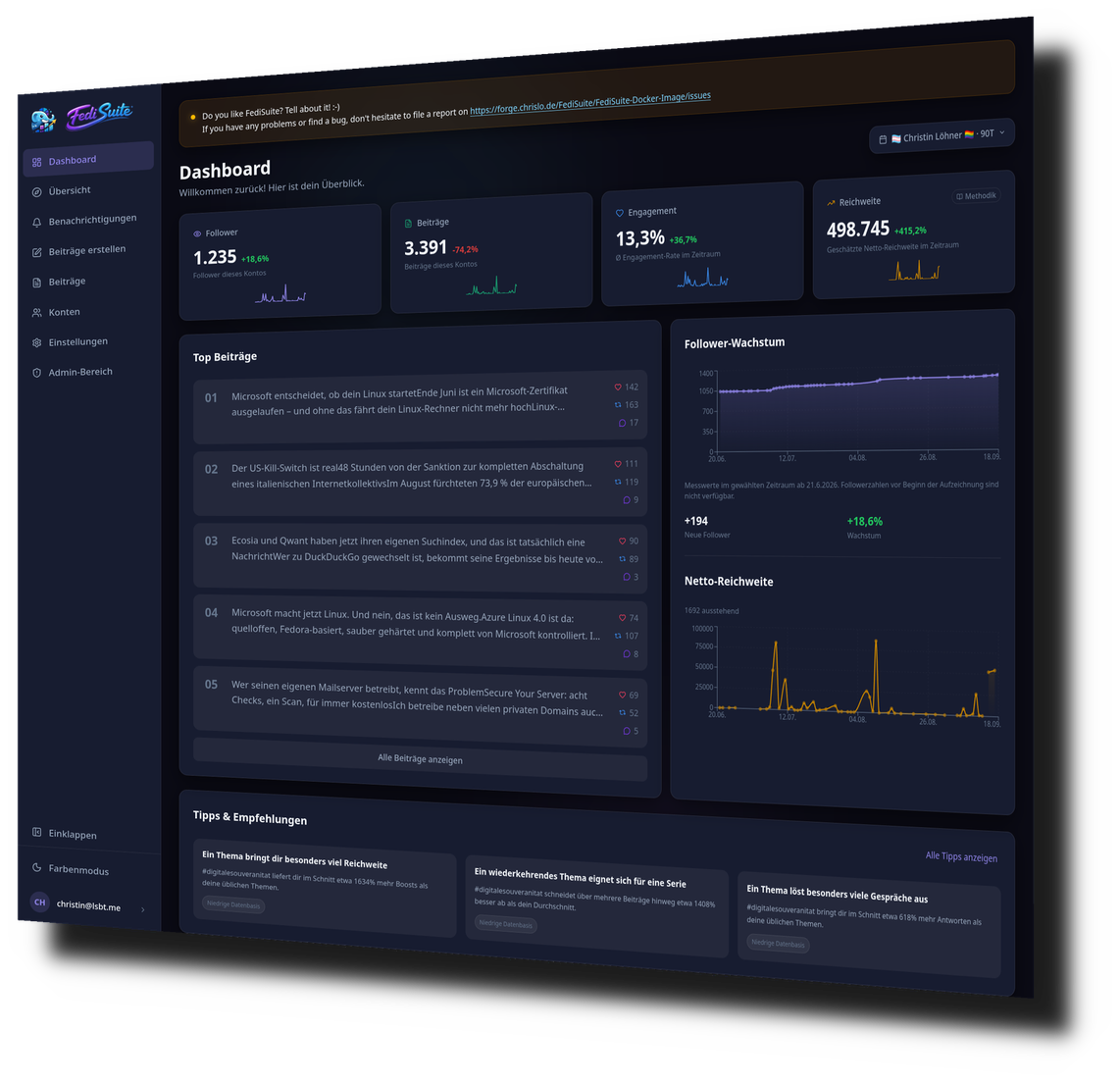
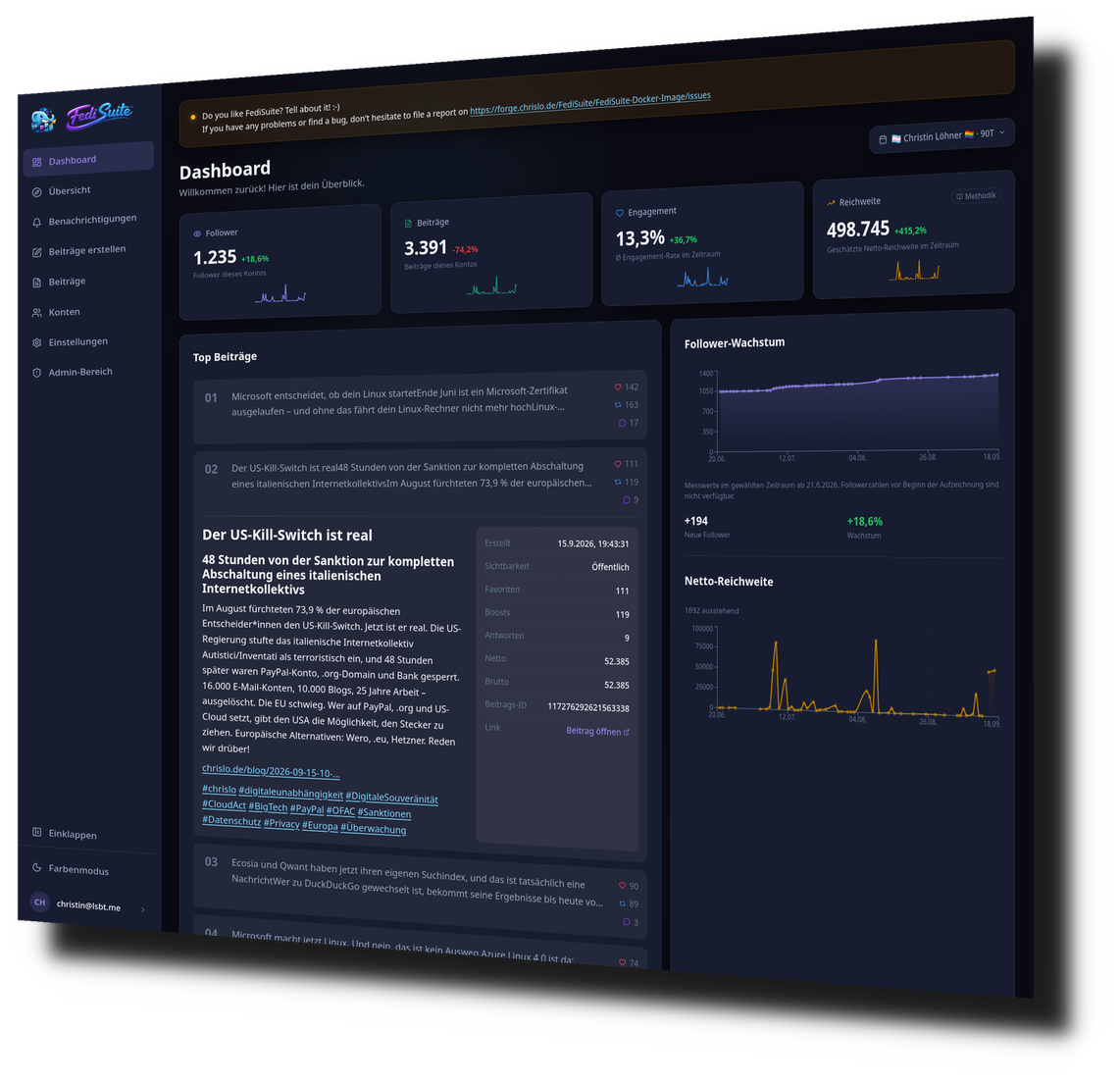
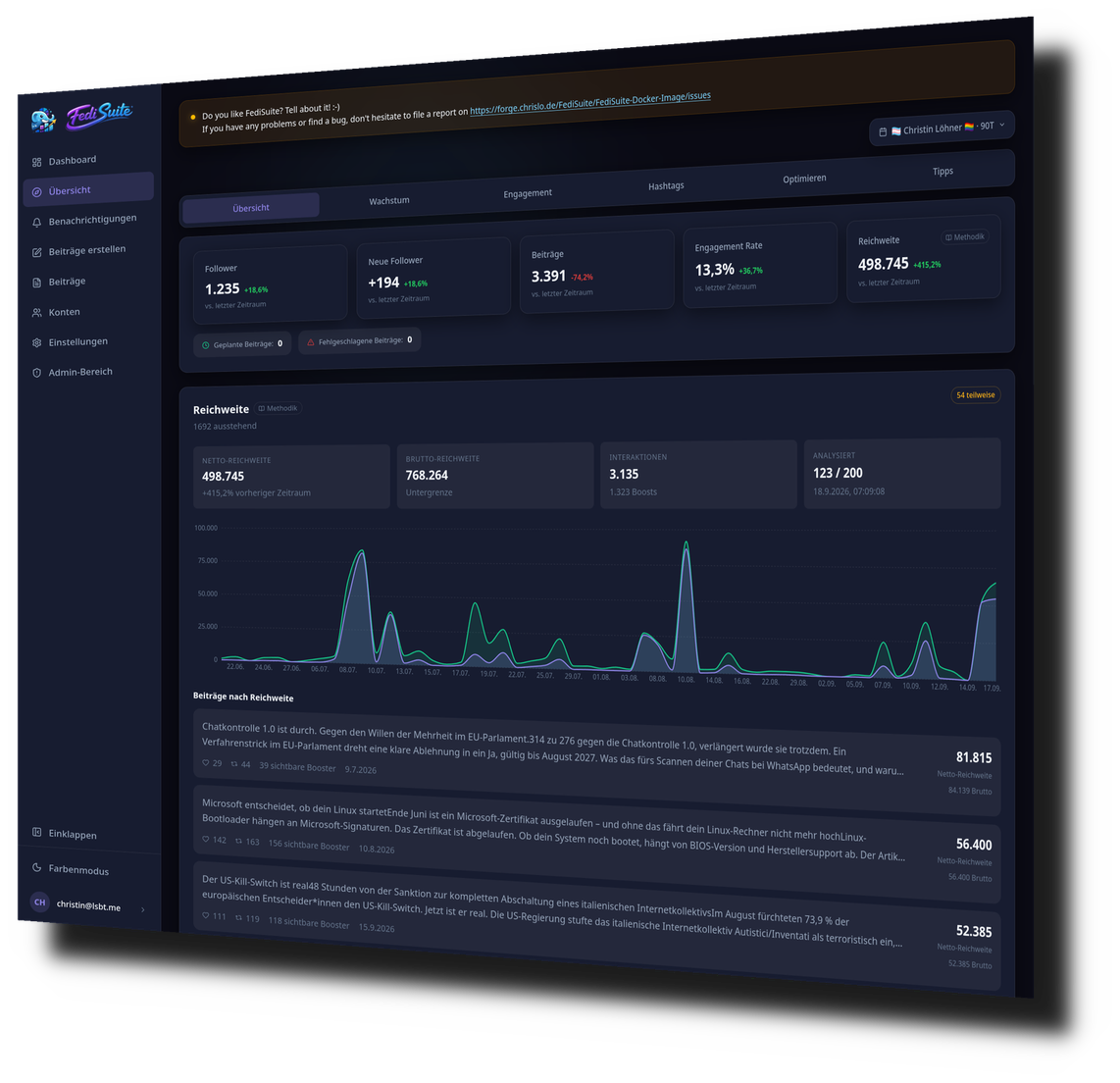
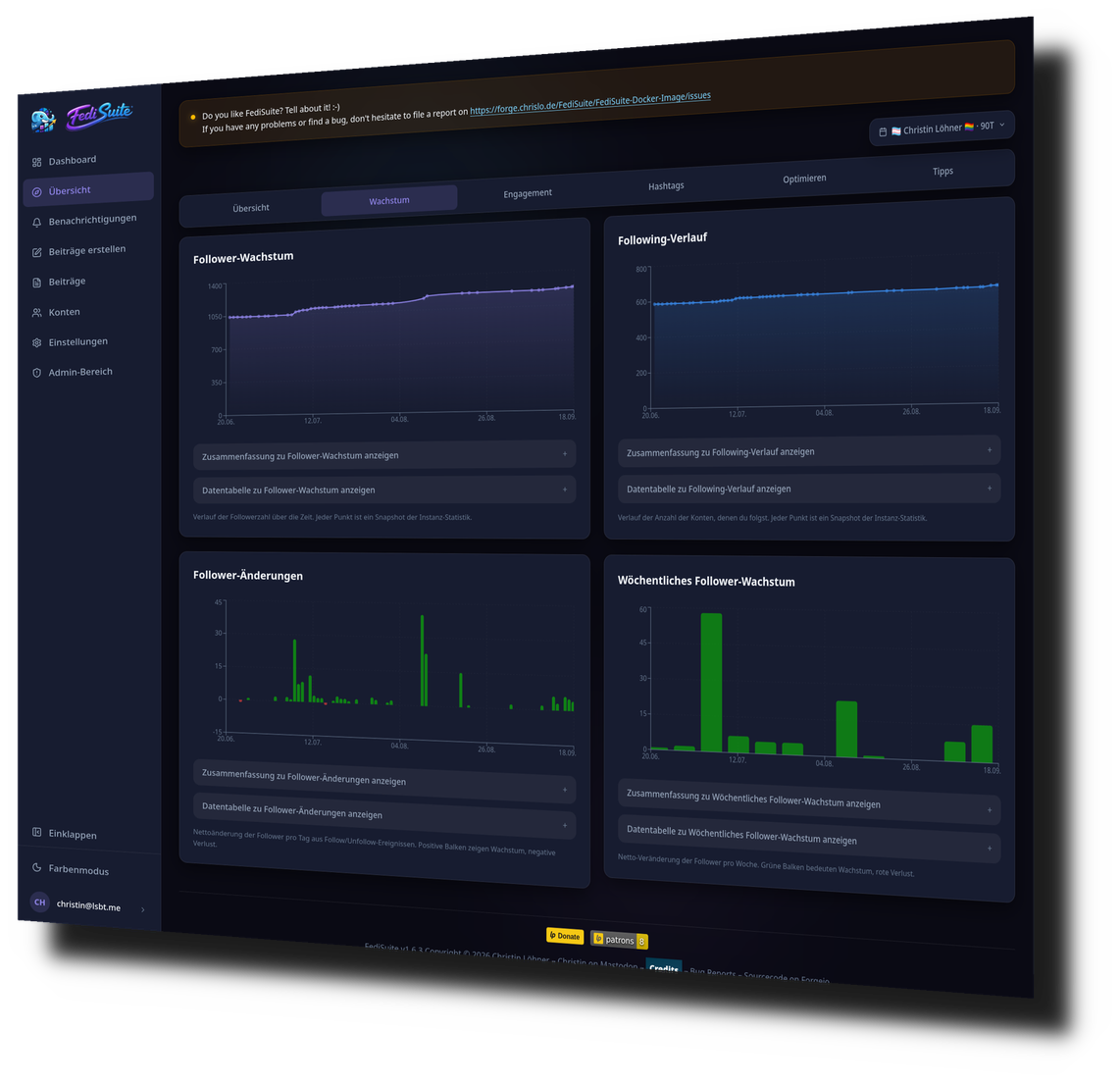
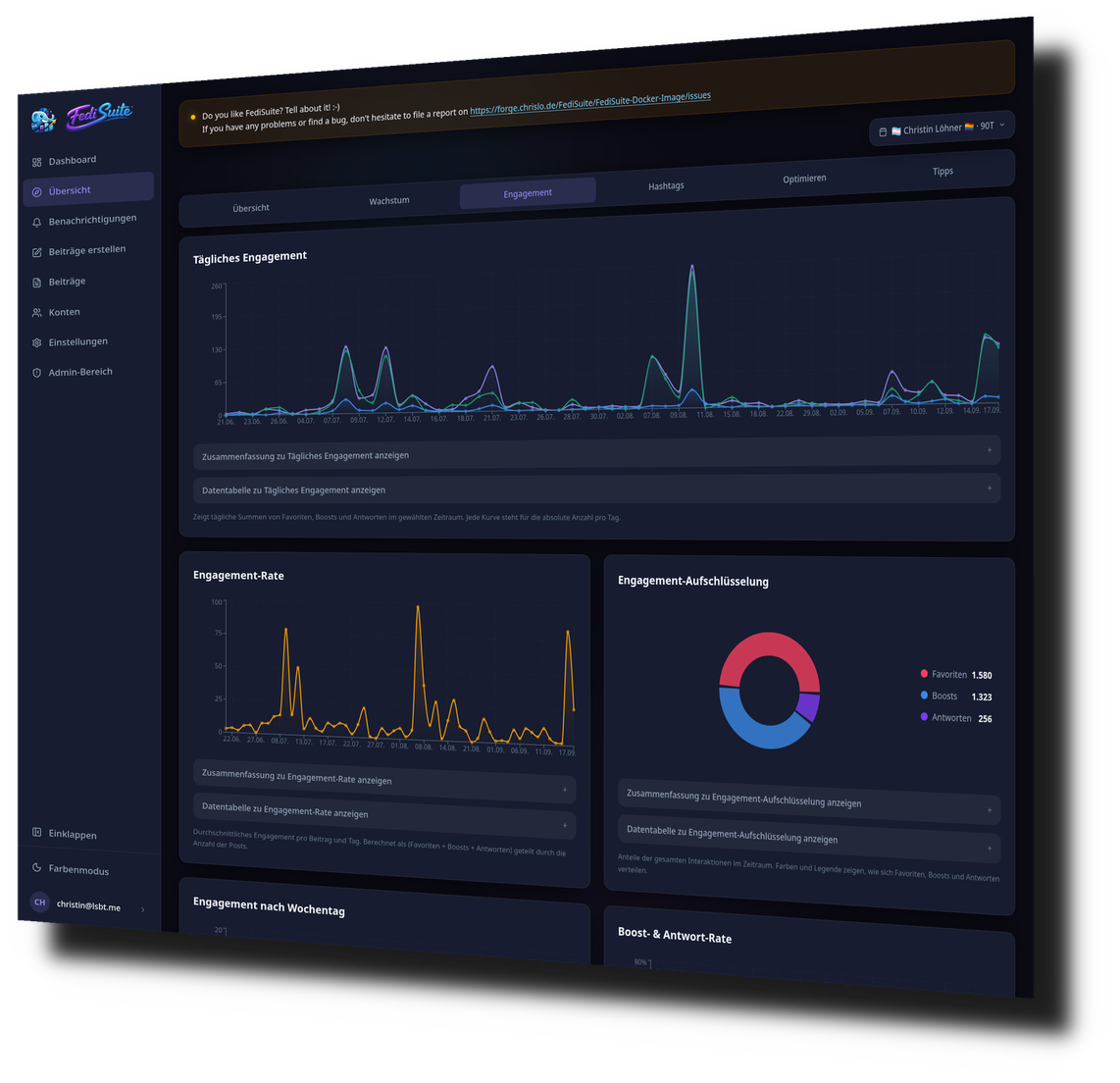
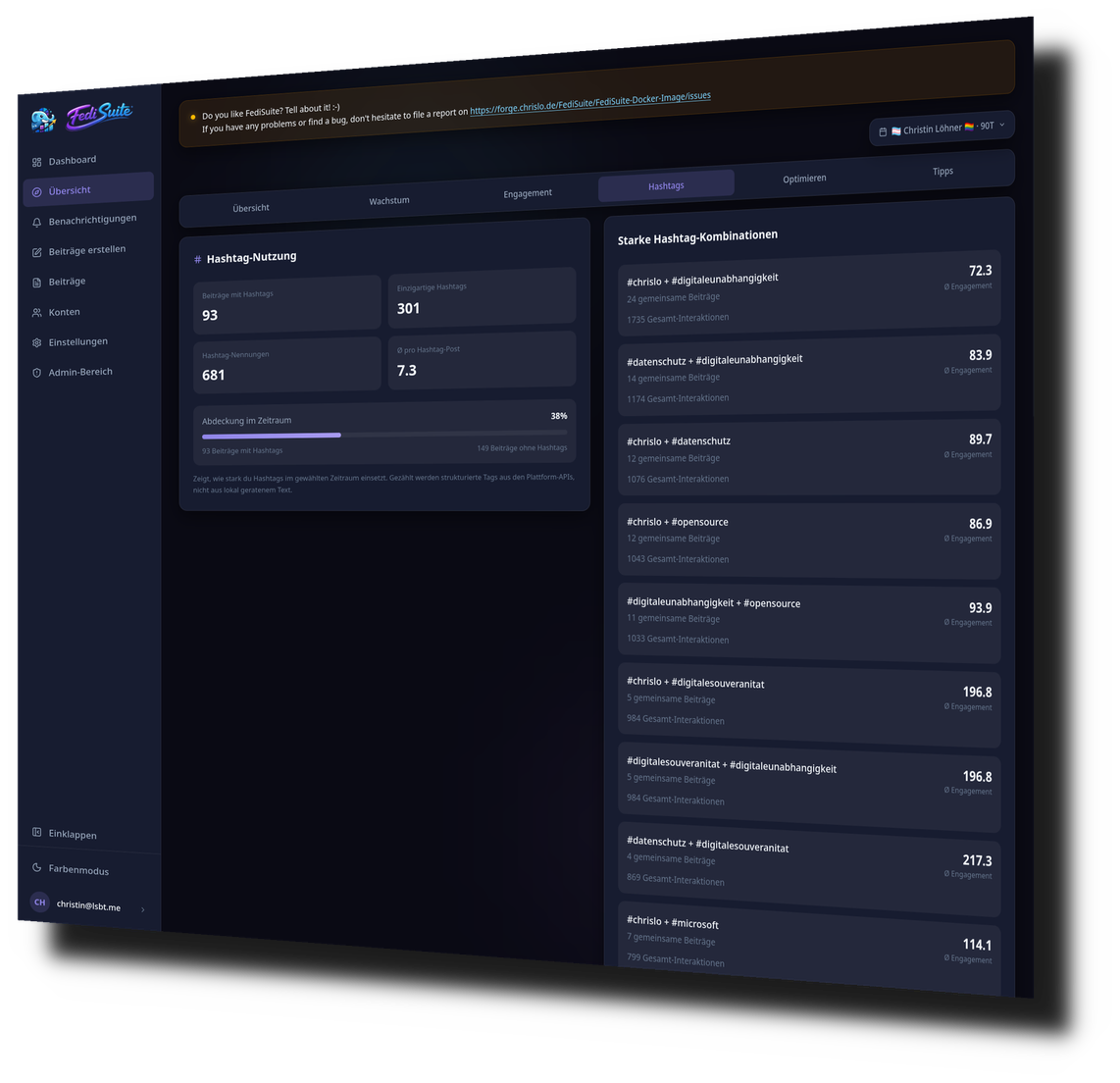
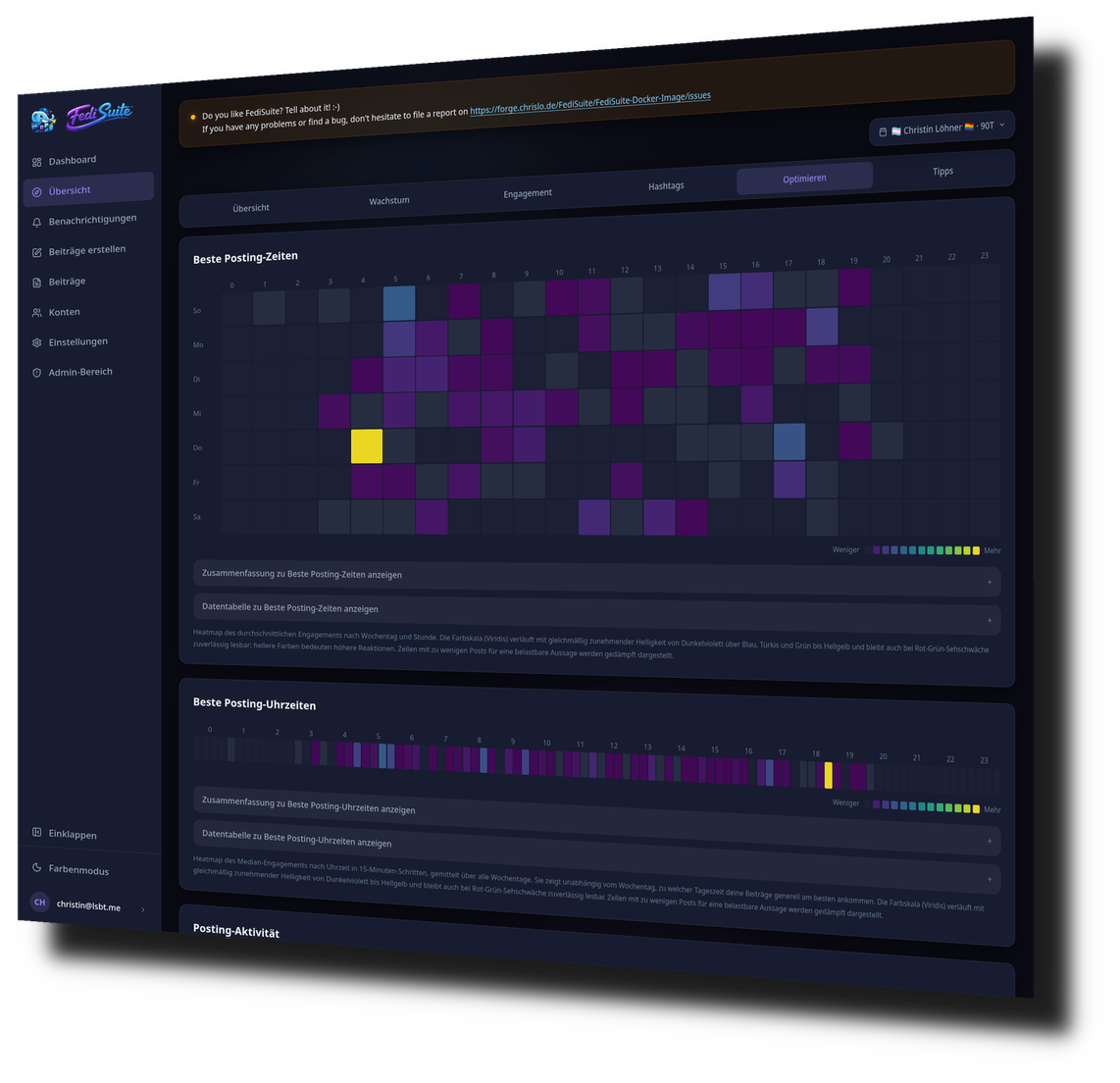
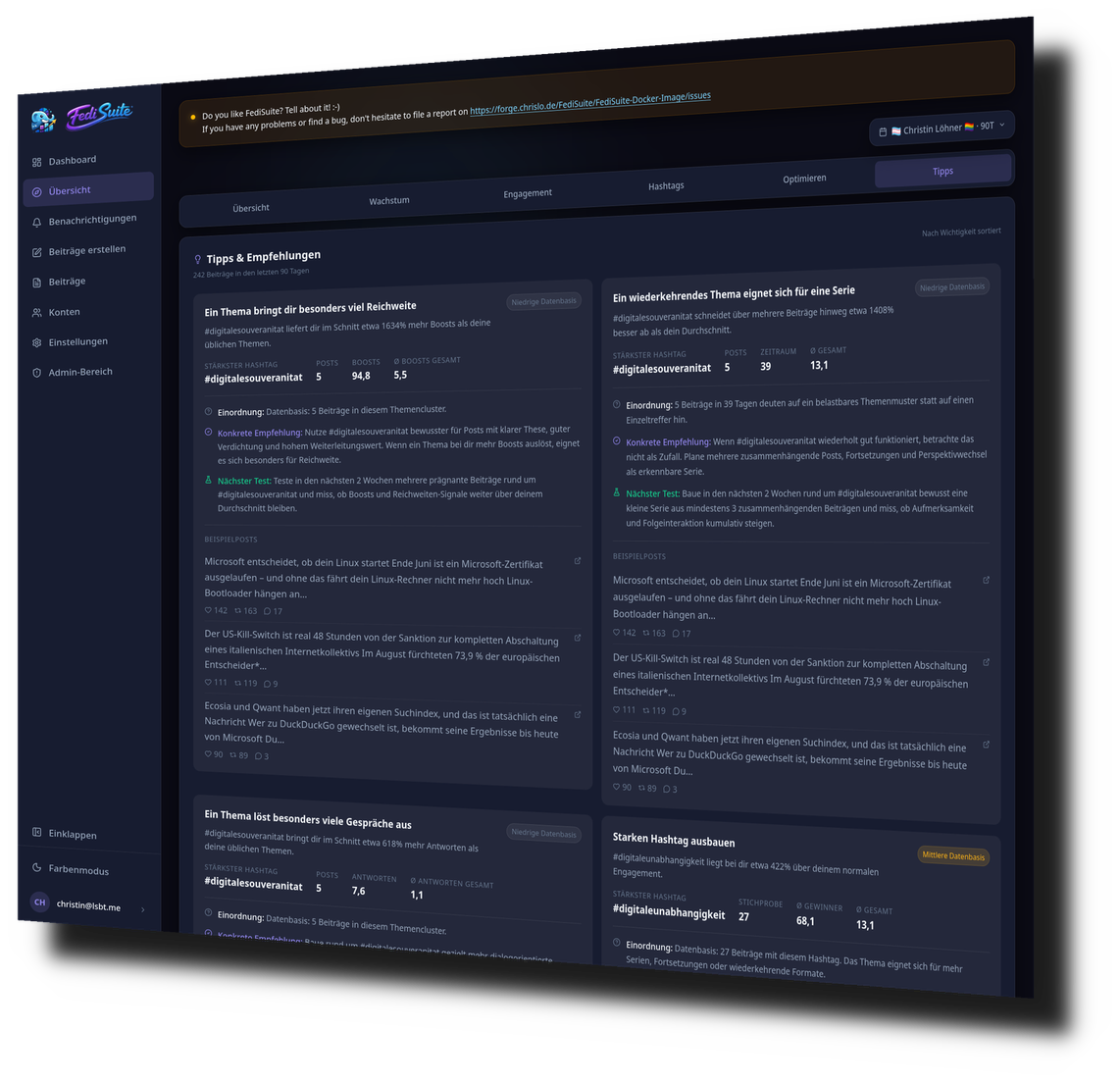
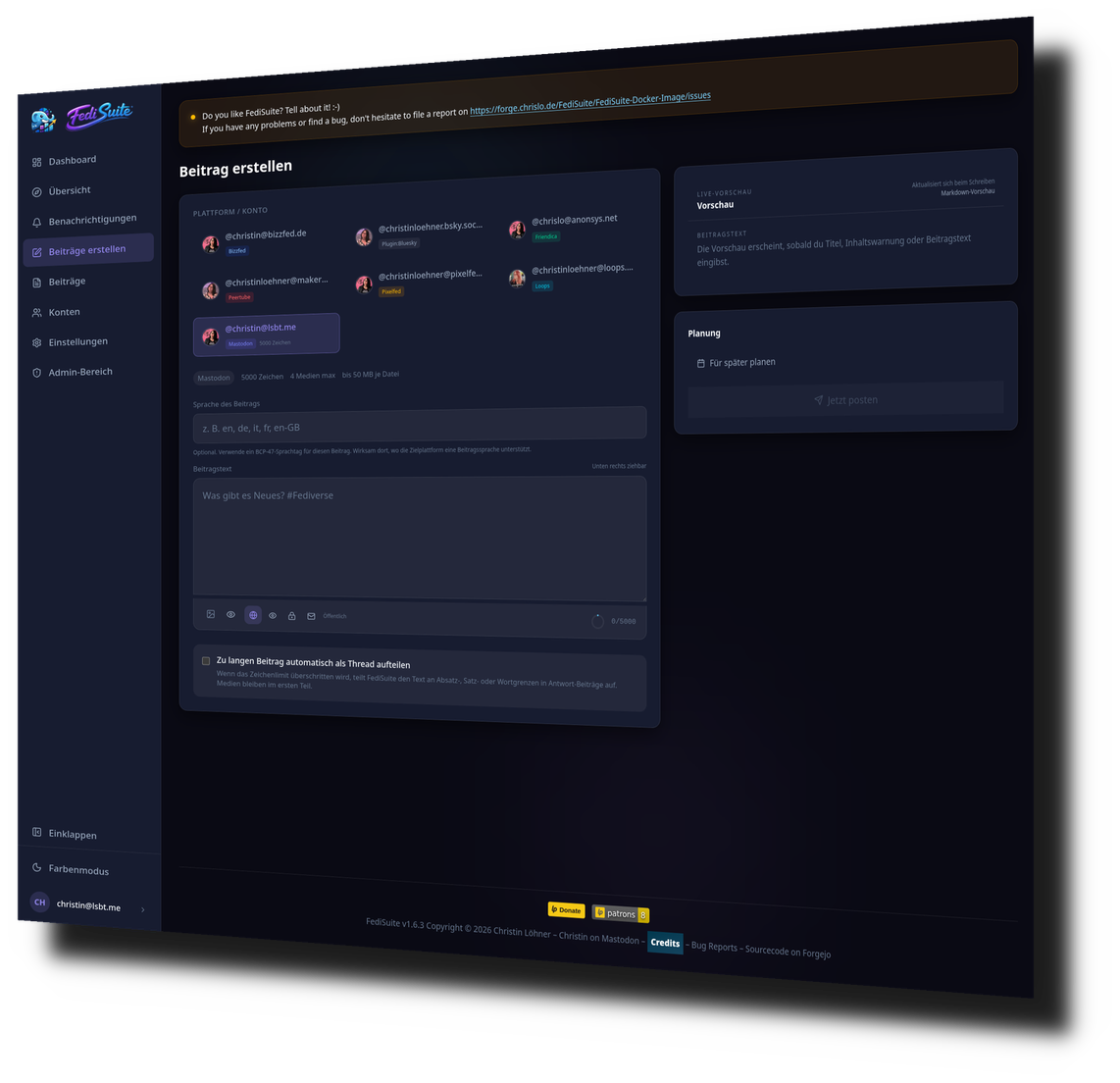
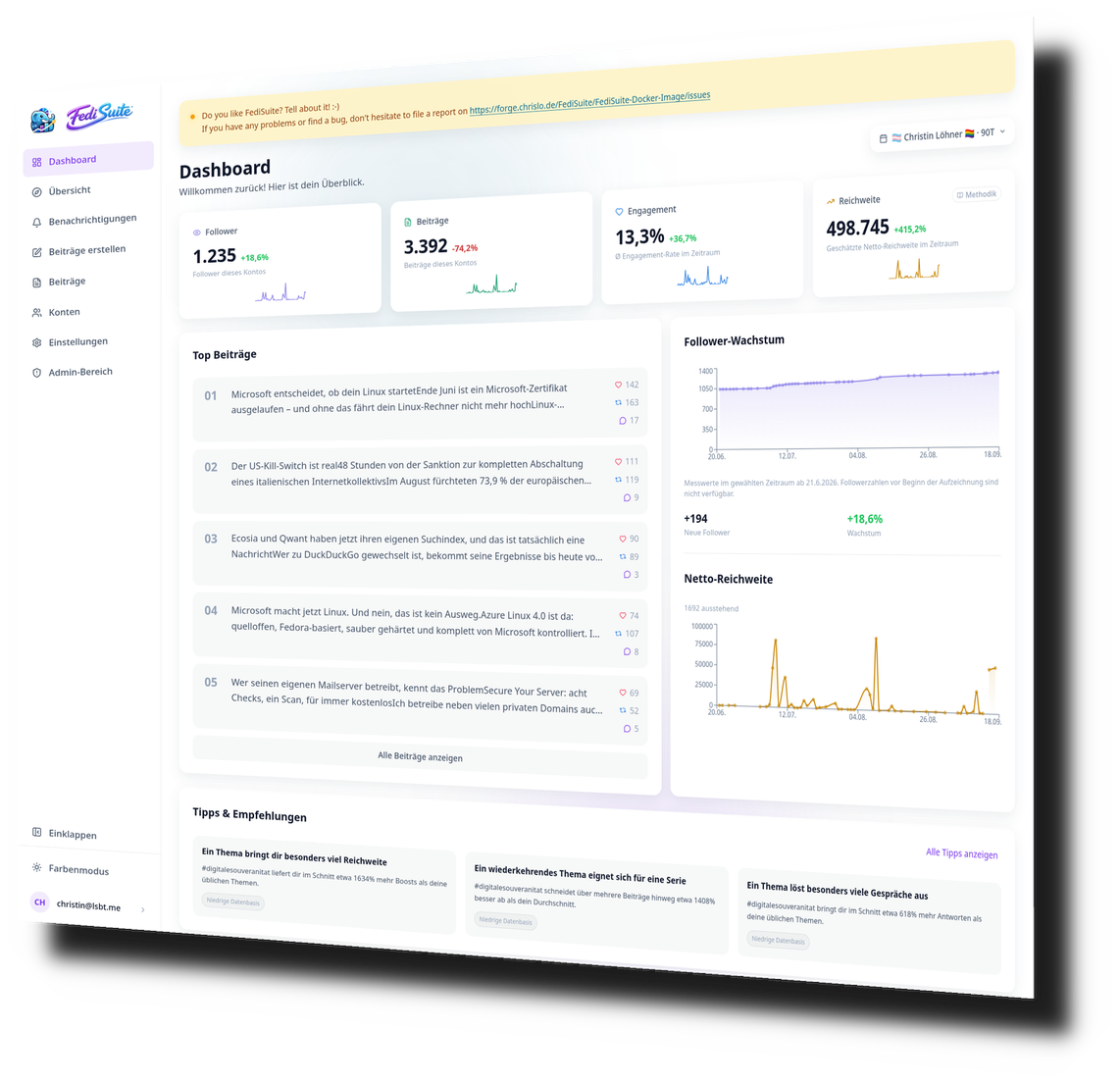
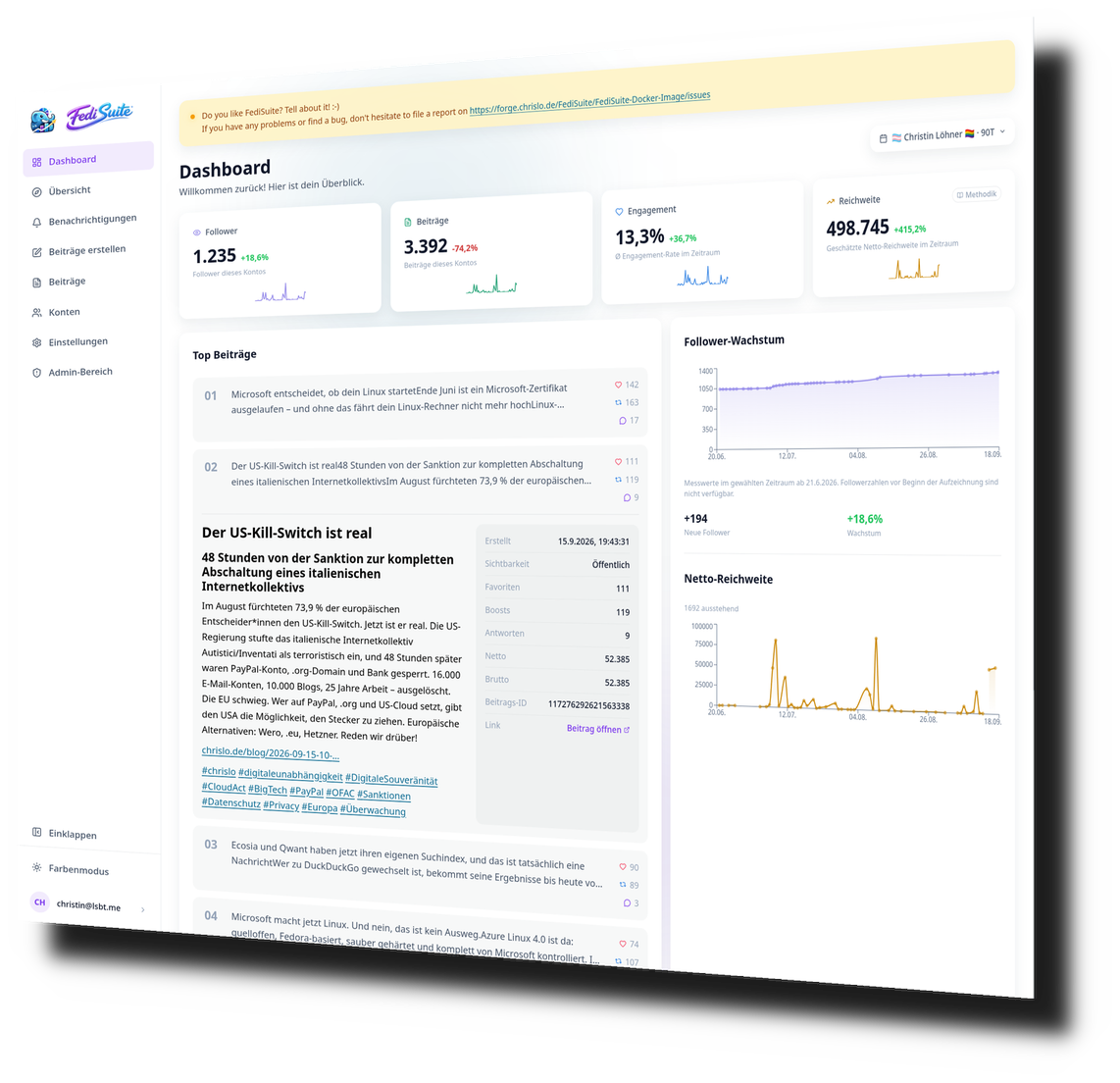
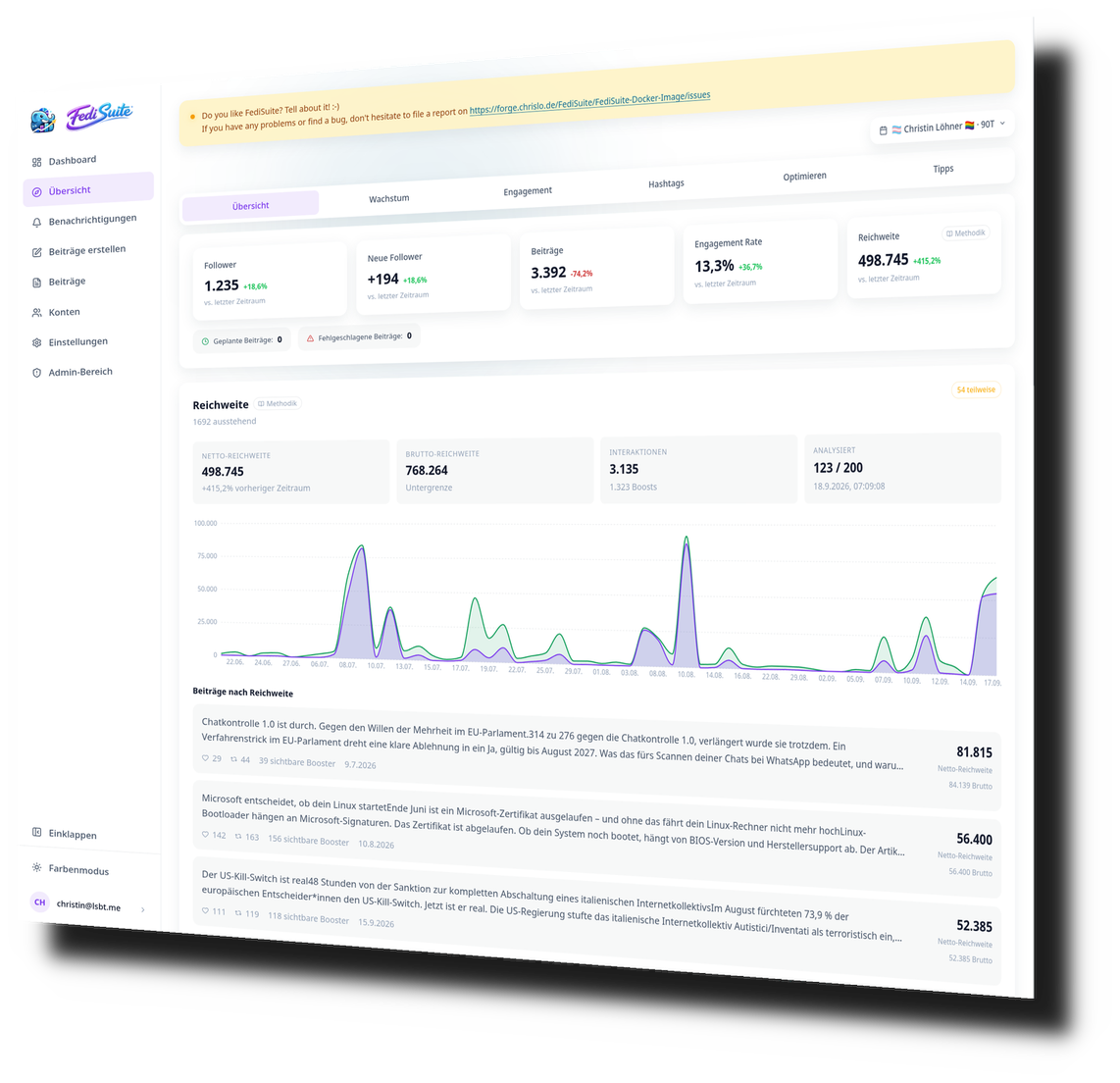
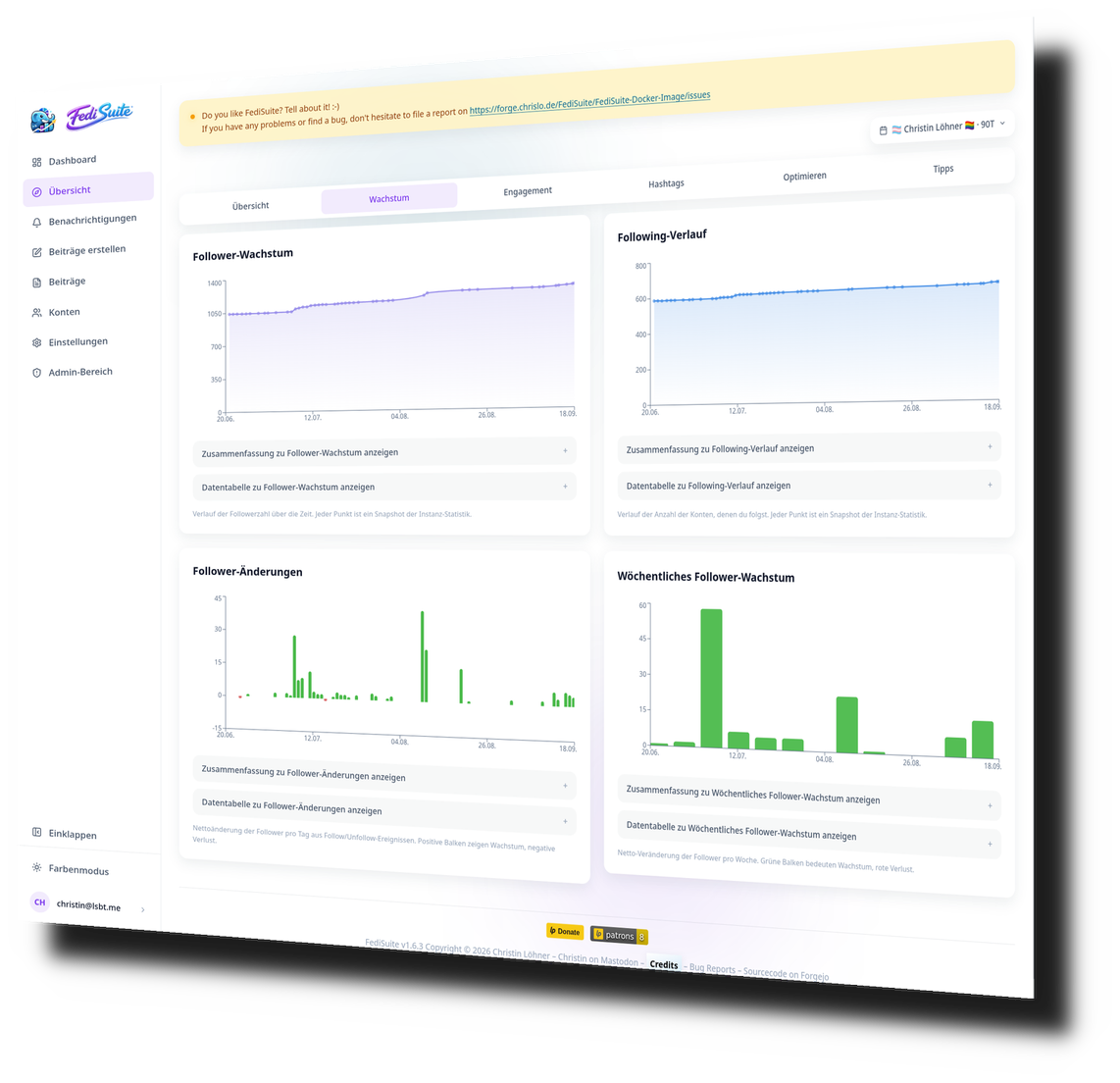
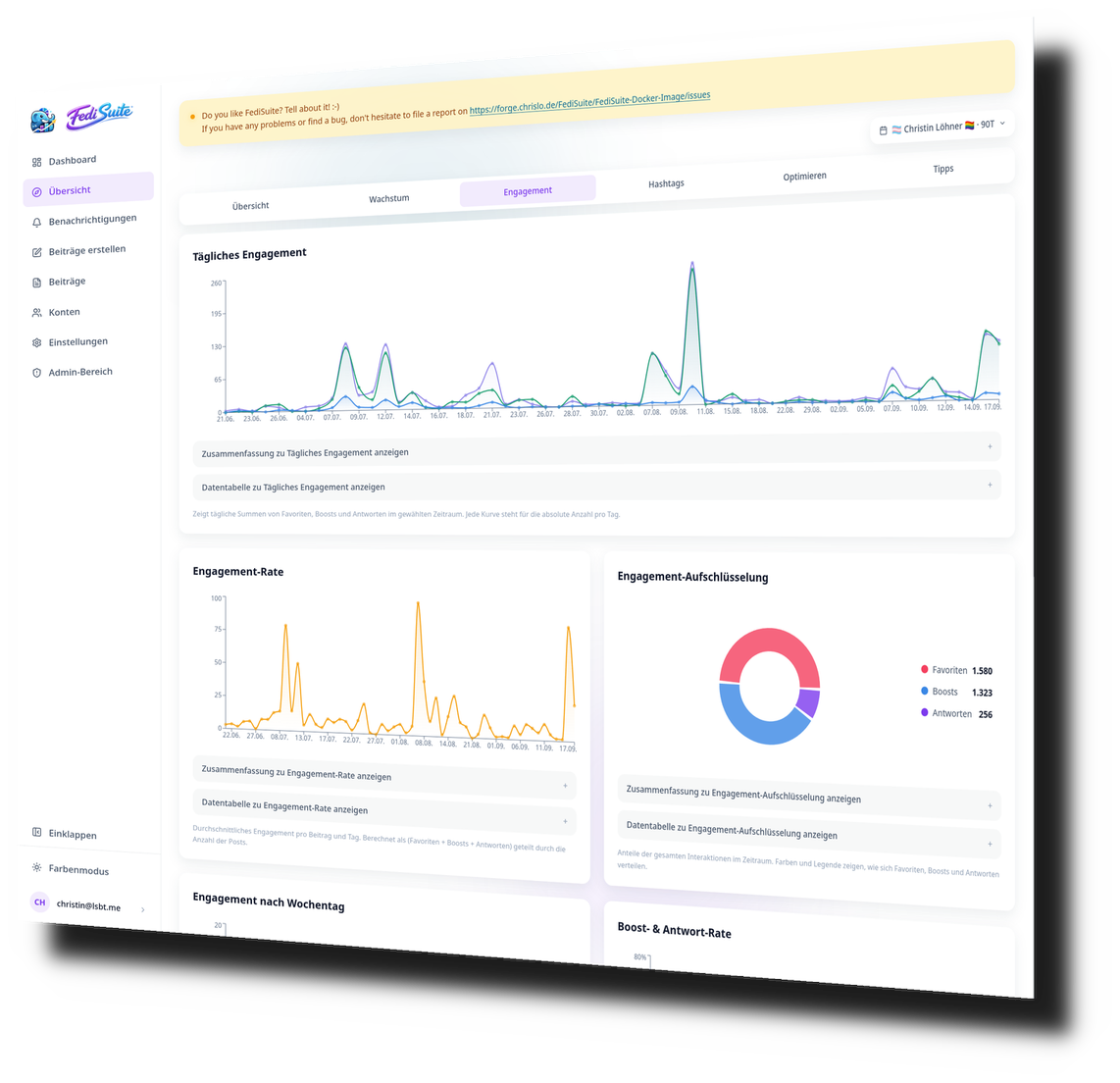
Dashboard — Metrics, Top Posts & Growth Charts at a Glance
What is FediSuite?
FediSuite runs alongside your usual Fediverse app. You keep reading, replying and following in Mastodon, Pixelfed, PeerTube or wherever you are at home. FediSuite connects to your accounts and analyses what happens there: how far your posts reach, when your audience is online, which hashtags land. On top of that you can schedule posts ahead of time and manage several accounts in one interface.
The idea behind it
I asked myself what the Fediverse is still missing before creators, organisations and large accounts from Facebook, Instagram or X can really move over. Statistics were right at the top of the list.
On the commercial platforms you can see exactly how your posts perform. In the Fediverse there were hardly any tools for that. I wanted to build them without turning the Fediverse into a platform that lives off tracking.
FediSuite now also schedules posts and manages several accounts, and there is an Android app. The code is open source under GPL-3.0. If you want to control your data yourself, you can host FediSuite yourself. I develop the project on my own and welcome bug reports and ideas. You can find the source code on Forgejo.
Christin
The FediSuite Android app is now on F-Droid.
Free to install, fully open source, no Google Play and no tracking at all — just like the rest of FediSuite. Just search your F-Droid app for "FediSuite" and install it.
Built for the Fediverse,
not bolted onto it.
Every feature was designed with the Fediverse in mind — from platform-specific character limits to OAuth2 authentication and automatic instance detection.
Multi-Account Dashboard
Manage all your Fediverse accounts in one interface. Switch instantly, and see posting status, import progress, and metrics across all platforms at a glance.
Smart Composer
Platform-specific character limits, visibility options, content warnings, alt-text fields, per-post language selection, and automatic thread splitting — validated live as you write.
Post Scheduling
Schedule posts to the minute in your timezone. Background workers handle publishing reliably with rate-limit resume handling and atomic post delivery.
Deep Analytics
Follower growth, engagement rates, posting heatmaps, hashtag reach, best times to post, and a tips engine based on your real data — not generic advice.
First-Class Accessibility
Every chart has a screen reader companion with text summaries and full data tables. Keyboard navigation, WAI-ARIA patterns, correct HTML lang, and live regions throughout.
Post Management
Edit, duplicate, repost, or delete scheduled, published, and failed posts. Full queue view with time-based ordering and status tracking.
Automatic Thread Splitting
Optional automatic splitting turns oversized posts into clean threads at paragraph, sentence, or word boundaries. Preview, segment order, and scheduling stay transparent.
Automatic Platform Detection
Enter an instance URL and FediSuite detects the platform type, loads character limits and media rules directly from that instance, and configures the composer automatically.
Notifications Inside FediSuite
Supported accounts can load their own notifications directly inside FediSuite, so you can react faster without jumping back into every individual instance.
Historical Import
After connecting an account, FediSuite imports your existing post history in the background with clear progress indicators and status badges.
Secure Authentication
OAuth2 where supported. Passwords stay on your instance by default. Any deviation from the standard flow is clearly communicated before you proceed.
Understand your
presence. Improve it.
FediSuite goes beyond simple follower counts. The analytics dashboard gives you a clear picture of how your content actually performs — and tells you specifically what to do about it.
Daily and weekly follower and following counts, with change tracking and trend visualization across selectable time periods.
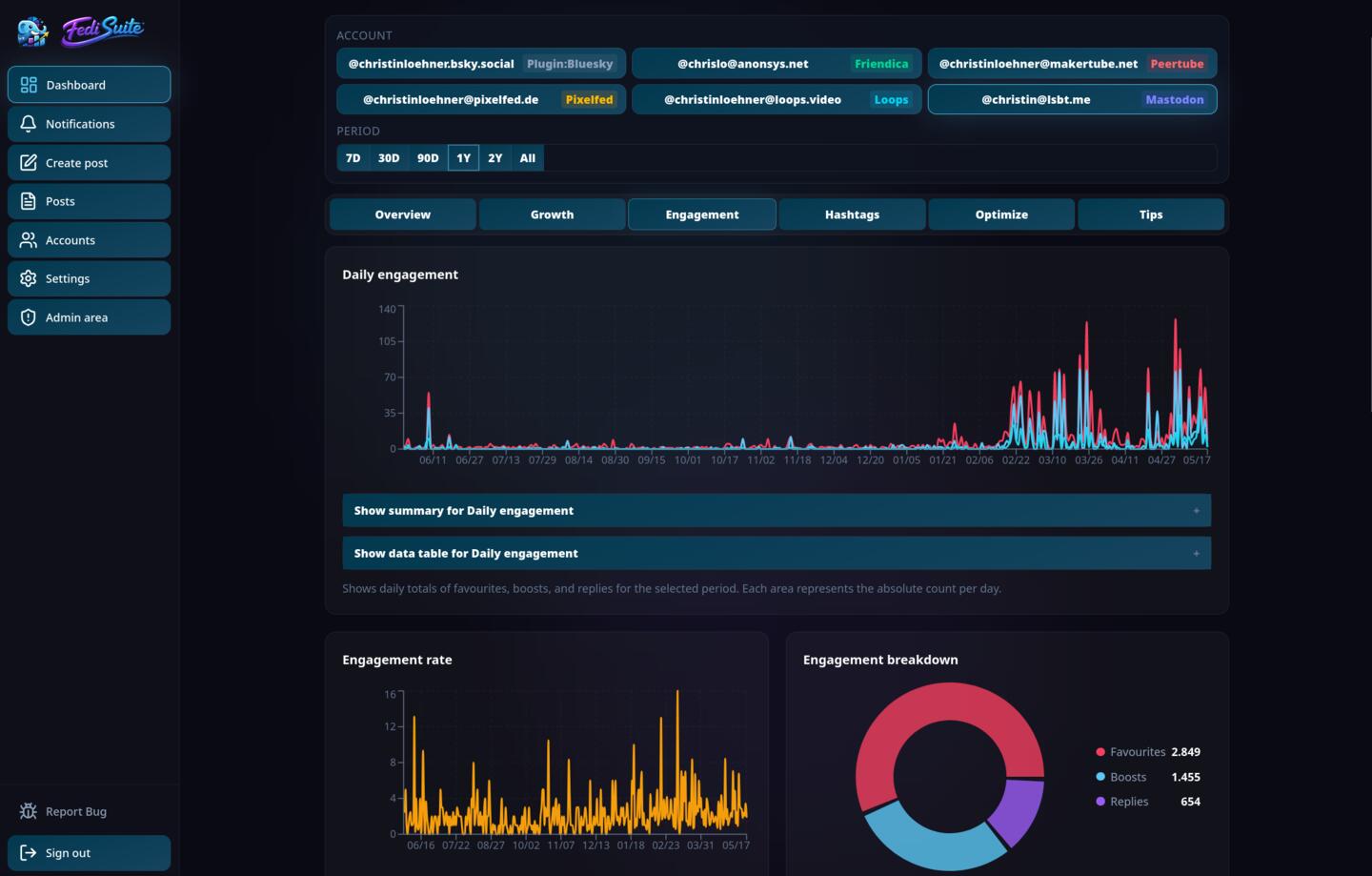
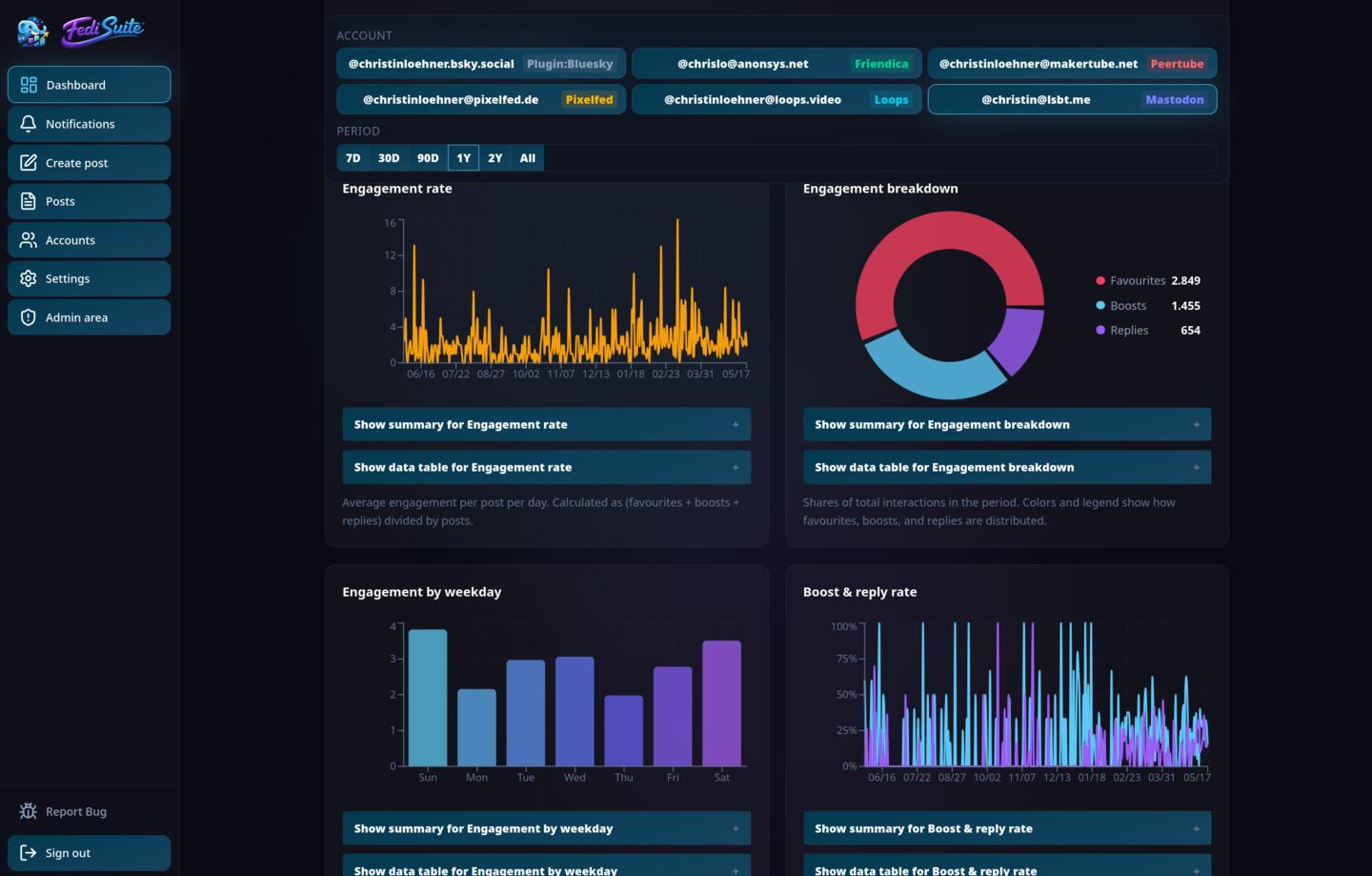
Favorites, boosts, and replies broken down by day, with engagement rate, weekday patterns, and boost-to-reply ratios.
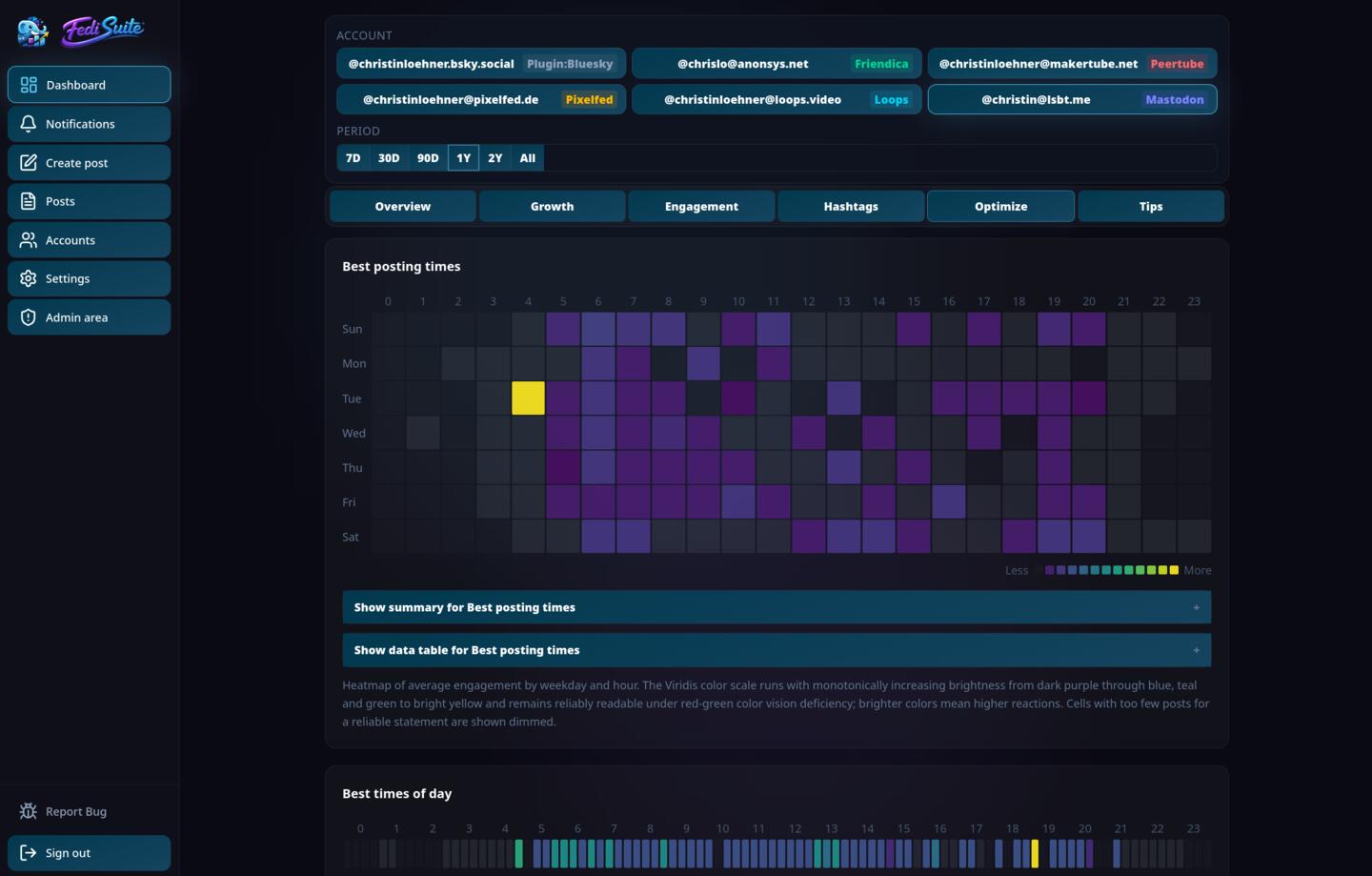
Average engagement by weekday and hour — a heatmap that shows exactly when your audience is most reactive.
Which tags and tag combinations drive the most reach for your specific audience — not generic hashtag advice.
Reads your actual data and produces concrete, specific suggestions based on your own numbers — not generic best-practice lists.
FediWings — the quick
analysis for a single post.
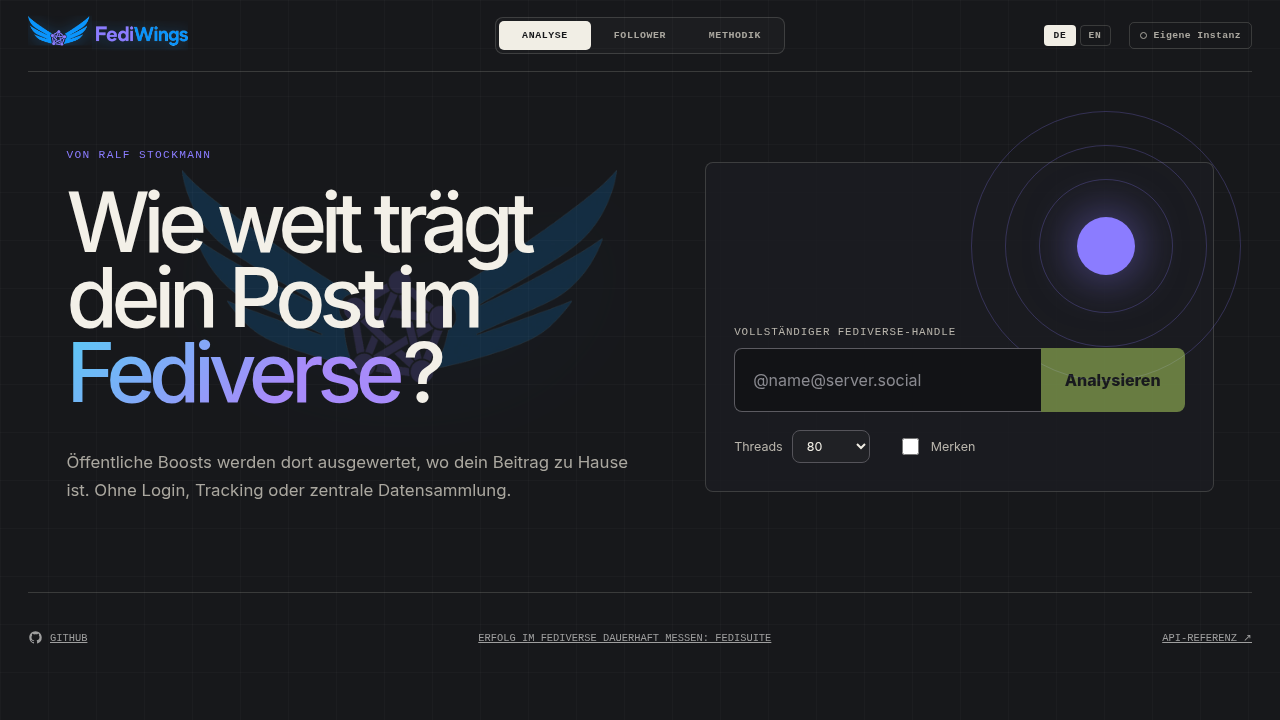
FediWings and FediSuite are sister projects with the same goal: making success in the Fediverse honestly visible. FediWings comes from Ralf Stockmann (@rstockm@chaos.social (opens in new tab)) and is the tool for a quick, one-off analysis.
Enter a Fediverse handle, and that's it: FediWings instantly shows how far a single post really reached — gross and net reach, no login, tracking, or account required. FediSuite builds on the same open reach model and turns it into ongoing, systematic success tracking across all of your own accounts and posts, including history, comparisons, and concrete tips.
Accessibility is a
requirement,
not a footnote.
FediSuite treats accessibility as a core engineering requirement. Every chart, every form, every interactive element is built to work correctly with screen readers, braille displays, and keyboard-only navigation.
Screen reader users get the same information as everyone else — not a degraded experience. The analytics dashboard that sighted users see as colorful charts is fully accessible through companion text summaries and structured data tables.
Chart companion layers
Every analytics chart has a companion text summary and a full data table. Heatmaps and distribution charts expose structured textual equivalents.
Keyboard navigation
Arrow keys, Home, and End navigate dashboard tabs following the WAI-ARIA manual activation pattern. Roving tabindex on all tab lists.
Correct HTML lang
The HTML lang attribute reflects the active UI language from the start and updates live when the user changes language.
Proper ARIA semantics
Dialogs, live regions, radio groups, skip links, and labeled form controls — built correctly from the start, not patched on afterward.
Per-post language
Every post can carry a BCP 47 language tag. Validated, stored, and transmitted to supported platforms so assistive technology knows which language a post is in.
Alt text first
Alt text is a first-class field in the composer — per media item, with preview — not an afterthought hidden behind a toggle.
Built for the
diversity of
the Fediverse.
FediSuite detects platform types automatically, loads character limits and media rules directly from each instance, and connects accounts via OAuth2 — or the most appropriate alternative where OAuth2 isn't available. That includes photo-first platforms like Vernissage.
Automatic detection
Platform type, character limits, and media rules loaded directly from the instance — no manual configuration.
Secure auth
OAuth2 where available. Alternative logins only where technically required, and clearly communicated.
Import & status
Accounts display import progress, platform badges, metrics, and clear status values.
Notifications & refresh
Supported platforms integrate more than publishing: historical import, post-stat refresh, and account notifications handled directly inside FediSuite.

Mastodon
Microblogging
OAuth2
Pixelfed
Photo network
OAuth2
Vernissage
Photo network
OAuth2
Misskey
Microblogging
OAuth2
Friendica
Social network
OAuth2
Pleroma
Microblogging
OAuth2
Akkoma
Microblogging
OAuth2
Sharkey
Misskey fork
OAuth2
Calckey
Misskey fork
OAuth2
Firefish
Misskey fork
OAuth2
Iceshrimp
Misskey fork
OAuth2
PeerTube
Video platform
Login
Loops
Short video
Login
GNU Social
Microblogging
OAuth2
GoToSocial
Microblogging
OAuth2
Snac / Snac2
Microblogging
OAuth2
Takahē
Microblogging
OAuth2
Mitra
Social network
OAuth2
WordPress
Blog / CMS
Login
BizzFed
Professional network
OAuth2
vutuv
Professional network
OAuth2
Full control.
Your server.
Your data.
Run FediSuite on your own server with Docker Compose. No compilation required — pull the official image, fill in your environment variables, and start the stack.
christinloehner/fedisuite — pull and run, no local build required.
PostgreSQL, the app (frontend + API), and two background workers for scheduling and refresh jobs.
Example labels and a reference Traefik compose file included in the self-hosting repository.
Set ENABLE_USER_REGISTRATION=false to run a private instance.
SMTP is required — FediSuite sends emails for registration, password reset, and import notifications.
GNU GPL-3.0.
Fully open.
The entire application stack is open — frontend, backend, Docker setup, and documentation. View the source, fork it, self-host it, and contribute. All under the GNU General Public License v3.
Bug reports
are welcome.
If you find a bug — especially in the self-hosting setup — please report it. The project is actively developed and real-world bug reports are one of the most valuable contributions right now. The CONTRIBUTING.md explains the process.
FediSuite in
your language.
The interface comes in German, English, Italian, French and Spanish. Translations are done on its own Weblate instance at weblate.fedisuite.com. You create an account and work in your browser, no Git needed. If your language is missing, add it yourself. Your changes arrive as a pull request with me, I review them and ship them with the next release.
French was not done by a native speaker. If you speak it, proofreading and corrections help the most.
Language status
- Deutschcomplete
- Englishcomplete
- Italianocomplete, by Elena Brescacin
- Françaisnot checked by native speakers
- Españolfirst AI-translated, checked and completed by Víctor Fancelli Capdevila
Native Android client.
Not a WebView wrapper.
FediSuite has a native Android app built with Expo and React Native — a real mobile-first client with a touch-optimized UI, compact analytics, and access to your full FediSuite workflow on the go.
The app connects to any FediSuite instance. Use the official hosted instance at app.fedisuite.com or point it at your own self-hosted server. No backend is hardcoded.
Touch-first UI
Bottom tab navigation, large touch targets, card-based screens, and dark-mode-first visual design.
Mobile analytics
Account analytics and insights — compact, readable, and always up to date.
Composer with media
Write posts, attach media, add alt text, and schedule — all from the mobile composer.
Any instance
Works with the official hosted instance and any self-hosted FediSuite server.
One project,
maintained by
one person.
FediSuite is designed, developed, and maintained by Christin Löhner (opens in new tab) — a single developer who uses the tool daily and builds features that solve real problems.
No VC money. No growth team. No roadmap driven by investor asks. Bug reports go directly to the person who wrote the code.
@christin@lsbt.me (opens in new tab)Individuals & Creators
Manage multiple accounts without the tab chaos. Scheduling, analytics, and a platform-aware composer in one place.
Projects & Communities
Open source projects and community initiatives with regular publishing needs. Plan ahead and track what resonates.
Organizations
Teams taking the Fediverse seriously. Structured workflows, analytics, and the option to self-host on your own infrastructure.
From zero to productive
in four steps.
Start on the hosted instance or spin up your own Docker stack. Either way, you're up and running in minutes.
Open or self-host
Go to app.fedisuite.com and sign up for free — or spin up the Docker Compose stack from the self-hosting repository on your own server.
Connect accounts
Enter your instance URL. FediSuite detects the platform, loads limits and rules, and connects your account via OAuth2 or the appropriate alternative.
Schedule content
Write posts with the smart composer, attach media, add alt text, pick visibility, split long content into threads, and schedule for the exact time you want.
Analyze & optimize
Check analytics, load notifications directly in FediSuite, find your top posts, identify your best posting windows, and let the tips engine guide your strategy.
Actively developed.
Frequently released.
FediSuite ships updates regularly. This section shows the latest six releases directly from the upstream changelog.
- + Added an Interactions tab to the dashboard, between Growth and Engagement, with one chart each for favourites, boosts and replies per day, every chart with a summary and a data table for screen readers; plugins can place widgets on it too.
- + Added Víctor Fancelli Capdevila to the credits (`CREDITS.md`, `CREDITS.de.md` and the in-app credits page) for checking, correcting and completing the Spanish translation.
- + Added a rotation that reads a few of the posts fetched longest ago again every hour, posts with likes, boosts, replies or quotes first, so the counters of old posts stay current; `STALE_POST_REFRESH_BATCH_SIZE` sets how many (0 switches it off).
- + Added a note to the reach methodology page, in all languages, that instances delete the boosts of old posts and that FediSuite therefore only lets reach grow.
- + Logged how many old posts each account refresh read again.
- + Added step-by-step timing to the log: a refresh that takes 20 seconds or more, or runs into its time limit, is logged with the time of each step, request and rate limit wait (`SLOW_REFRESH_LOG_MS`).
- + Added log lines for the reach queue (its state every ten minutes, the result of every batch, jobs that gave up), for old posts that were removed or skipped, and for accounts that are retried or reachable again.
- + Added a load lab (`scripts/load-lab/`): a made-up fediverse with 60 fake instances in different states, a seeder for a production-sized database, a scenario runner with a time jump and reports, and a QEMU VM setup without any outbound network, so FediSuite can be tested at live size without touching live data or the real fediverse.
- • Renamed the start page card "Top Posts" to "Top posts by reach" (in all languages), since it is ranked by net reach now.
- • Removed the unused top posts call of the web client and split its contract test into one table per area.
- • The best posts card on the start page now shows the five posts with the most net reach instead of the most favourites, with net reach, favourites, boosts and replies under each post instead of beside it.
- • The overview tab now has one list, "Top 20 posts", in the reach widget, ranked by net reach and sortable by gross reach, favourites, boosts or replies; the separate top posts card and its count selector are gone.
- • The postings page now opens on the published posts instead of the scheduled ones, which were empty for everyone who does not plan ahead.
- • Split the dashboard data hook, the overview widgets, the post analytics routes and the dashboard and postings tests into small files with tests; the behavior is unchanged except for the points above.
- • The README, the contributing guide and the translating guide no longer call the Spanish translation unchecked, since a native speaker has now proofread it; French still needs a native speaker.
- • Likes, boosts and quotes of a post can no longer decrease, and neither can the boosters stored for its reach: the reach of a post is now calculated from every booster ever seen, because instances delete old boosts while the boost counter stays.
- • Posts older than 90 days are calculated for reach again as soon as they gain likes, boosts, replies or quotes, so new boosters of old posts are collected while an instance still lists them.
- • Split the reach worker, the thread rollup, the snapshot job and the cleanup of empty posts into small files with tests, and gave the touched files real descriptions; the behavior is unchanged.
- • Documented in the translating and contributing guides that new texts go into every language file, not only English and German.
- • A recent post is only calculated for reach again when its counters changed or after 24 hours (`REACH_RECALCULATE_AFTER_HOURS`), no longer every time it is fetched again, which removes most of the repeat work of the reach queue.
- • Split the account refresh worker into claiming, refreshing an account and the timer, and the API calls with rate limit handling into one shared wait, with tests.
- • The responsive UI scale now starts at 100% below 1600px and reaches 140% (instead of 160%) on 4K viewports, with the steps in between scaled in proportion.
- ↻ Fixed the best posting hours and weekdays by engagement showing twice, once as a plain tip and once as an "underused" tip with the same numbers; now only the fitting one is shown.
- ↻ Fixed the top posts request failing with a server error for a negative limit; it now returns one post.
- ↻ Fixed the reach tips showing twice: the best reach time and the best reach weekdays were offered once as a plain tip and once as an "underused" tip with the same numbers, now only the fitting one is shown.
- ↻ Fixed a saved dashboard tab that no longer exists leaving the dashboard without a tab.
- ↻ Fixed the app navigation test that checks the account handed to the dashboard, which failed on slow CI runners because it did not wait for the default account to be chosen.
- ↻ Limited the CI tests to two workers and let the image build start only after the checks, so a push no longer overloads the shared build server.
- ↻ Restored, once per account, the reach of posts whose stored boosters had been lost from their reach numbers.
- ↻ Fixed the retry delay of failed reach jobs, which waited twice as long as intended (10, 20, 40 and 80 instead of 5, 10, 20 and 40 minutes).
- ↻ Failed refreshes of posts named by like and boost notifications are now logged instead of being ignored.
- ↻ Added the missing French translation of the quote note on the reach methodology page.
- ↻ Limited the rotation over old posts to the time an account refresh has left and gave each of its requests a timeout, so a slow instance no longer pushes the refresh over its time limit and shows up as unreachable.
- ↻ Fixed accounts that were marked as unreachable after a timeout never being refreshed again until their owner opened the dashboard: they are now tried again every six hours, and once a day after three days, and a successful refresh clears the mark.
- ↻ The statuses named by like and boost notifications are now read within a time budget and oldest first, so a slow instance no longer keeps a refresh busy until it runs into its 45 second limit and the account is wrongly marked unreachable.
- ↻ Every request of an account refresh now has a timeout of 20 seconds, and an instance that asks to wait longer than half the refresh time limit (a rate limit) postpones the refresh instead of counting as a failure.
- ↻ The reach worker now works off the jobs of different instances at the same time, gives every job a time limit and a short request timeout, and puts the jobs of an instance that asked to wait off instead of waiting for it, so one slow or rate-limited instance no longer holds a worker for minutes.
- + Added PDF attachment support to the composer for vutuv accounts, since vutuv started accepting PDFs on posts on 2026-09-28. Every other platform still only accepts images/videos as before.
- + Expanded development-branch CI with database and image smoke checks, dependency and shell audits, coverage reporting, and a report-only code quality review that can become strict after refactoring.
- + Added ESLint, Prettier and a TypeScript type-check for the server's JavaScript code as an enforced quality gate, now run automatically on every push and pull request so problems are caught before they reach `main`.
- • Split the 816-line file of shared type definitions into small files per area (plugins, posts, accounts, analytics and others); the types are imported exactly as before.
- • Split the 641-line account response parsers into small files per report (accounts, performance, audience, hashtags, notifications); the checks are unchanged.
- • Split the 846-line file of platform helpers (names, badges, supported features, composer profiles) into small files, described the composer profiles of all platforms in one table, and recorded the full output of the helpers in a test so nothing changed.
- • Split the 643-line admin routes into files for users, plugins, plugin settings and system information, and added tests for the plugin settings, the admin plugin routes and the exact changes made to users.
- • Split the 675-line post editing route into small services (lookup, form, attachments, saving, edit source), which also fixes uploaded files staying behind when the post id in the request is invalid, and added tests for the edit source, rejected edits and published edits.
- • Split the 839-line platform request file into token errors, login state, refresh guard, OAuth tokens and request executors, removed an HTTP/2 retry branch that could never run, and added tests for the token exchange, the refresh and the PeerTube, Misskey and Pixelfed request paths.
- • Split the 890-line plugin loader into the plugin context, boot, record, translation and state files, removed a restart flag that was always false, and added tests for the context handed to plugins, scanning the plugin directory, translations and switching plugins at runtime.
- • Split the 879-line plugin scaffold into files for the presets, the manifest, the translations in five languages, the server code, the web files and the readme, and recorded everything it writes in a test so the generated plugins stay the same.
- • Split the 910-line historical import into a paging loop with one small description per platform, the follow events, the follower history, the finish and the failure handling, and added 54 tests that cover every platform, the mail, the audit log and the retry rules.
- • Split the 957-line database initialization into the base schema and eight files of migration steps in the same order, and recorded every statement it sends in a test so the schema stays exactly the same.
- • Split the 986-line app root into hooks (session, plugin pages, data, settings, shared selection, update notice) and small components (verification screen, notices, footer, pages), added 92 tests for it, and fixed that a plugin page named in the address fell back to the dashboard before the plugin list had loaded.
- • Split the 625-line user administration page into a list hook, an edit hook and small components (toolbar, table, row, accounts, edit dialog) and added 20 tests for it.
- • Split the 787-line postings page into hooks and small components (tabs, toolbar, list, row, edit dialog) and added 42 tests for it.
- • Split the 800-line accounts page into hooks and small components (cards, connect panel, import and login-error badges) and added 47 tests for it.
- • Split the 769-line settings page into one small component per card (e-mail, password, time zone, colour scheme, language, plugins, account deletion) and added 53 tests for it.
- • Split the 811-line dashboard into tab, chart-data and hero-number modules plus one small renderer per widget, and added 57 tests for it; the post-count helper for accounts is now shared between the dashboard and the accounts page.
- • Split the 713-line dashboard start page into a report loader, number cards, best posts, charts and tips, reusing the formats and growth figures of the dashboard, and added 57 tests for it.
- • The interface tests now wait up to five seconds for the page to change and may run up to twenty seconds, so a busy CI runner no longer makes them fail by chance.
- • Shortened the longest functions in the newly split pages (accounts, postings, settings, dashboard, user administration) so they stay within the hard limits of the coding standards.
- • Shortened or simplified more functions in the split server code (thread splitting, focal points, plugin helpers, scaffold texts, token exchange, post editing, import) and added 54 tests for the composer payload helpers.
- • Split the repost route into a lookup, an attachment copier and a publisher, and added 5 tests for it.
- • Simplified the conversion of notifications from Mastodon, Misskey and Vernissage, documented it, and added 92 tests for it.
- • The Docker image and the CI now run on Node.js 26 instead of Node.js 20, and the Node type definitions were updated to match.
- • Split the 1,268-line API client into a shared request core and small files per area (sign-in, accounts, posts, user, administration), removing about 85 copies of the same request code, and added a contract test for every call. Refreshing the account counts now reports a failure instead of hiding it.
- • Split the 2,378-line post composer into small, documented parts (pure functions for the rules and the sending, hooks for the state, small components for the view) and added about 340 tests for them; how the composer looks and behaves is unchanged. The account choice also no longer updates endlessly when the list of accounts is rebuilt on every render.
- • Added automated tests for every route group (authentication, users, admin, posts, ownership) and for the scheduler, and split the scheduler into small functions so a pass can be run and tested directly.
- • Database tests can no longer be skipped silently in CI, the test database is migrated once per test run, and the HTTP application is built in `server/create-app.js` so tests can exercise all routes without starting the server.
- • Added frontend tests that render the sign-in screen (login, second factor, registration, password reset link) and the application shell in a simulated browser and check what the user sees, what is stored in the browser and what is sent to the server. Tests that need browser storage now behave the same on Node 20 and on newer Node versions with their own `localStorage`. The test tools `@testing-library/react`, `@testing-library/dom` and `@testing-library/user-event` were added as development dependencies.
- • Extended the type check to the newly written server tests and helper scripts, and documented the extra tools the tests need (`git`, `curl`, `jq`).
- • Releases are now protected by a gate: a tag only builds, publishes and deploys if it is a plain `vX.Y.Z` version, matches the version file, lies on `main` and the same files passed CI. Container images and the release action are pinned by digest, and the release notes no longer mix up versions such as 1.7.1 and 1.7.10.
- • Added hand-written runtime validation (no schema library dependency) for the 17 most complex API responses the frontend receives (plugin discovery and settings, reach summary/posts, notifications, post analysis, paginated posts/archive search, post edit source/status, user profile/sessions, public config, and the admin version/plugins/users endpoints), replacing unchecked `any` casts with parsers that throw a clear error on a malformed response instead of passing bad data silently into the UI. Centralizes the previously five-times-duplicated `isRecord()` type-guard pattern into one shared validation module with its own unit tests, plus dedicated tests for every new response parser.
- • Extended that same runtime validation to every remaining `api.ts` method (auth/registration/login/2FA, per-account analytics and hashtag breakdowns, account insights, notification actions, post create/publish/edit/update/repost, plugin settings, the global notice banner, and the admin plugin-toggle/instance-registry endpoints), including correctly handling several analytics fields PostgreSQL can return as numeric strings instead of numbers. The only method left deliberately untyped is `providers.connect`, since each plugin provider defines its own response shape. The new parsers' own tests caught two pre-existing bugs before release: a notification's actor and a plugin's web manifest were both validated as required when the API can omit them entirely.
- • Split the dashboard's ~1,750-line widget-rendering switch into 22 documented, independently typed widget components grouped by tab, moved its ~19 near-identical data-fetching effects into a single `useDashboardData` hook, and added the project's first component-level tests (45 render smoke tests covering every widget's loading/empty/populated states) alongside a locale-aware formatting module with its own unit tests.
- • Replaced positional post-list and composer API arguments with documented request objects, centralized multipart post-body construction, and removed unsafe non-null assumptions from cross-post failure summaries. Publish-status polling now receives one named options object, and stored publish errors are narrowed from `unknown` before use.
- • Consolidated repeated insight evidence construction, plugin-handler cleanup branches, and post-edit JSON-array parsing into documented shared helpers. Plugin boot and validation errors now live in separate class modules, and migration SQL is wrapped without changing its statements.
- • Split the 1,700-line dashboard tip formatter into documented, tip-specific renderer modules, replaced its eight positional dependencies with a named options contract, and gave built-in insight evidence an explicit TypeScript transport type. Embedded example posts are now validated before the UI renders them; contract and extraction-equivalence tests protect all 57 built-in tip variants.
- • The tenth server refactoring pass extracted plugin-provider routes, the mobile dashboard query bundle, and all platform-specific post-refresh workflows into documented route, service, and worker modules, leaving `server/index.js` as a small composition root. PostgreSQL-backed contracts now cover successful refreshes across Mastodon, Misskey, PeerTube, WordPress and Vernissage as well as the existing Loops failure path, protecting provider behaviour during the structural split.
- • The ninth server refactoring pass extracted the 2,580-line insights engine from `server/index.js` into documented metric loaders, small topic evaluators, plugin and persistence adapters, a dedicated route, and a periodic worker. PostgreSQL-backed contract tests now cover insufficient samples, representative generated and persisted tips, the mobile dashboard integration, the current manual refresh contract, and account-refresh timeout behavior; generated tip sets are also replaced atomically so a failed insert cannot leave a partial result behind.
- • Continued splitting the monolithic `server/index.js` into focused modules (`config.js`, `db.js`, `app.js`, `lib/`, `services/`, `middleware/`, `providers/`).
- • Audited all eight refactoring passes for missing documentation and leftover duplication. Added a `@file` header to every module that was missing one (72 files across `lib/`, `services/`, `routes/`, `workers/`, `middleware/`, `providers/` and `server/index.js` itself), explicitly documenting side effects and disambiguating similarly-named modules. No behavior change. Confirmed no dead code was left behind by the refactoring; the remaining duplication found (mainly a repeated account-ownership check across many routes, and a few smaller copy-pasted helpers) is tracked for a future cleanup pass rather than fixed here.
- ↻ Workers now wait until the application has finished database initialization and responds as healthy before starting; a failed migration stops startup instead of exposing a partially migrated schema.
- ↻ The best posts on the dashboard start page now show readable text, with characters such as `&` decoded and script text left out, and late answers for an account that is no longer selected are ignored.
- ↻ A success message under a settings form no longer makes a newer error message disappear early, and the fallback texts of the settings forms are now translated.
- ↻ A finished import that loaded no posts no longer shows a stray "0" on the account card.
- ↻ Error logs no longer contain access tokens, client secrets, authorization codes, passwords or database row values. Failed requests to other servers are logged with their status, address and a shortened answer, without headers and request bodies.
- ↻ A repost is no longer published twice when the scheduler runs while it is still being published, and a restarted server process no longer takes back posts and import jobs that another process is still working on: only work that has not changed for 30 minutes counts as abandoned now.
- ↻ The server no longer connects to private network addresses when an instance is connected or when the attachments of a remote post are copied for a repost or an edit, and it no longer sends the account token to other hosts than the account's instance. Operators with an instance in their own network set `ALLOW_PRIVATE_INSTANCE_URLS=true`; copied attachments are limited to 50 MB.
- ↻ The post list no longer turns a server error (for example HTTP 500 or 503) into an unreadable validation message. The signed-in area now shows the message of the server, as it already did for the account list.
- ↻ Fixed the one-minute limit for requesting a new e-mail login code not applying when the server and the database run in different time zones.
- ↻ Fixed scheduled posts being set one hour off when the chosen time lies around a daylight saving switch, and made the scheduler's time zone conversion independent of the browser's date formatting.
- ↻ Fixed the notification list of an account failing to load completely when a single notification came without a date, which some platforms send. Such notifications are now shown without a time.
- ↻ Fixed uploaded files being able to run as a web page in the app's own origin (for example HTML or SVG disguised as an image). Uploads are now checked by their actual content and stored with the matching extension, `/uploads` serves only known image and video types inline, and all responses forbid content sniffing.
- ↻ Fixed the single-sign-on login redirect being able to send the fresh session token to another website through a crafted `redirect_url`. The redirect now stays inside the app, and the token travels in the URL fragment so it no longer appears in server or proxy logs.
- ↻ Fixed API authentication accepting any correctly signed token, including the short-lived two-factor login challenge token, without a session check. Only tokens of an active session are accepted now, so tokens from before session management existed require one new login.
- ↻ Fixed a cross-site scripting hole in the plain-text post previews of the archive and dashboard, where markup from a remote instance could run script in the app; previews are now built from an inert document.
- ↻ Fixed the Fediverse OAuth callback trusting a forged `state` parameter, which allowed attaching an account to another user; states must now be issued by the server, expire after 15 minutes and work only once, and Loops no longer places its client secret in the authorize URL.
- ↻ Restored connected accounts, account selection, follower figures, and notifications after API validation rejected nullable account and post fields. Account loading now survives an independent post-summary failure and reports loading errors visibly.
- ↻ Fixed two-factor login silently never applying its intended clock-drift tolerance, caused by an outdated option name for the underlying TOTP library; logins could fail for users whose device clock had drifted even slightly.
- ↻ Fixed a file upload weakness where a crafted filename from the client could influence where the uploaded file was written on disk.
- ↻ Fixed a third-party OAuth error being logged together with the account's client secret in plain text.
- ↻ Fixed an admin-permission check that silently treated a failed database lookup as "not an admin", without any record of the failure.
- ↻ Fixed a startup issue where a failed database migration was only logged, letting the server start anyway against an inconsistent database.
- ↻ Fixed several places where background/background-like tasks (imports, notifications, connecting or managing accounts) could fail silently without any visible error.
- ↻ Fixed two slightly-off Viridis colormap constants in the dashboard charts that could never be represented exactly as floating-point numbers.
- ↻ Updated `nodemailer` to resolve several known security advisories (arbitrary file access, domain-validation bypass, a denial-of-service vector).
- ↻ Fixed a 2FA login challenge that could be reported as already expired minutes after being created whenever the server process ran in a non-UTC timezone, caused by comparing a database timestamp using the wrong timezone assumption instead of letting the database itself decide.
- + Added a full-text archive search over every post FediSuite has ever seen for an account, not just the ones scheduled through FediSuite itself (#15). Matches anywhere inside a word, not just at the start, so results narrow as you type and German compound words are found from any part of them. Search the current account or all connected accounts at once, optionally include private and direct posts (off by default), and jump straight from a result to the post on its original instance. Results show the same expandable metadata and reach figures as the rest of the dashboard.
- + Added eight new tips based on the actual net-reach calculation instead of only favourites, boosts and replies: your best time window and weekdays for reach, whether media or text posts reach further for you, a warning when your reach is almost entirely your own followers with barely any boosts from outside, and a reach-decline alert. These are always shown above every other tip under Übersicht → Tipps.
- + Added cross-posting to the composer: a new checkbox lets you select several accounts at once instead of just one. Character limit, media rules, content-warning and visibility support then use the strictest combination of every selected account, so the same text is guaranteed to be valid everywhere. Publishing sends the post to each selected account independently (same as an existing thread already being several independent posts), so one account failing never blocks the others, and only the accounts that failed stay selected afterwards for an easy retry. Works for scheduling as well as posting immediately. Accounts with genuinely incompatible media requirements (e.g. one image-only, one video-only) are called out with a clear message instead of silently picking one side. Plugin-provided composer fields are only shown with exactly one account selected, since there's no defined way to merge two different plugins' custom fields.
- • Updated the net-reach formula to also count quotes (Mastodon's quote-post feature, available since Mastodon 4.5), matching an update FediWings' Ralf Stockmann made to keep reach numbers comparable between FediWings, FediSuite and other tools using the same formula. Quotes are weighted the same as boosts. Only the Mastodon family reports a quote count; reach for a post with zero quotes is unaffected. Already-analyzed posts are automatically recalculated over time as the reach queue works through them.
- • Acknowledged FediWings as FediSuite's sister project: added a "FediWings – the sister project" section with a link to try it on the Reach Methodology page, and a footer link next to Credits and Bug Reports, mirroring the FediSuite mention FediWings already carries on its own homepage and methodology page.
- ↻ Fixed follower and following counts showing as -1 and throwing that same -1 into totals and growth calculations when an account's instance reports that count as private (#14, affects GoToSocial accounts in particular). The count now shows as "hidden" instead of a number, and is left out of growth comparisons instead of being treated as a real value. Existing accounts and follower-history entries that already had a stored -1 are cleaned up automatically on the next start.
- ↻ Fixed accounts on platforms without notifications support (Loops, PeerTube, WordPress) being unselectable in the account picker under Notifications, so there was no way to see why. They're now selectable like any other account and show a clear explanation instead of notifications for the currently selected account.
- ↻ Fixed the account selected under Notifications not following the account selected everywhere else in the app (Dashboard, Übersicht, Archiv). Notifications now shares the same session-wide account selection as the rest of the app instead of resetting to the default account on every visit.
- ↻ Fixed the "Schedule" button in the composer looking like a plain link with no background, unlike every other primary action button. It now matches "Post now" exactly.
- ↻ Fixed a database migration step being silently skipped when it hit a deadlock during a fresh deploy (the app and every worker start at once and can genuinely collide on the same table), which had left a large number of already-analyzed posts stuck on the previous net-reach formula. That specific case has been repaired directly; migration steps now retry a few times on a deadlock or serialization failure before giving up, instead of treating it the same as a step that simply doesn't apply anymore.
- • Credited Elena Brescacin for the complete Italian interface translation on the in-app Credits page and in `CREDITS.md`/`CREDITS.de.md`, which had been missing it.
- + Added French and Spanish as interface languages, covering the web interface as well as server messages, error responses and emails.
- + The plugin scaffold generator now also creates French and Spanish language files alongside German, English and Italian.
- + Prepared translation with Weblate: the language files are now plain JSON (`src/i18n/locales/`, `server/locales/`). New language files are picked up automatically, and strings that are missing or blank in a translation fall back to English. See `docs/TRANSLATING.md`.
- + Documented how anyone can translate FediSuite or add a language through Weblate in the README, the contributing guide and `docs/TRANSLATING.md`.
- ↻ The admin plugin area no longer shows raw translation keys while plugin sections load or when saving plugin settings fails.
- ↻ Server messages, error responses and emails are now also available in Italian instead of falling back to English.
- + Added vutuv (a LinkedIn-style Fediverse business network) as a supported provider: vutuv servers are recognised by their own version string and NodeInfo name, accounts can be connected via OAuth, and posts, photos, statistics, notifications and reach analytics work through its Mastodon-compatible API.
- + The composer offers only what vutuv can represent for these accounts (public posts with Markdown text and photos, no content warning and no focus point), and refuses to send a post with a content warning or non-public visibility instead of publishing it without them.
- + The follower count of a vutuv account now includes followers from other networks, which vutuv reports separately from its own members.
- + Posts for a vutuv account are now checked when they are saved, scheduled or edited, so a content warning or non-public visibility is refused right away with a clear message instead of failing at publish time. The notification list keeps loading older entries on vutuv even when a page comes back short.
- ↻ Boosts listed in an account timeline are no longer stored as the account's own posts on servers that ignore the option to exclude them.
- + Added background reach analytics for public Fediverse posts, including estimated net/gross reach, booster-aware refresh jobs, and a dashboard reach widget.
- + Top posts can now be sorted by estimated net or gross reach, so high-distribution posts are easier to spot beyond raw favourites, boosts, and replies.
- + Added a detailed, plain-language reach methodology page explaining how gross and net reach are calculated, where the formula comes from, and where its limits are, with a worked example. A small "Methodology" badge next to every reach display links to it.
- + Every post row across the dashboard, the Übersicht reach and top-post widgets, and the Postings page can now be clicked to expand it in place, showing the fully formatted post text alongside all metadata FediSuite has for it, instead of just a plain, truncated excerpt.
- • Reach analytics now name the FediWings model so the dashboard stays aligned with the shared Fediverse reach formula.
- • The Übersicht summary row now shows estimated net reach for the selected period instead of repeating the follower count.
- • The dashboard reach card now also shows estimated net reach for the selected period instead of repeating the follower count.
- • The dashboard growth panel now includes a net reach chart for the selected account and period.
- • The app now scales its UI across desktop viewport widths, keeping 720p at 100% and making 4K dashboards readable at a 160% equivalent scale.
- • Reach and top-post list rows now use larger body text, metadata, and metric labels so high-resolution dashboards remain readable.
- • Other list and table views now use larger readable text for post rows, account cards, plugin metadata, accessibility tables, heatmap labels, and hashtag metrics.
- • The footer now links to a new in-app Credits page crediting FediSuite's creator and the FediWings reach formula, and invites contributors to be listed there too; a matching CREDITS.md/CREDITS.de.md was added to the repository.
- ↻ Dashboard top-post cards now show separate favourites, boosts, and replies with their established coloured icons instead of an unhelpful combined engagement total.
- ↻ Growth charts now use the selected period as a real time axis, so 1-year, 2-year, and all-time views no longer stretch the same observations across the full chart.
- ↻ Reach analytics now backfill older imported posts in background batches instead of stopping at 90 days, and the two-year period no longer gets shortened to one year.
- ↻ Dashboard history charts now respect the selected time span, show when follower measurements begin, and leave gaps for reach data that has not been analysed yet. Switching periods quickly no longer lets an older response replace the selected chart data.
- ↻ Reach totals no longer inflate with every extra segment of an auto-split thread and no longer count a booster who reboosted several segments more than once; reach is now aggregated once per thread instead of once per individual post.
- ↻ Fixed a regression from the thread-aggregation change above: posts already analyzed before that change never got a thread rollup on their own, so the reach chart and summary totals showed 0 even though individual posts still had reach data. A one-time per-account backfill now seeds the missing rollups during the next refresh.
- ↻ The "N partial" badge on the reach widget now explains on hover what it means (incomplete booster data for some posts), instead of showing an unexplained count.
- ↻ Removed stray em dashes used as sentence separators throughout the app's UI text, server comments, CHANGELOG, README, and CONTRIBUTING docs; sentences were rephrased with regular punctuation instead. Placeholder dashes shown for missing values (e.g. an empty username) are unaffected.
- ↻ The historical import indicator on an account's card in Accounts now shows a wide progress bar instead of a running post count, filling based on the account's known post total when available.
- ↻ Historical import progress is now saved after every fetched page instead of every five pages, so accounts with few posts (fewer than five pages of history) now show visible import progress instead of appearing stuck until the import finishes.
- ↻ The account import progress bar now also accounts for the follow-history phase that runs after posts are fetched (on providers that support it), so it no longer reaches the end while the import is still fetching follow notifications.
- ↻ The account import progress bar now changes colour and label per phase (fetching posts, importing follow history, finishing up), so it stays visibly active during the final follower-history reconstruction and stats recompute instead of appearing to sit at 100% while the import is still running.
- ↻ The "N posts imported" figure shown after a historical import now reflects the actual number of stored posts instead of a raw fetch counter, which could overcount (and disagree with the account's post total shown elsewhere) on servers whose pagination returns overlapping pages.
- ↻ The Credits and reach methodology pages are now noticeably wider (72rem instead of 48rem), matching the app's other content pages instead of leaving most of the screen empty.
- ↻ Fixed the new expandable post rows sometimes showing incomplete or garbled content (missing trailing URLs, hashtags, or entire paragraphs): stored post content was hard-truncated to 500 characters of raw HTML, which could cut a tag in half. Fetched post content is no longer truncated at storage time and heals to its full form the next time a post is refreshed.
- ↻ Fixed a missing word in the rate-limit pause message shown during a large account's historical import ("Resuming about 10 minutes" instead of "Resuming in about 10 minutes"), in all three languages.
- ↻ The background reach-refresh worker now caps how many requests any single Fediverse instance can have in flight at once (`REACH_MAX_CONCURRENT_PER_INSTANCE`, default 6), independent of and enforced across all worker processes. Previously only the total batch size per process was configurable, so an account with a large backlog (or several accounts on the same small instance) could send far more concurrent requests to one remote server than a self-hosted instance not under FediSuite's own control might expect.
- ↻ The reach-refresh worker now checks for new work every 10 seconds instead of every 60 (`REACH_REFRESH_INTERVAL_MS`). The per-instance concurrency cap, not the check interval, is what actually protects a remote server, so a large backlog (e.g. right after reconnecting an account with thousands of posts) now drains in minutes instead of hours by default, with no change in how much load any single instance sees at once.
Your Fediverse,
organized.
Use the hosted instance for free, or run your own. FediSuite is open source and always will be.