Manage all your
Fediverse
accounts in one place.
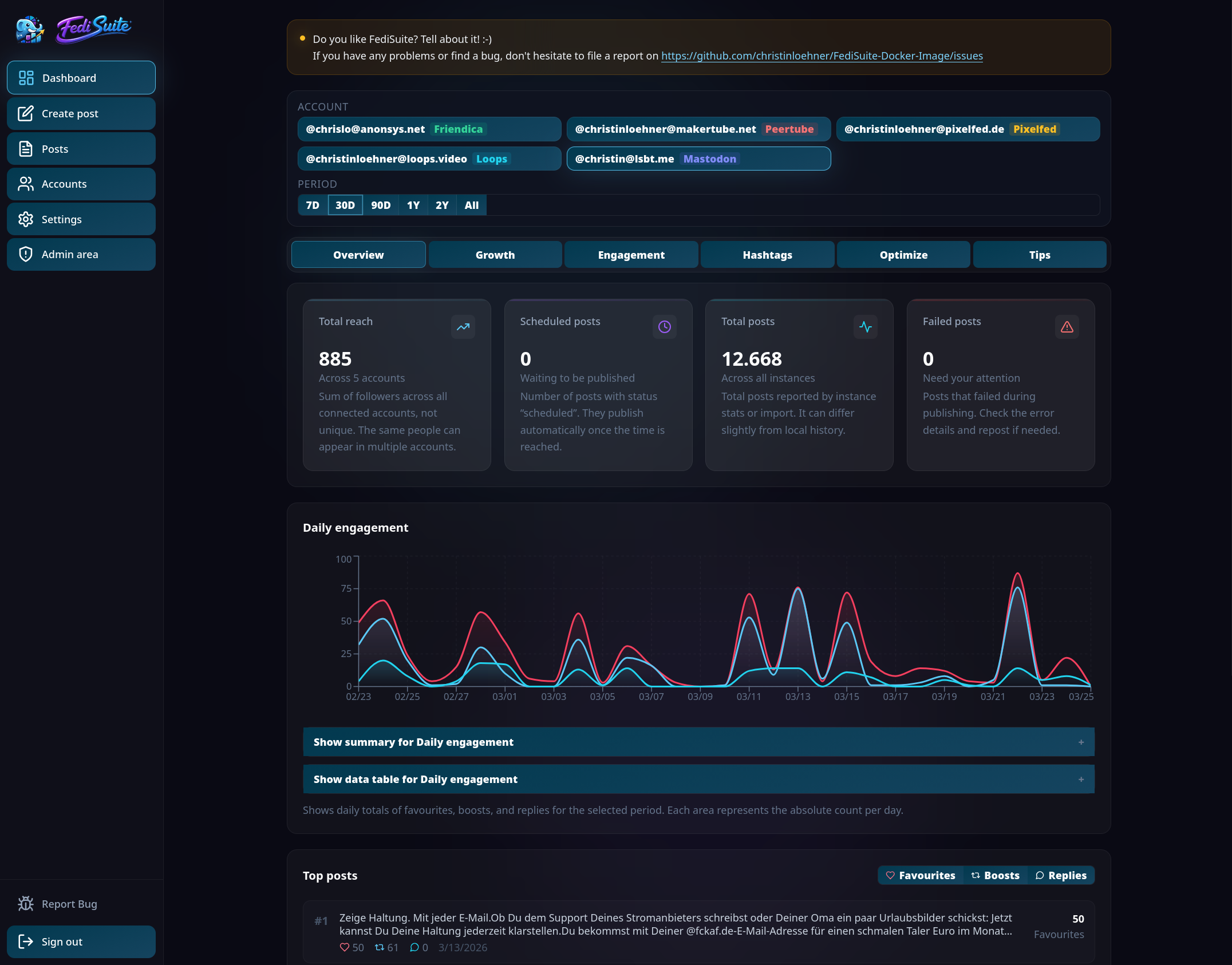
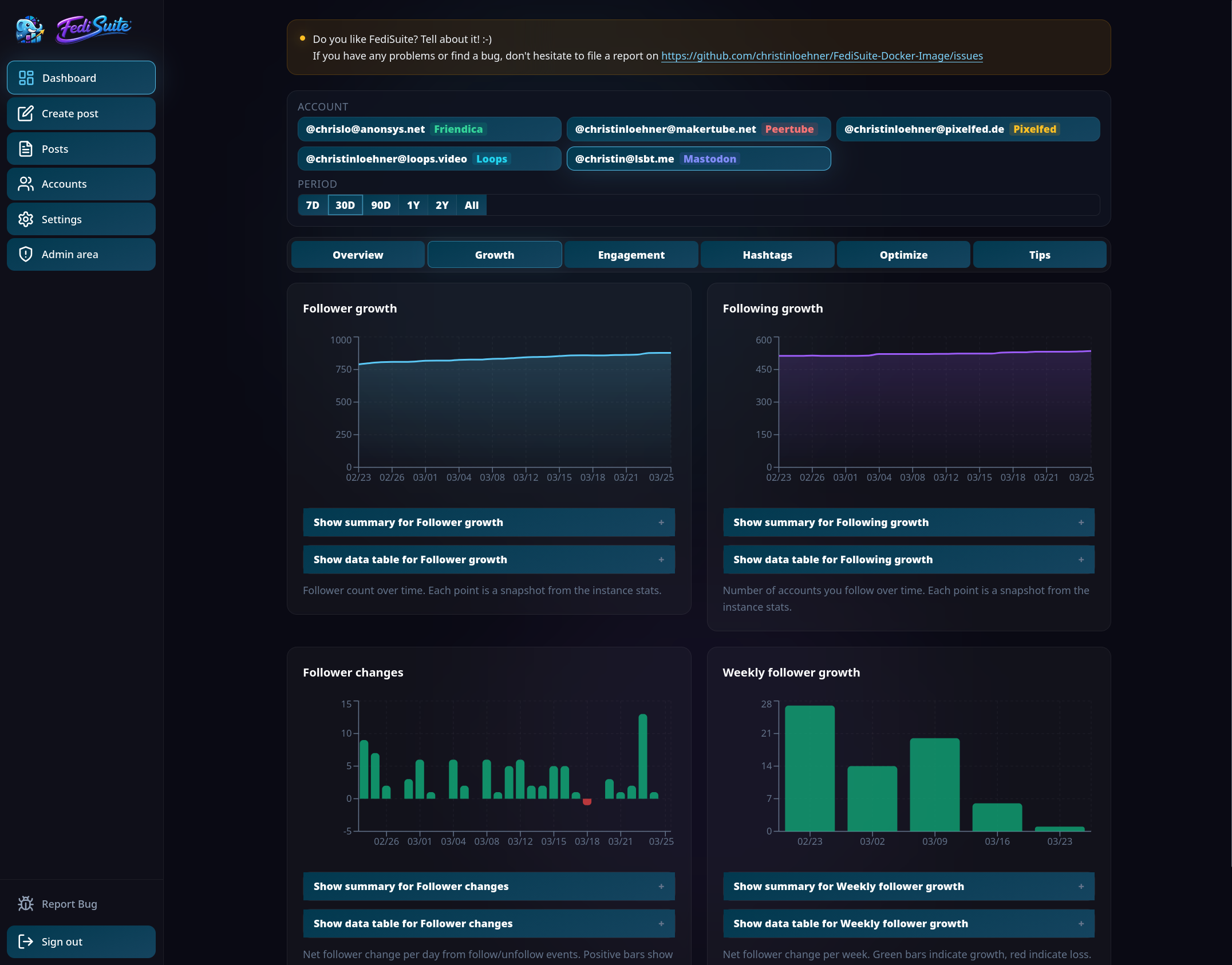
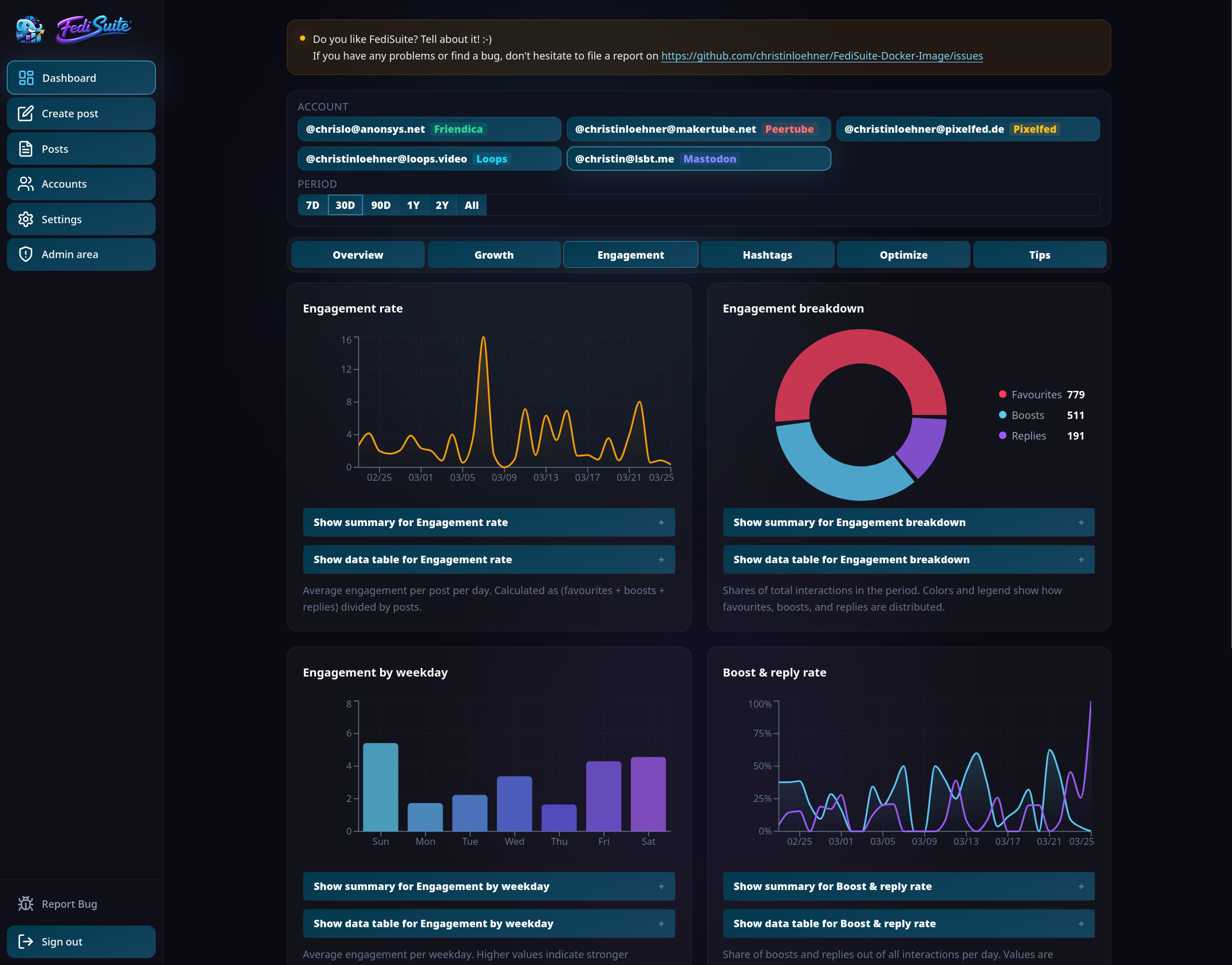
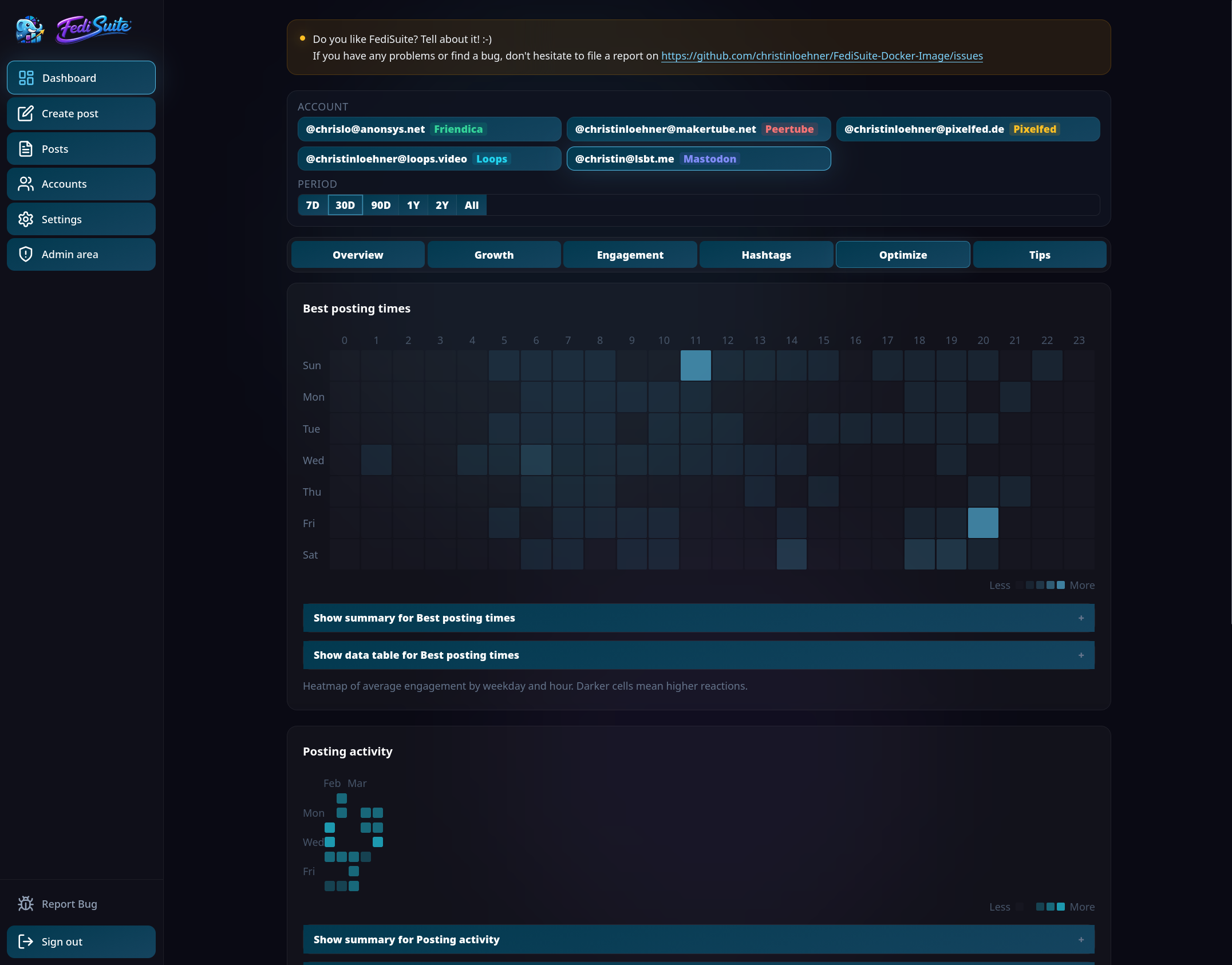
Analytics — Daily Engagement Overview
Built for the Fediverse,
not bolted onto it.
Every feature was designed with the Fediverse in mind — from platform-specific character limits to OAuth2 authentication and automatic instance detection.
Multi-Account Dashboard
Manage all your Fediverse accounts in one interface. Switch instantly, and see posting status, import progress, and metrics across all platforms at a glance.
Smart Composer
Platform-specific character limits, visibility options, content warnings, alt-text fields, and per-post language selection — validated live as you write.
Post Scheduling
Schedule posts to the minute in your timezone. Background workers handle publishing reliably with rate-limit resume handling and atomic post delivery.
Deep Analytics
Follower growth, engagement rates, posting heatmaps, hashtag reach, best times to post, and a tips engine based on your real data — not generic advice.
First-Class Accessibility
Every chart has a screen reader companion with text summaries and full data tables. Keyboard navigation, WAI-ARIA patterns, correct HTML lang, and live regions throughout.
Post Management
Edit, duplicate, repost, or delete scheduled, published, and failed posts. Full queue view with time-based ordering and status tracking.
Automatic Platform Detection
Enter an instance URL and FediSuite detects the platform type, loads character limits and media rules directly from that instance, and configures the composer automatically.
Historical Import
After connecting an account, FediSuite imports your existing post history in the background with clear progress indicators and status badges.
Secure Authentication
OAuth2 where supported. Passwords stay on your instance by default. Any deviation from the standard flow is clearly communicated before you proceed.
Understand your
presence. Improve it.
FediSuite goes beyond simple follower counts. The analytics dashboard gives you a clear picture of how your content actually performs — and tells you specifically what to do about it.
Daily and weekly follower and following counts, with change tracking and trend visualization across selectable time periods.
Favorites, boosts, and replies broken down by day, with engagement rate, weekday patterns, and boost-to-reply ratios.
Average engagement by weekday and hour — a heatmap that shows exactly when your audience is most reactive.
Which tags and tag combinations drive the most reach for your specific audience — not generic hashtag advice.
Reads your actual data and produces concrete, specific suggestions based on your own numbers — not generic best-practice lists.
Accessibility is a
requirement,
not a footnote.
FediSuite treats accessibility as a core engineering requirement. Every chart, every form, every interactive element is built to work correctly with screen readers, braille displays, and keyboard-only navigation.
Screen reader users get the same information as everyone else — not a degraded experience. The analytics dashboard that sighted users see as colorful charts is fully accessible through companion text summaries and structured data tables, exposed via disclosure controls with explicit ARIA wiring.
Every analytics chart has a companion text summary and a full data table. Heatmaps and distribution charts expose structured textual equivalents.
Arrow keys, Home, and End navigate dashboard tabs following the WAI-ARIA manual activation pattern. Roving tabindex on all tab lists.
The HTML lang attribute reflects the active UI language from the start and updates live when the user changes language — so screen readers announce content in the right language.
Dialogs, live regions, radio groups, skip links, and labeled form controls — built correctly from the start, not patched on afterward.
Every post can carry a BCP 47 language tag. Validated, stored, and transmitted to supported platforms so readers and assistive technology know which language a post is in.
Alt text is a first-class field in the composer — per media item, with preview — not an afterthought hidden behind a toggle.
Built for the
diversity of
the Fediverse.
FediSuite detects platform types automatically, loads character limits and media rules directly from each instance, and connects accounts via OAuth2 — or the most appropriate alternative where OAuth2 isn't available.
Platform type, character limits, and media rules loaded directly from the instance — no manual configuration.
OAuth2 where available. Alternative logins only where technically required, and clearly communicated.
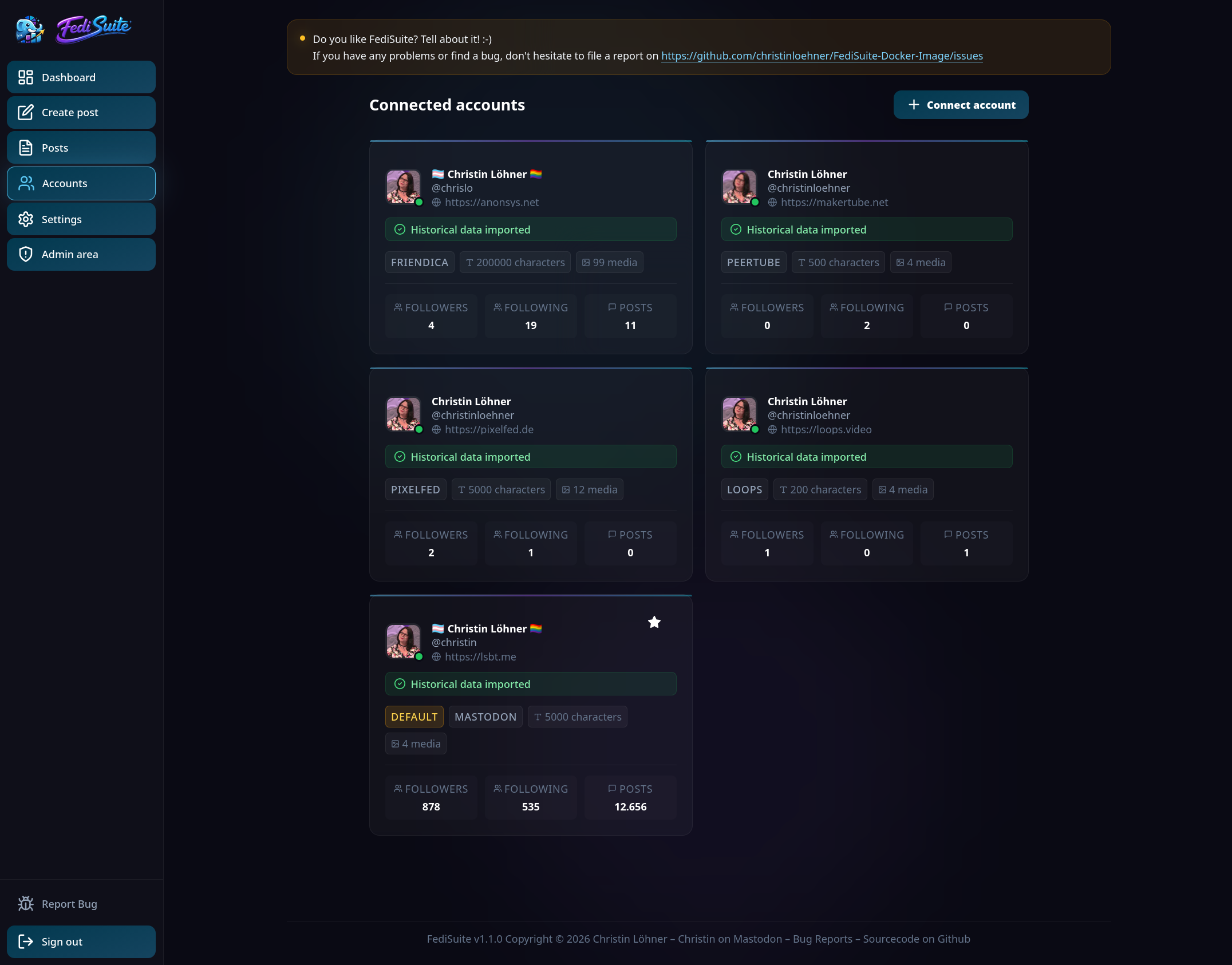
Accounts display import progress, platform badges, metrics, and clear status values.
Mastodon
Microblogging
OAuth2Pixelfed
Photo network
OAuth2Misskey
Microblogging
OAuth2Friendica
Social network
OAuth2Pleroma
Microblogging
OAuth2Akkoma
Microblogging
OAuth2Sharkey
Misskey fork
OAuth2Calckey
Misskey fork
OAuth2Firefish
Misskey fork
OAuth2Iceshrimp
Misskey fork
OAuth2PeerTube
Video platform
LoginLoops
Short video
LoginGNU Social
Microblogging
OAuth2
Full control.
Your server.
Your data.
Run FediSuite on your own server with Docker Compose. No compilation required — pull the official image, fill in your environment variables, and start the stack.
christinloehner/fedisuite — pull and run, no local build required.
PostgreSQL, the app (frontend + API), and two background workers for scheduling and refresh jobs.
Example labels and a reference Traefik compose file included in the self-hosting repository.
Set ENABLE_USER_REGISTRATION=false to run a private instance.
SMTP is required — FediSuite sends emails for registration, password reset, and import notifications.
GNU GPL-3.0.
Fully open.
The entire application stack is open — frontend, backend, Docker setup, and documentation. View the source, fork it, self-host it, and contribute. All under the GNU General Public License v3.
Bug reports
are welcome.
If you find a bug — especially in the self-hosting setup — please report it. The project is actively developed and real-world bug reports are one of the most valuable contributions right now. The CONTRIBUTING.md explains the process.
Native Android client.
Not a WebView wrapper.
FediSuite has a native Android app built with Expo and React Native — a real mobile-first client with a touch-optimized UI, compact analytics, and access to your full FediSuite workflow on the go.
The app connects to any FediSuite instance. Use the official hosted instance at app.fedisuite.com or point it at your own self-hosted server. No backend is hardcoded.
Android App on GitHub →Bottom tab navigation, large touch targets, card-based screens, and dark-mode-first visual design.
Account analytics and insights — compact, readable, and always up to date.
Write posts, attach media, add alt text, and schedule — all from the mobile composer.
Works with the official hosted instance and any self-hosted FediSuite server.
Actively developed.
Frequently released.
FediSuite ships updates regularly. Recent releases have focused heavily on accessibility improvements and platform expansion.
- +Keyboard navigation for dashboard tabs (arrow keys, Home, End — WAI-ARIA manual activation)
- +Localized tablistLabel and openPostLink in all three language files
- ↻HTML lang attribute now reflects active UI language and updates live on language change
- ↻Roving tabindex on dashboard tabs — only the active tab reachable via Tab key
- ↻Hardcoded English aria-labels replaced with localized strings throughout
Added comprehensive API endpoints for the native Android app.
Added accessible dashboard chart companion layers with per-widget text summaries and full data tables. Complex visualizations — heatmaps and distribution charts — now expose structured textual equivalents.
Added Italian UI translation, contributed by Elena Brescacin (@elettrona@poliversity.it). FediSuite now ships in English, German, and Italian.
Reworked the translation system so language files are detected dynamically — adding a new language no longer requires changing any other code.
Major accessibility improvements: per-post language field (BCP 47), skip links, live regions, dialog semantics, proper radio groups for visibility and account selectors, labeled controls throughout, and media attachment button overhaul.
Who is FediSuite for?
Whether you're a solo creator or an organization, FediSuite adapts to your workflow.
Individuals & Creators
If you manage multiple Fediverse accounts and spend more time switching tabs than creating, FediSuite brings scheduling, analytics, and a platform-aware composer into one place.
Projects & Communities
Open source projects, community initiatives, and activist groups with regular publishing needs. Plan your calendar and track which messages resonate with your audience.
Organizations
Teams taking the Fediverse seriously as a channel. FediSuite offers structured workflows, analytics, and the option to run a private instance on your own infrastructure.
From zero to productive
in four steps.
Start on the hosted instance or spin up your own Docker stack. Either way, you're up and running in minutes.
Open or self-host
Go to app.fedisuite.com and sign up for free — or spin up the Docker Compose stack from the self-hosting repository on your own server.
Connect accounts
Enter your instance URL. FediSuite detects the platform, loads limits and rules, and connects your account via OAuth2 or the appropriate alternative.
Schedule content
Write posts with the smart composer, attach media, add alt text, pick visibility, and schedule for the exact time you want them published.
Analyze & optimize
Check your analytics, find your top posts, identify your best posting windows, and let the tips engine tell you what to do differently.
Your Fediverse,
organized.
Use the hosted instance for free, or run your own. FediSuite is open source and always will be.